


E-Commerce AI Photo Generator: Create Studio-Quality Product Photos Without a Studio
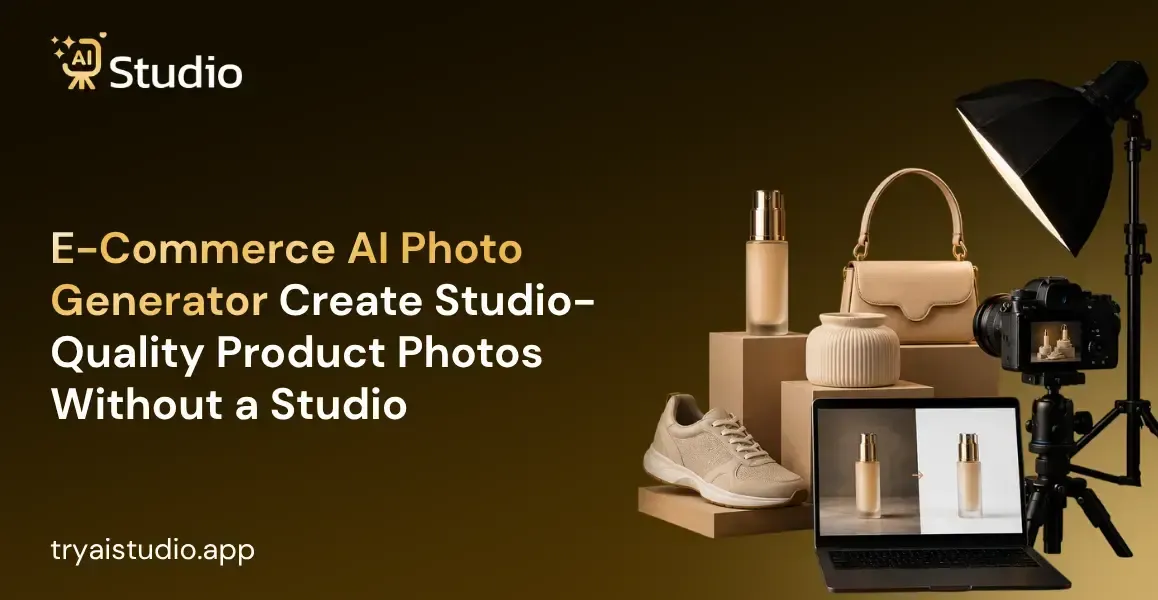
If you sell anything online in India, be it on Amazon, Flipkart, or your own Shopify store, you should know one bitter truth by heart: good photos equal sales, while bad photography equals lost sales, regardless of how good your product is.
I've seen too many sellers in India waste anywhere between ₹10,000 and ₹50,000 on a single photoshoot, only to regret spending that kind of money on a bad result, poor lighting, bad location, you name it.
That's why an e-commerce AI photo generator is becoming a new favorite among small businesses, D2C brands, and even marketing agencies in India.
In this article, I'll briefly explain the inner workings of such programs to give a better grasp of what to expect from AI image generation, compare them to traditional photo sessions, and help you understand how to use an AI image generator to create professional photos of your products.
What Is an E-Commerce AI Photo Generator?
Let me explain to you what an AI product image generator is. Essentially, this is an online tool which lets you turn a casual photo of your product into a nice picture. No need for lighting photographers and expensive studios anymore.
For example, you can drag and drop a photo of your Kurta there, and it will make it look nice on a white background for Amazon or more stylish for your Instagram. This is what product image generation tools are able to do, based on machine learning algorithms.
Such programmes are trained on photos of products with particular lighting to be able to replicate them. This is how you turn images of goods into nice pictures that you can use anywhere you want.
How the Technology Actually Works
Here's the reality. You don't need to understand the technical side to use it. In simple terms, most tools follow this basic flow:
- You upload your raw product photo, taken on a phone or a basic camera
- The tool removes and replaces the background automatically
- You pick a style, a lifestyle setting, or a model pose for your category
- The AI generates a finished, professional-looking image within seconds
- You download it and use it directly on your listing, ad, or catalog
This is the basic idea behind most AI image generator for product tools available today, including AI Studio.
The Real Problems with Traditional Product Photography
Prior to proceeding, I would like to clarify some of the common concerns faced by Indian sellers switching to AI photography on platforms such as Amazon, Flipkart, and Shopify who are considering traditional shoots. The reasons below have been highlighted as the most common by multiple sellers we've worked with:
Cost: A traditional shoot, including the usage of the best models and professional photographers, would cost anywhere between ₹10,000 to ₹50,000, and even more on occasions. This would include the expenses on the studio, and in certain cases, the photographer's or model's salary.
Availability: Getting in touch with the agency requires at least 4 to 5 days, while the models themselves have extremely limited availability. Even when you do get availability, the whole process of hair salon, make-up, and styling takes up a lot of time. Hence, many sellers are opting for the regular phone-cam photos as compared to traditional shootings because it saves the hassle of getting the image approved.
Consistency: The inconsistency between two different photographs is visible, especially if you have two different photographers. This creates a poor impression and reduces your chance of the consumer buying the product.
Time: A regular shoot or even a product photography session might take 1 to 2 weeks, and during the period, the seller doesn't know what changes to make. This causes the seller to lose out on the best possible price during the festive season and Big Billion Days.
AI Product Photography vs. Traditional Photoshoots
Let me show you the real difference with numbers, because this is where most sellers get surprised.
| Factor | Traditional Photography | AI Product Photography |
|---|---|---|
| Cost | ₹10,000 to ₹50,000 per shoot | Starting from ₹600/month |
| Time | 1 to 2 weeks | Under 10 seconds |
| Models Needed | Yes, requires booking | No, AI generates model images |
| Studio Required | Yes | No |
| Consistency | Varies by shoot | Always consistent |
| Scalability | Slow and expensive | Scale hundreds of images fast |
| Beginner Friendly | Needs expertise | Anyone can use it |
In my experience, this comparison of AI product photo apps alone is enough to convince most small sellers to at least try an AI tool once.
When Traditional Photography Still Makes Sense
I wouldn't lie to you here. Traditional photography has its place. If you are doing a big launch for a major label or you need to capture some very specific creative direction that an automated system wouldn't be able to achieve, then by all means use a studio photographer. However, for day-to-day catalog work, listing shoots, and social media content, an automated product photography solution will save you time and energy.
How to Create Product Photos with AI (Step-by-Step)
Let me walk you through the exact process to create product photos with AI, the same way I've shown many sellers using AI Studio for the first time. You need no design skills and no photography background. The whole thing takes less than 10 minutes from start to finish.
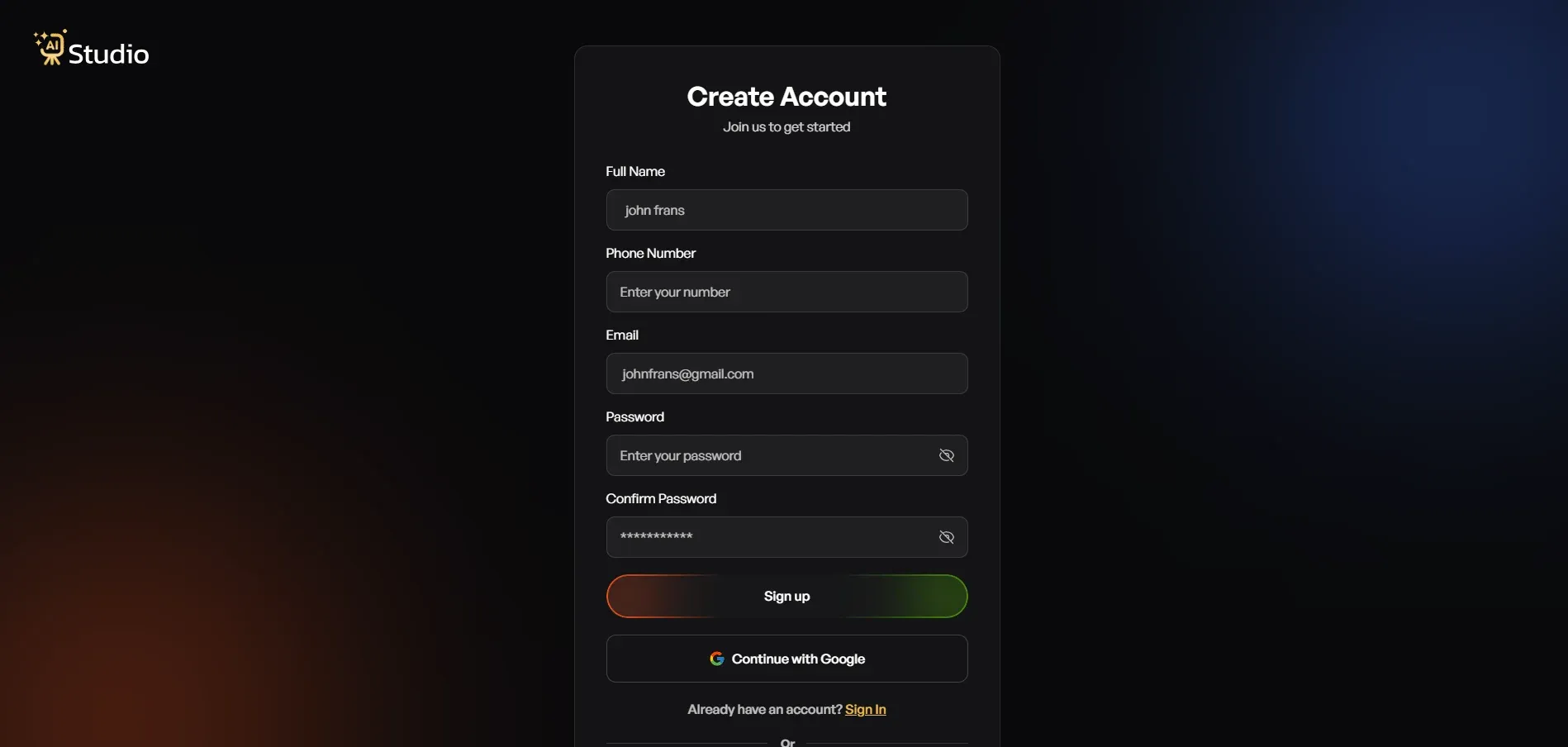
Step 1: Create a Free Account and Log In
- Go to tryaistudio.app and sign up
- No credit card needed to get started
- Once you log in, your dashboard opens, and you're ready to begin
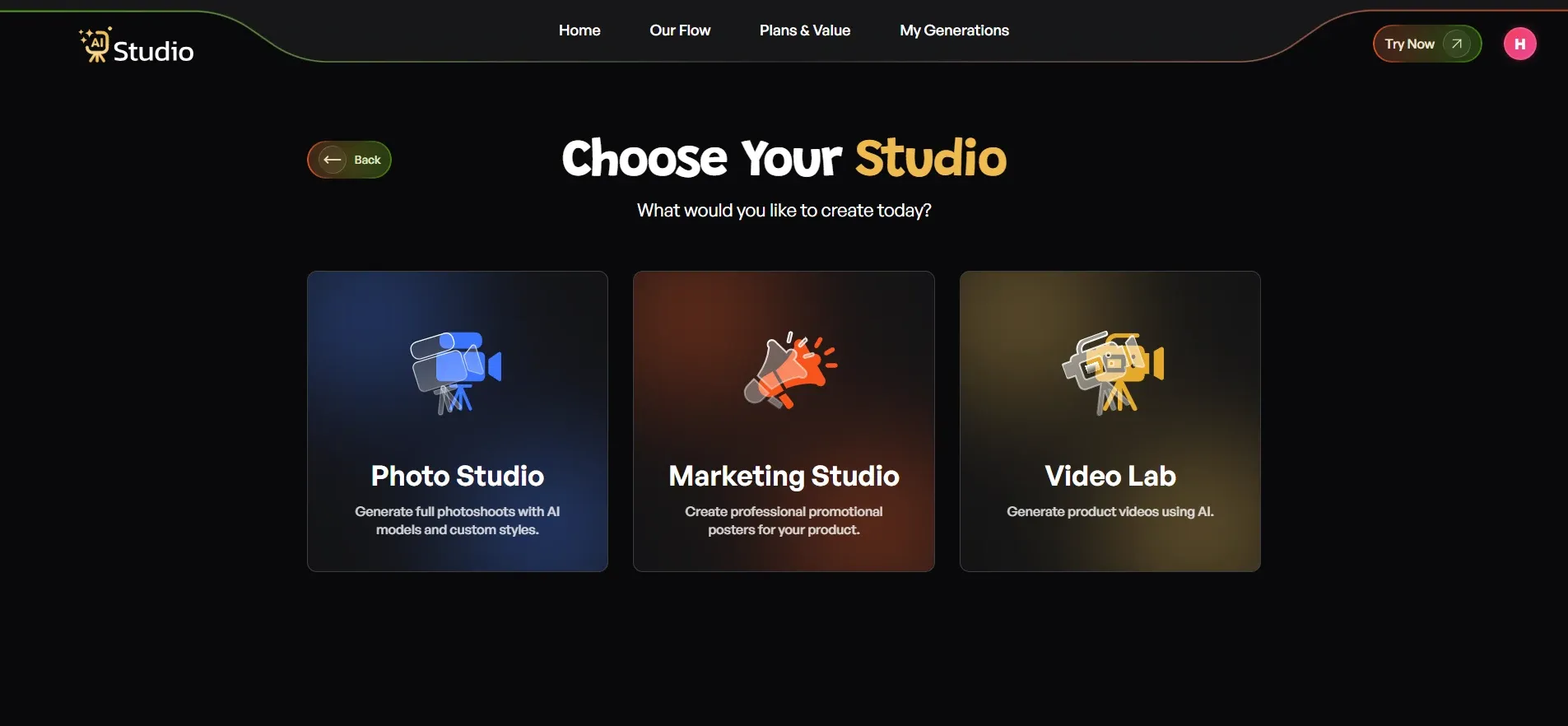
Step 2: Choose Your Studio
- Inside the dashboard, you'll see three options: Photo Studio, Marketing Studio, and Video Lab
- For product photos, click on Photo Studio
- This is where all your images get created
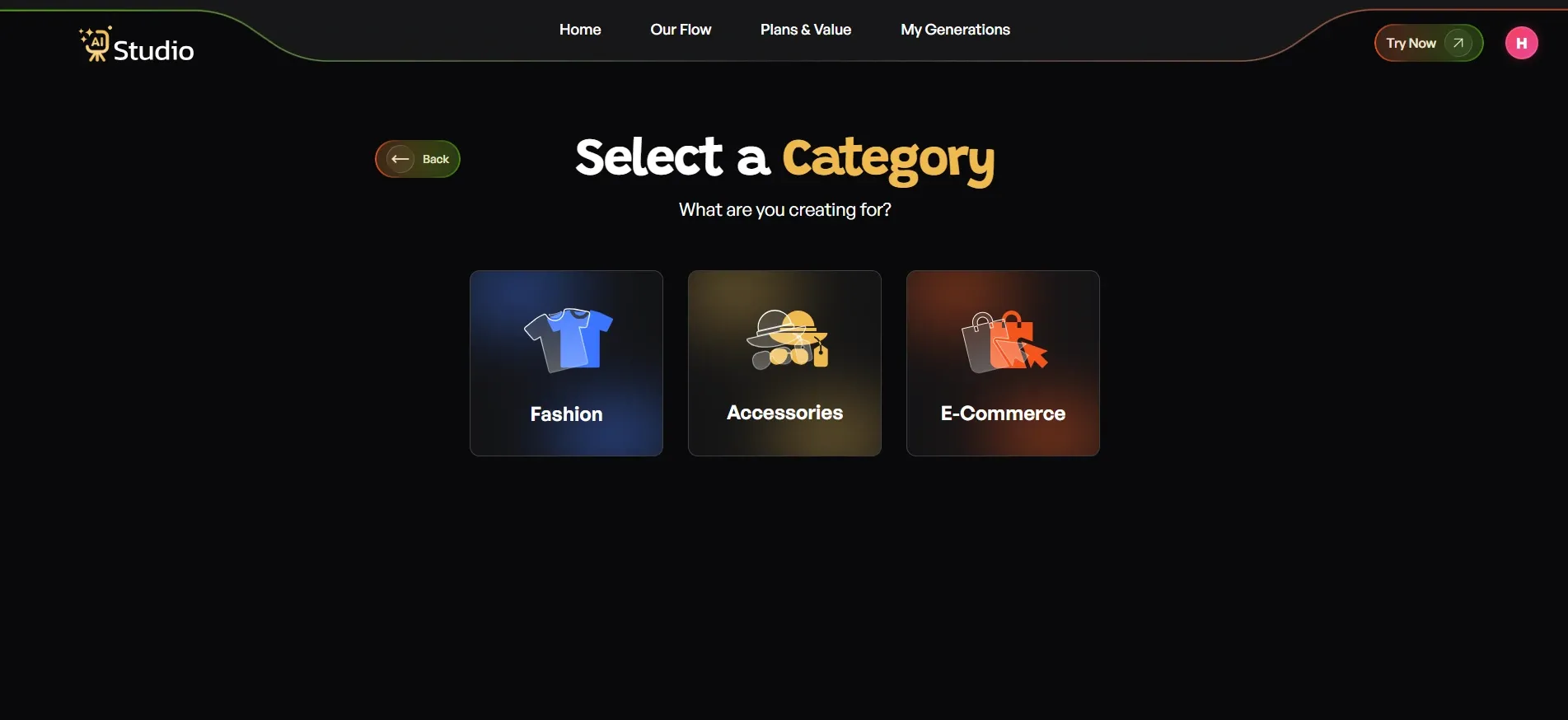
Step 3: Select Your Category
- Fashion, for clothing like kurtas, t-shirts, dresses, or ethnic wear
- Accessories, for watches, jewellery, bags, belts, or sunglasses
- E-Commerce, for general product listings like electronics, home goods, and beauty products
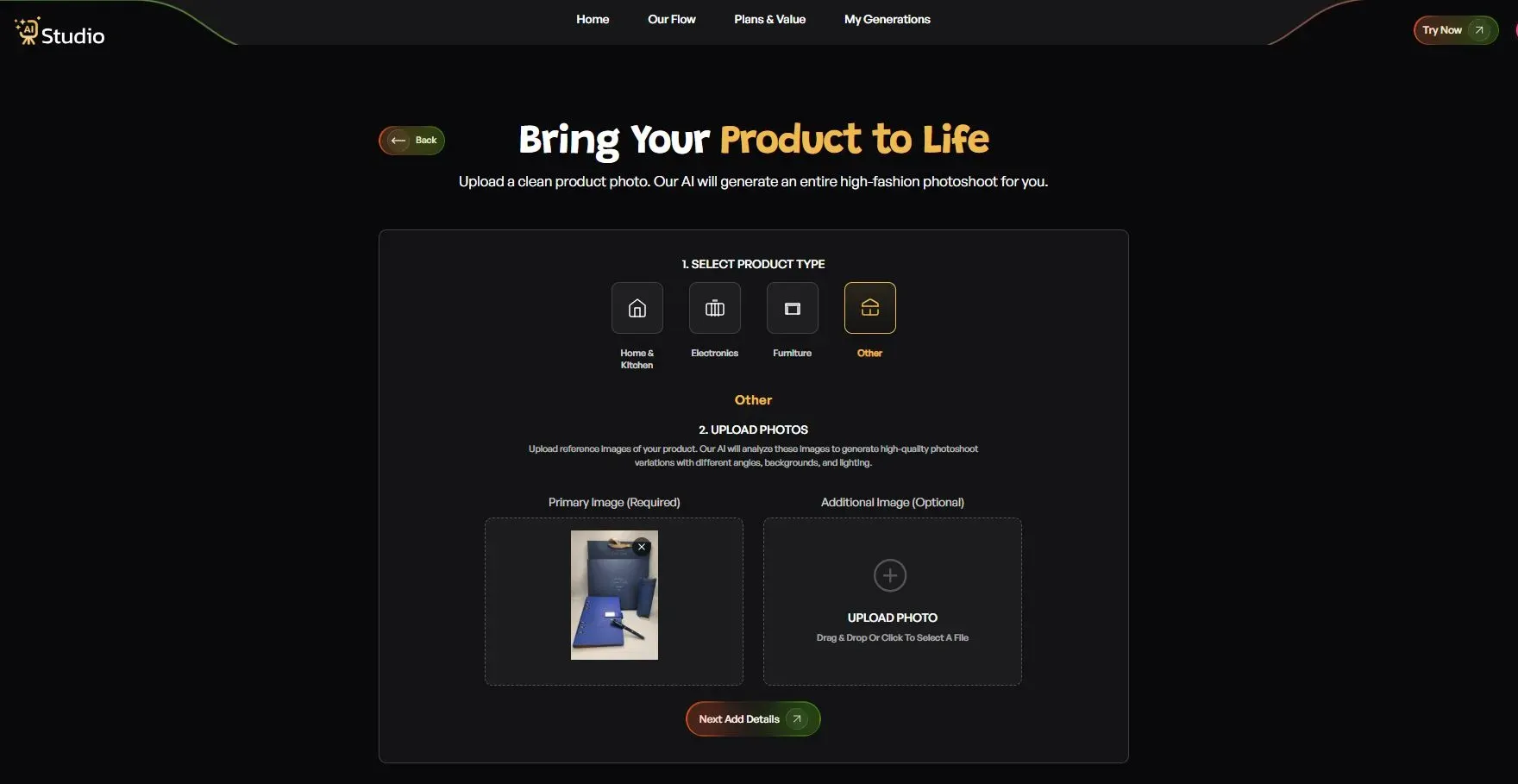
Step 4: Upload Your Product Photo
- Select your exact product type, such as watch, belt, perfume, wallet, or dress
- Upload a clear front-facing image as your Primary Image
- Add a second angle as an Additional Image if you have one (optional, but helps for accessories)
- Use a plain or light-coloured background in your original photo for best results
- Any phone photo works fine as long as it's in focus with decent lighting
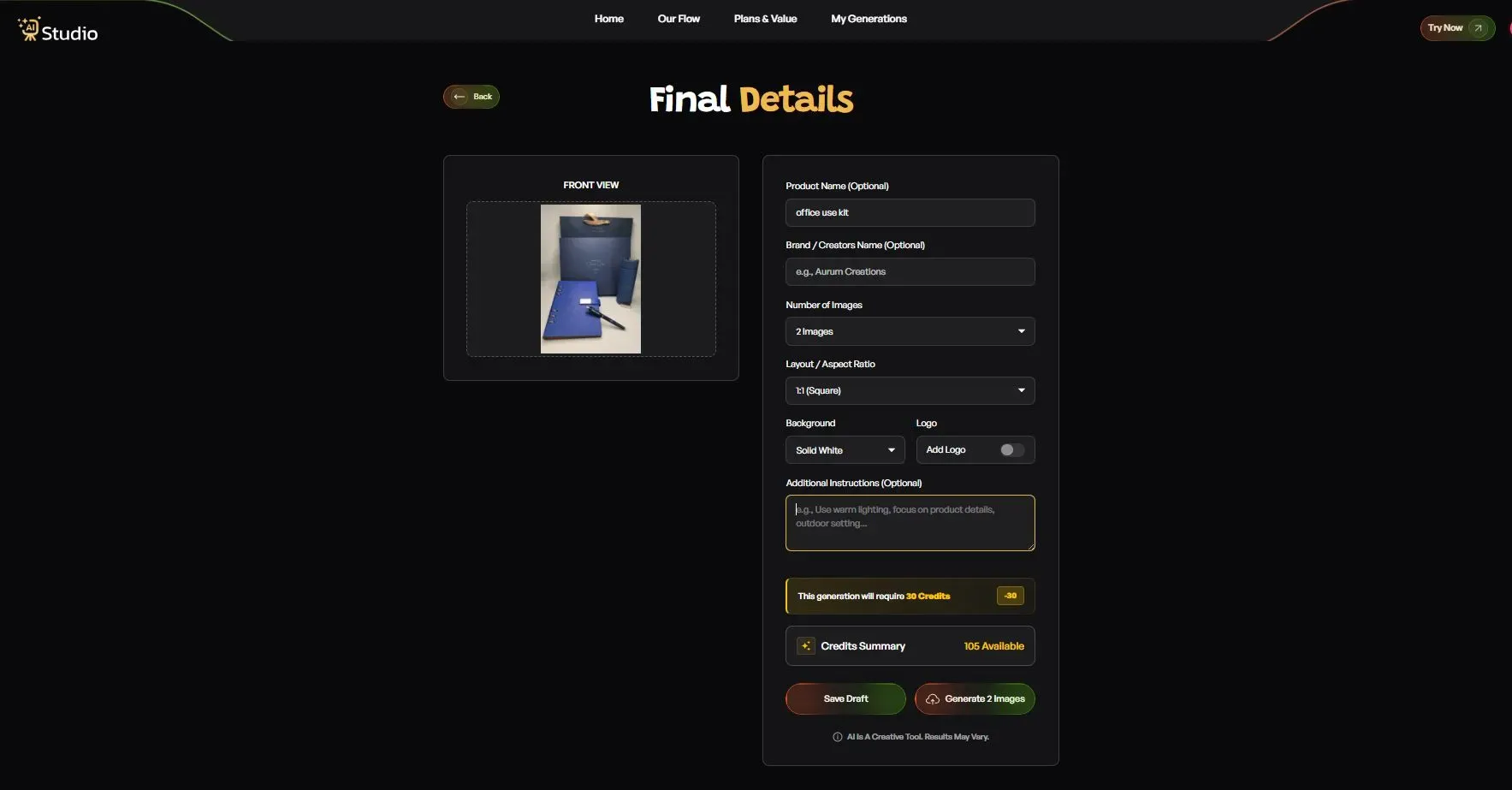
Step 5: Fill In the Final Details
- Product Name and Brand Name (optional, helps keep your catalog consistent)
- Number of images you want generated (2, 4, or more)
- Layout or aspect ratio: 1:1 square for Amazon and Instagram, 4:5 for Instagram feed, 16:9 for banners
- Model Consistency toggle: turn this on if you want the same model across all images in a catalog shoot
- Background: solid white works best for Amazon's main image; other options suit lifestyle scenes
- Style: choose from Modern, Minimalist, Vintage, Monochrome, Aesthetic, or Close-Up
- Logo: add your brand watermark if needed
- Additional Instructions: for example, "use warm lighting, outdoor setting, focus on product details"
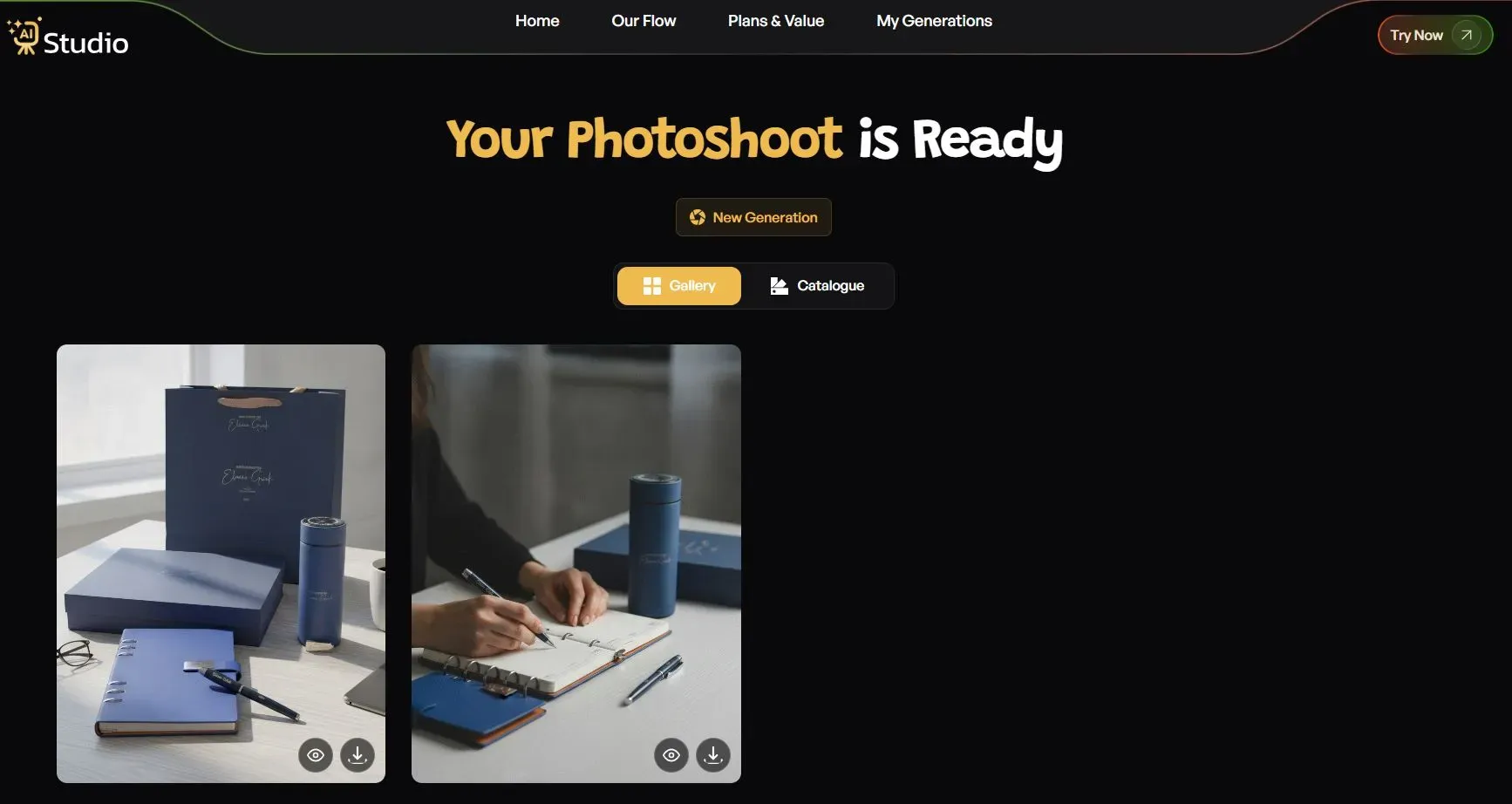
Step 6: Generate and Download Your Image
- Click Generate Images once everything looks right
- Your image, complete with a virtual model and professional setting if chosen, is ready in about 10 seconds
- Download it in full resolution for Amazon, Flipkart, Shopify, or Instagram
- No retouching wait, no back-and-forth with a photographer
Tips for Better AI-Generated Results
A few small things make a real difference in your final output, and these product photography tips for sellers can help you get there faster:
- Use good natural light or a basic ring light for your original photo
- Keep the product clean, no fingerprints, dust, or smudges
- Shoot against a light-coloured background so the AI can process it easily
- Take more than one angle of the same product when possible
- Avoid heavy shadows in your original photo; they can confuse the AI tool
Best Uses for Amazon, Shopify, and Etsy Sellers
Different platforms expect different things from your product images, and getting this right matters a lot for your listing performance.
Improving Amazon Listing Images with AI
If you are wondering how to improve your Amazon listing images, the first idea that comes to mind is the background. On Amazon, for the main image, they require a pure white background (and a certain size, usually 1000x1000 or bigger). This is not only boring but also time-consuming to edit correctly for each of your SKUs.
This is where the best AI product photo generator for Amazon comes in handy. Here, you can not only quickly generate images with a pure white background, but also create additional lifestyle images for your secondary photos (based on the same product image). Here are a few things you can do with such a tool:
- Generate multiple angles from a single photo
- Create comparison-style images for your listing
- Produce infographic-style visuals for A+ content
- Generate mobile-optimised thumbnail images
Shopify and Etsy Product Photo Best Practices
For Shopify stores, maintaining uniformity across the gallery is essential, with the same background, color scheme, and overall appearance.
While the default Shopify product gallery view features a white background, buyers who browse through a Shopify product image AI tool-created shop expect to see a product with a specific look and feel across the entire Shopify product image gallery.
Etsy sellers, especially those offering handcrafted jewelry and accessories, find that lifestyle photo shoots tend to be more successful than using standard white backgrounds. Therefore, a trial virtual product photoshoot for Shopify or Etsy can be useful in determining the preferred style.
Quick checklist for platform-ready images:
- Amazon: white background, correct pixel dimensions, no extra text or watermark
- Shopify: consistent background and lighting across all products
- Etsy: warm, lifestyle-style images that suit handmade and boutique products
- Instagram/Ads: bold, eye-catching backgrounds that stop the scroll
Common Concerns About AI Product Photo Quality
Let's say it like it is, I'm trying not to overpromise on the early iterations of the AI photo tools. Early versions of the technology often produced distorted shadow patterns, unrealistic textures, and improper lighting, which made products look unnatural.
That said, before you publish any AI-generated product image live on your store, always check these small things:
- Does the product's shape and proportion look accurate compared to the original?
- Are your brand colours showing correctly, especially for clothing and packaging?
- Is any small text or logo on the product still clear and readable?
- Does the background match the mood you want for that platform?
A quick manual check like this takes less than a minute and saves you from publishing something that looks slightly off.
Choosing the Right AI Product Photography Tool
With so many options available now, picking the right AI product photography tools can feel confusing. Here's a simple checklist I usually recommend to sellers who ask me for advice.
- Does it offer a free AI photo editor online or a free trial before you pay?
- Can you download images in high resolution without a watermark?
- Does it support on-model fashion photography if you sell clothing?
- Is the pricing affordable for a small business, monthly subscription or per-credit?
- Does it work well for your specific category, fashion, jewellery, or general accessories?
- Can it handle bulk uploads if you manage a large catalog?
Rather than spending 20,000 rupees on a shoot, many sellers are now turning to AI tools such as AI Studio, which ticks almost all of the above boxes, offers generation in roughly 10 seconds flat, no watermark, a plan from 600 rupees per month, and even supports both classic product photography and on-model fashion shoots without a model.
Whether you're a small jewellery seller with high-quality AI product photos for jewelry needs, or a product photography agency that needs to fulfill the requests of dozens of clients, you can benefit from having one less thing to worry about by using a single AI product photography tool.
Conclusion
Product photography can be expensive. With an e-commerce AI photo generator, you get faster, cheaper, and sometimes higher-quality images that can be used for Amazon, Shopify, Flipkart, Instagram, and more, without the need for a real photoshoot in a real studio.
It's worth trying out for yourself at least once, just make a product photo like in the example above and follow the steps until you get your desired image.