


On Model AI Fashion Photo Without Model: Create Fashion Product Shoots Using AI
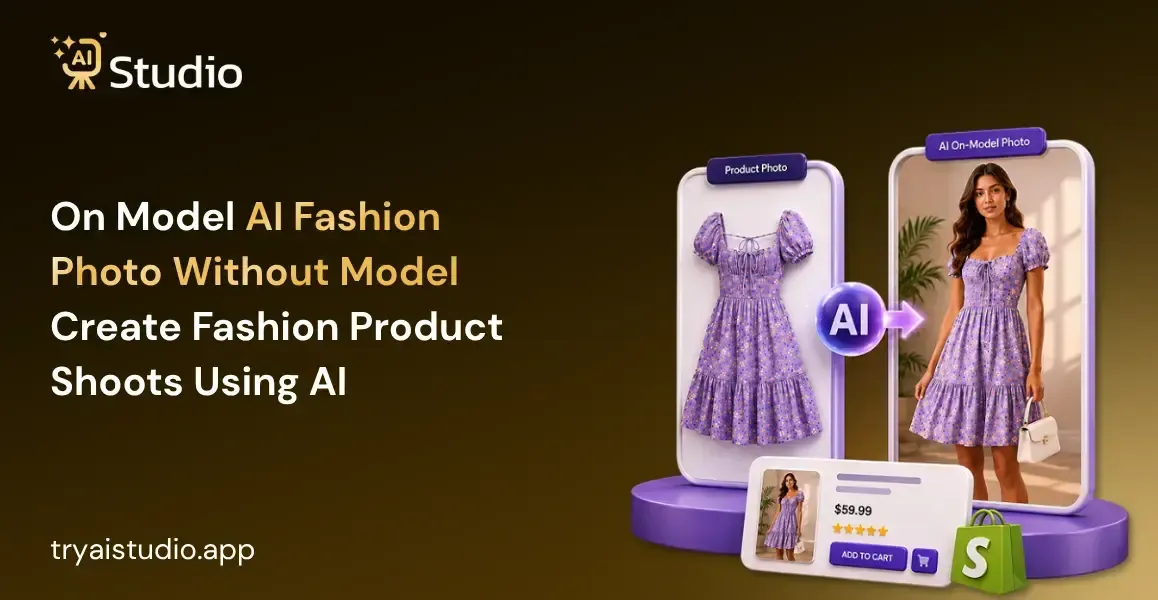
The hiring of a model for a fashion shoot in India will set you back anywhere between ₹5,000 and ₹50,000 per day. The hiring of a photographer, the studio fees, and the cost of editing will easily add up to ₹30,000 or more.
This is the kind of expenditure that small sellers and direct-to-consumer brands cannot afford each season. For those who sell fashion items on Amazon, Flipkart, or Shopify, the pain of this process is no stranger to them.
This is where on-model AI fashion photo, without model technology, changes the game completely. In this guide, you will learn exactly how to create realistic model shots using AI, what the step-by-step process looks like, how AI compares to traditional photography in terms of cost and speed, and how to get the best quality output for your listings.
If you want to see what AI-generated product images look like before reading further, visit Try AI Studio.
What is On Model AI Fashion Photo Without Model
On-model fashion photography through AI refers to the method whereby artificial intelligence is employed to produce photos with a person wearing a specific item of clothing or accessory. Upload your product photo and set the model's parameters, and let the AI create a high-quality image in minutes without any help from professional photographers.
Through the power of deep learning, the algorithm will analyze your product, identify the fabric type and features, and then place it correctly on the model. This means that everything else, including lighting, background, and shadows, will be created artificially. It takes up to seven days for a traditional fashion photo shoot to be completed, while an AI-generated fashion image can be produced within seconds.
Why Indian Fashion Sellers Need This Now
Here's the reality: running a fashion business on Indian ecommerce platforms is way more competitive than ever. Every product needs really good images to get clicks. But to make "really good images," you need models, photographers, a studio, and editing time, and that whole combo is expensive and kinda slow for small sellers.
A lot of sellers struggle with this, like a kurti brand from Jaipur launching a summer collection, and they can't afford to shoot every single design. Or a Meesho reseller who suddenly needs fifty product images within a week, they don't have a real way to do that using traditional photography. Then there's a Shopify fashion store getting ready for a sale campaign, they need fresh visuals now, not in ten days.
Now think about what one traditional shoot actually costs. A model can charge ₹5,000 to ₹50,000 per day. Add a photographer at ₹3,000 to ₹15,000 and a studio at ₹2,000 to ₹10,000, and you're already around ₹10,000, before any editing even starts. For most smaller sellers, this math just does not scale.
To understand why more brands are making this switch, read this detailed breakdown of why Indian brands are switching to AI photography.
Traditional Product Photoshoot vs AI Fashion Photography
AI vs traditional product photography basically comes down to four things: cost, speed, consistency, and control. Here is how they compare side by side.
| Factor | Traditional Photoshoot | AI Fashion Photography |
|---|---|---|
| Model cost | ₹5,000 to ₹50,000 per day | Included in AI tool subscription |
| Photographer cost | ₹3,000 to ₹15,000 per day | Not required |
| Studio rent | ₹2,000 to ₹10,000 per day | Not required |
| Editing cost | ₹500 to ₹2,000 per image | Automated |
| Turnaround time | 3 to 7 days | Under 60 seconds per image |
| Consistency across SKUs | Difficult (varies per shoot) | High (same model and settings) |
| Scalability | Limited | Generate hundreds of images per session |
| Total cost per shoot | ₹15,000 to ₹80,000+ | Starting from ₹600/month |
The difference is pretty major. Instead of shelling out ₹20,000 to ₹80,000 for just one shoot, a lot of sellers are now leaning on affordable AI product photography tools, so they can get essentially the same end result at a fraction of the cost.
Tools like AI Studio (tryaistudio.app) begin at ₹600 per month, and they let sellers make multiple catalog-ready images without even touching a camera or booking anyone for the job.
For a deeper look at how small businesses are making this switch, read this guide on AI product photography for small businesses in India.
How to Create On-Model AI Fashion Photos Without a Model
This process is pretty straightforward, even if you have never used an AI tool before. You don't need design skills, photography knowledge, or any special equipment. Just a simple phone photo is enough to get started. The whole thing takes under ten minutes for your first image, and after that it gets easier.
Step 1: Create a Free Account on Try AI Studio
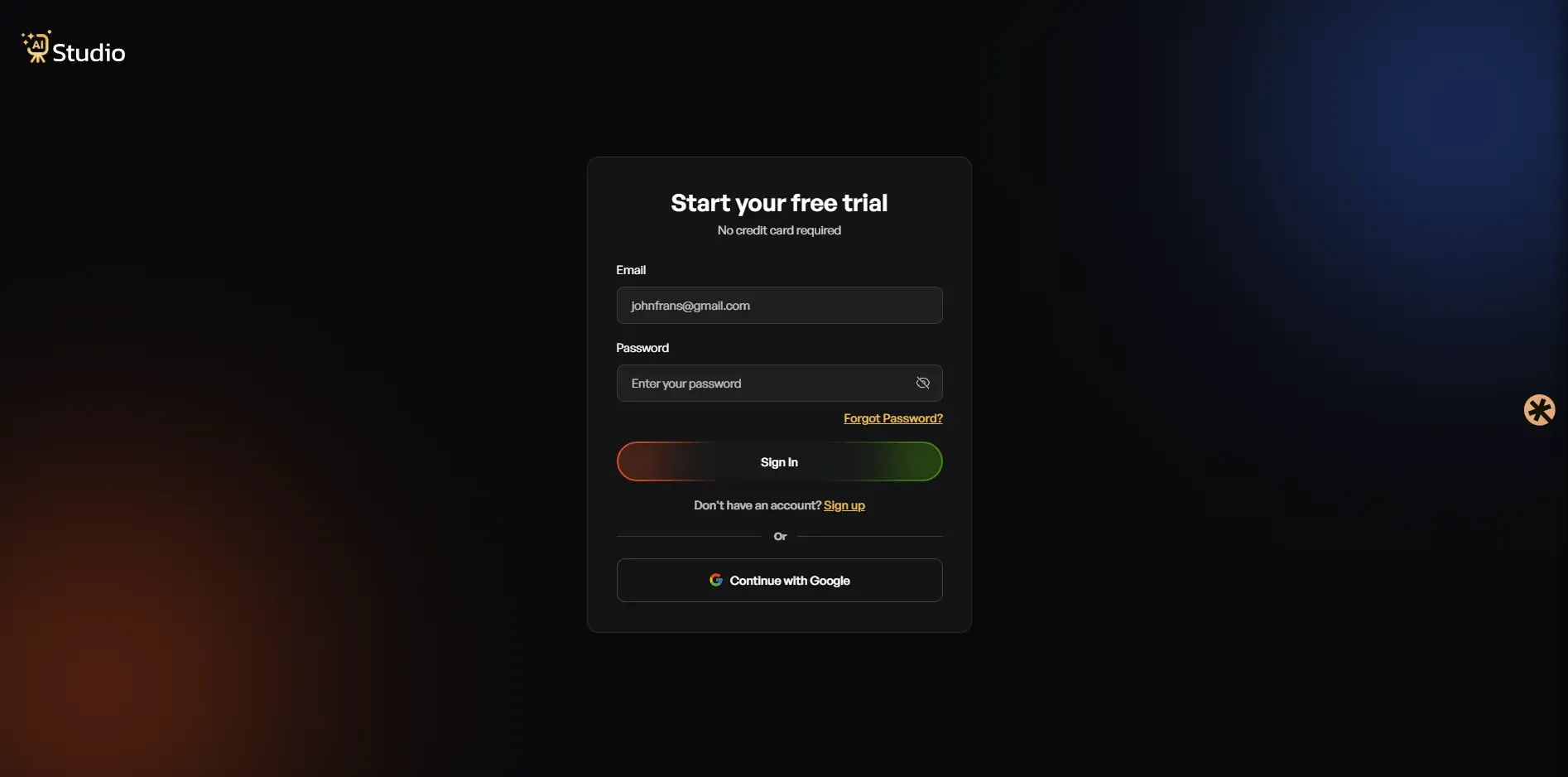
Go to Try AI Studio and sign up for free. No credit card is required. Your dashboard opens immediately after login, and you are ready to start.
Step 2: Choose Photo Studio From Your Dashboard
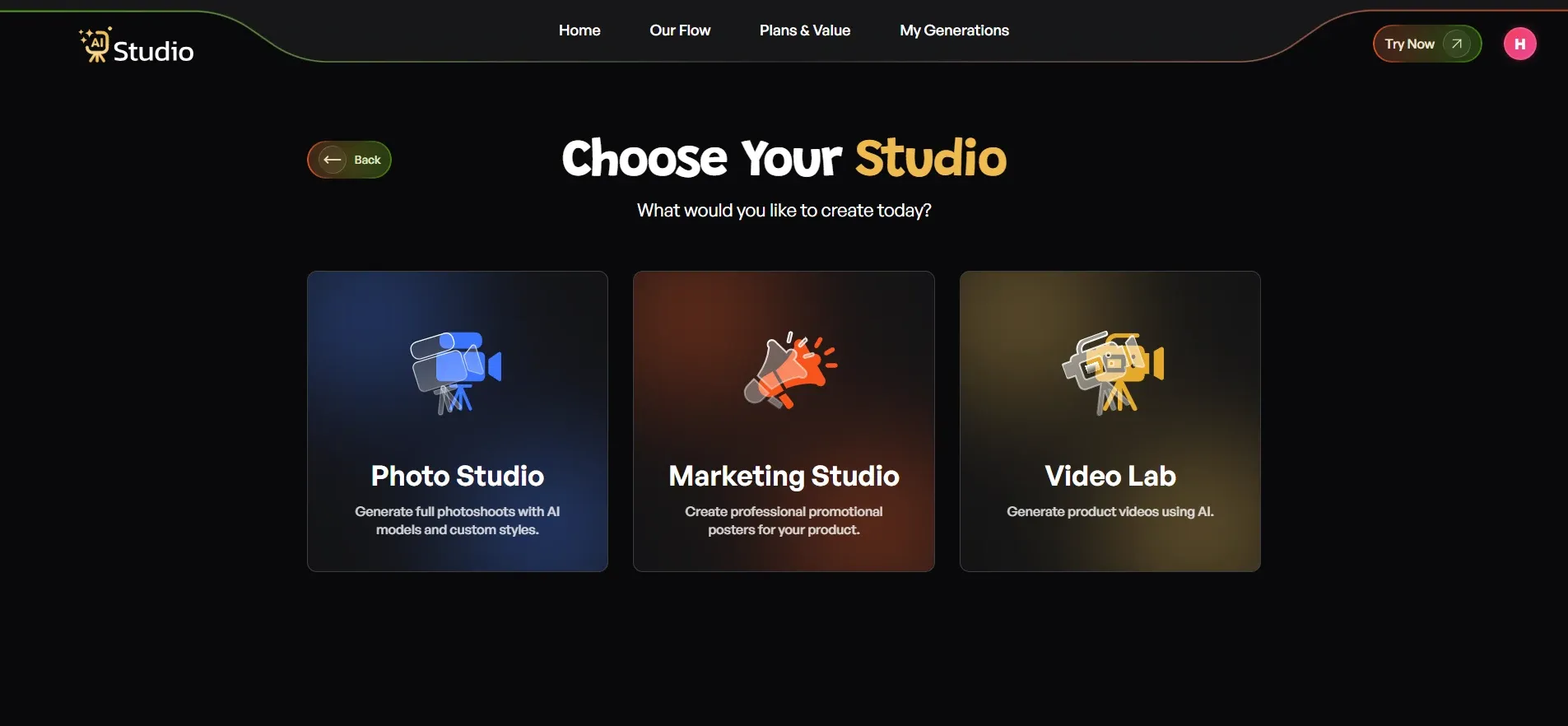
Inside the dashboard, you will see three options: Photo Studio, Marketing Studio, and Video Lab. Select Photo Studio. This is where the entire AI product photography workflow happens.
Step 3: Select Your Category
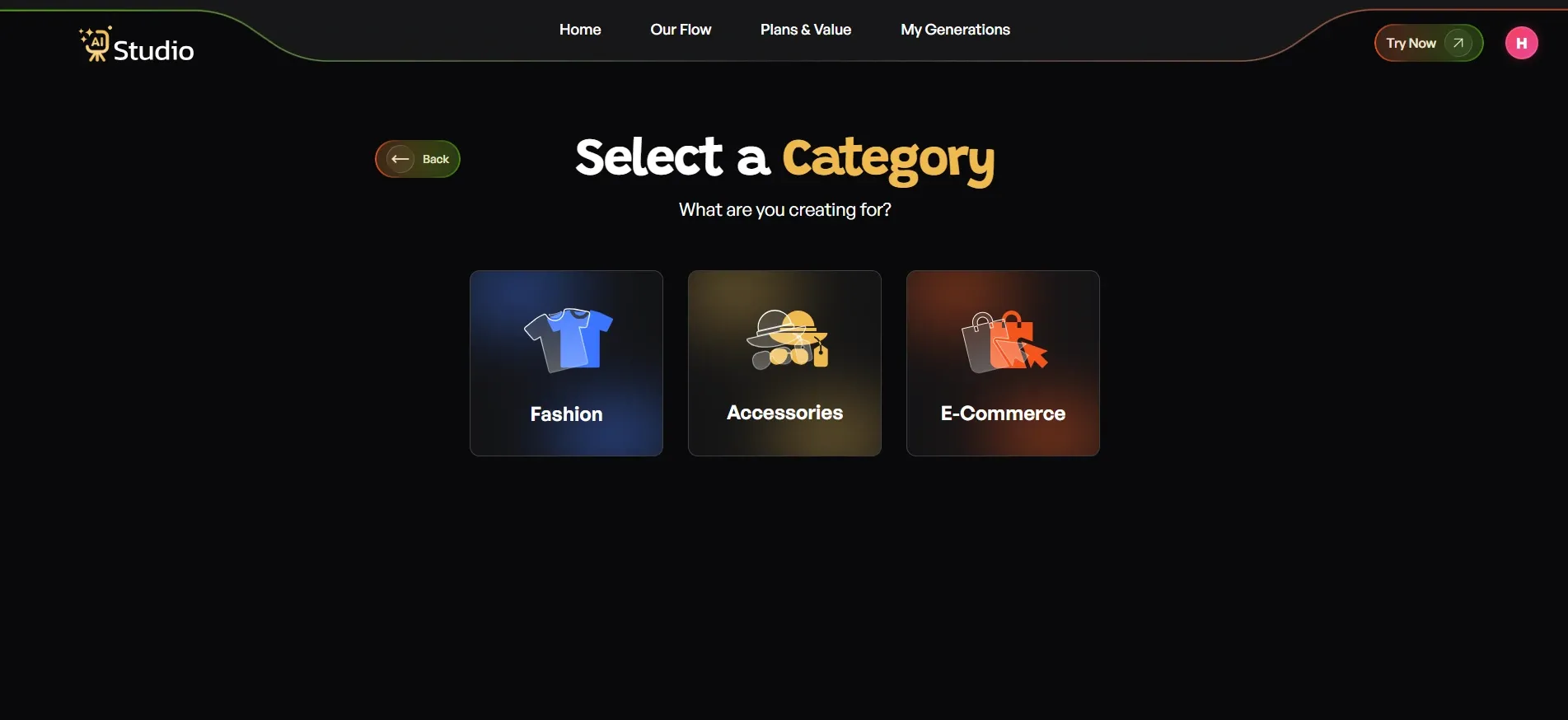
The tool will ask what your creation is for. You will see three categories:
- Fashion: Choose this for kurtas, t-shirts, dresses, sarees, ethnic wear, or any clothing item
- Accessories: Choose this for jewellery, watches, bags, belts, sunglasses, or fashion accessories
- E-Commerce: Choose this for general product listings like electronics, home goods, or beauty products
For Fashion and Accessories, you will also select a subcategory: Women, Men, or Kids. This tells the AI which type of virtual model to generate for your product.
Step 4: Select your Sub-cateogary
According to your accessories choose gender which you want to get designed model for You specific need. Also get you Designed model by follow next steps. There are specific three option:
- Men
- Women
- Kids
You can choose where you want for designed model.
Step 5: Upload Your Product Photo
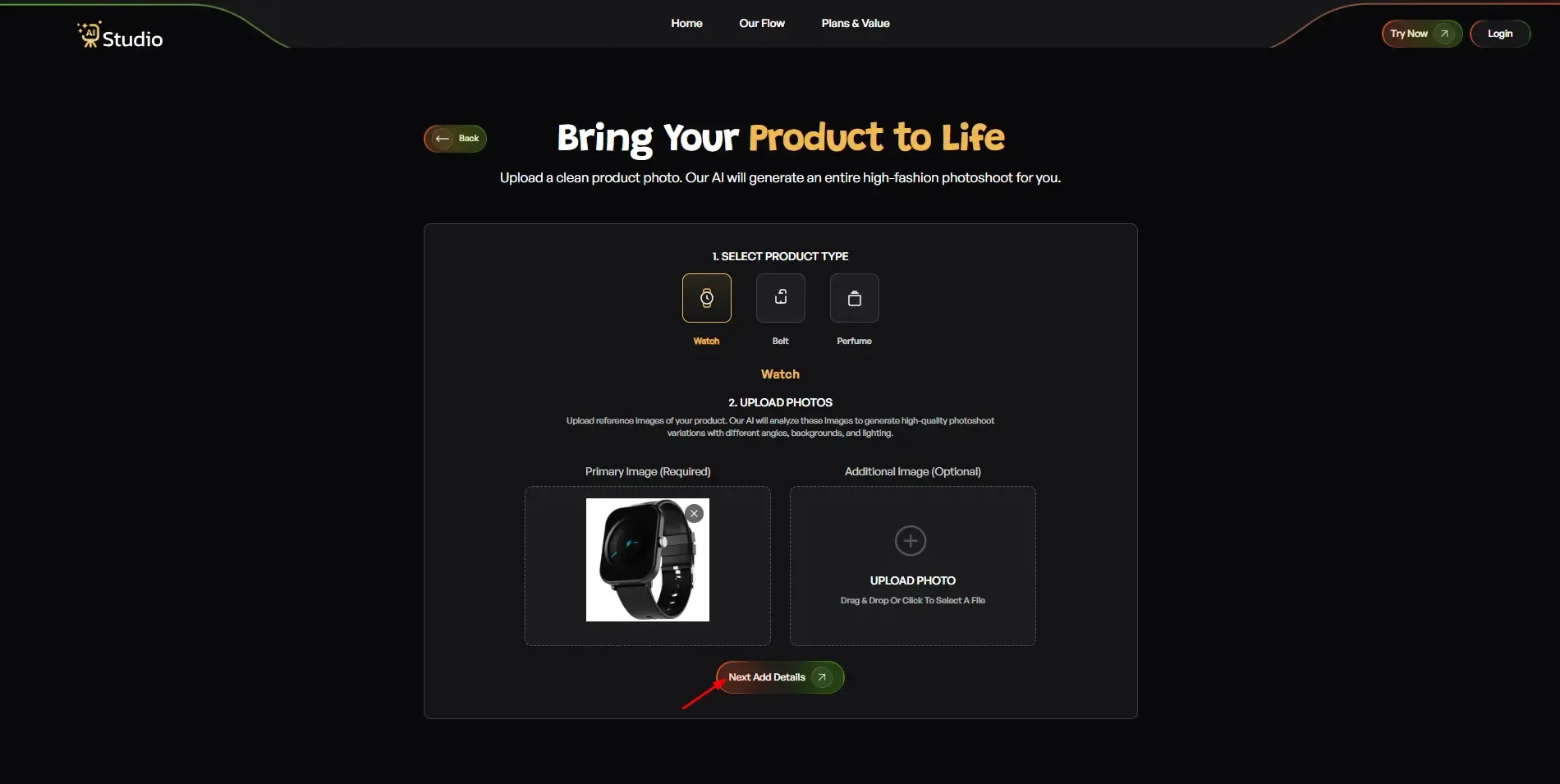
After selecting your category and subcategory, upload your product photo. The tool asks for:
- Primary Image: A clear, front-facing photo of your product (required)
- Additional Image: A second angle if available (optional but recommended for accessories)
Your source photo works best with a plain white or light-coloured background. Any phone photo will do as long as it is in focus and reasonably lit. Click Next: Add Details when done.
Step 6: Fill In the Final Details
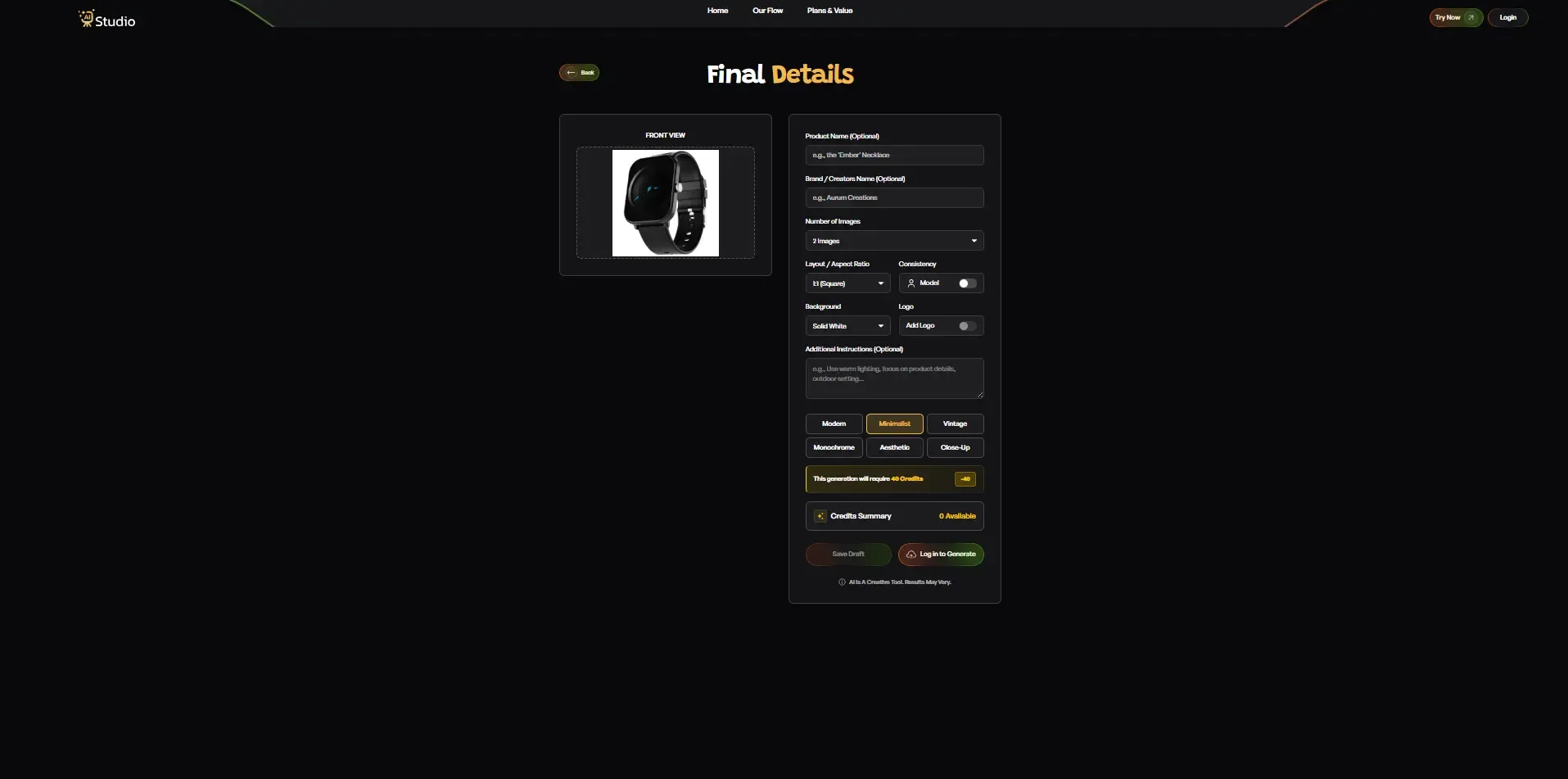
This is where you control how your final image looks. Here is what each setting does:
- Product Name and Brand Name: Optional, but helps with consistency across your catalog
- Number of Images: Choose 2 or 4 images per generation. Generate more options to pick the best one
- Layout and Aspect Ratio: Use a 1:1 Square for Amazon and Instagram feed. Use 4:5 for Instagram ads. Use 16:9 for banners.
- Model Consistency: Turn this on if you are generating images for a full catalog. It keeps the same virtual model across all your product images, which looks far more professional on your listing page
- Background: Choose Solid White for Amazon and Flipkart main images. Choose a lifestyle setting for social media or Shopify product pages
- Style: Pick from Modern, Minimalist, Vintage, Monochrome, Aesthetic, or Close-Up, depending on your brand look
- Additional Instructions: You can type specific directions here. For example: "Warm lighting, outdoor setting, focus on embroidery detail." This helps the AI understand your exact requirement
Once everything looks right, click Generate Images.
Step 7: Download Your Image
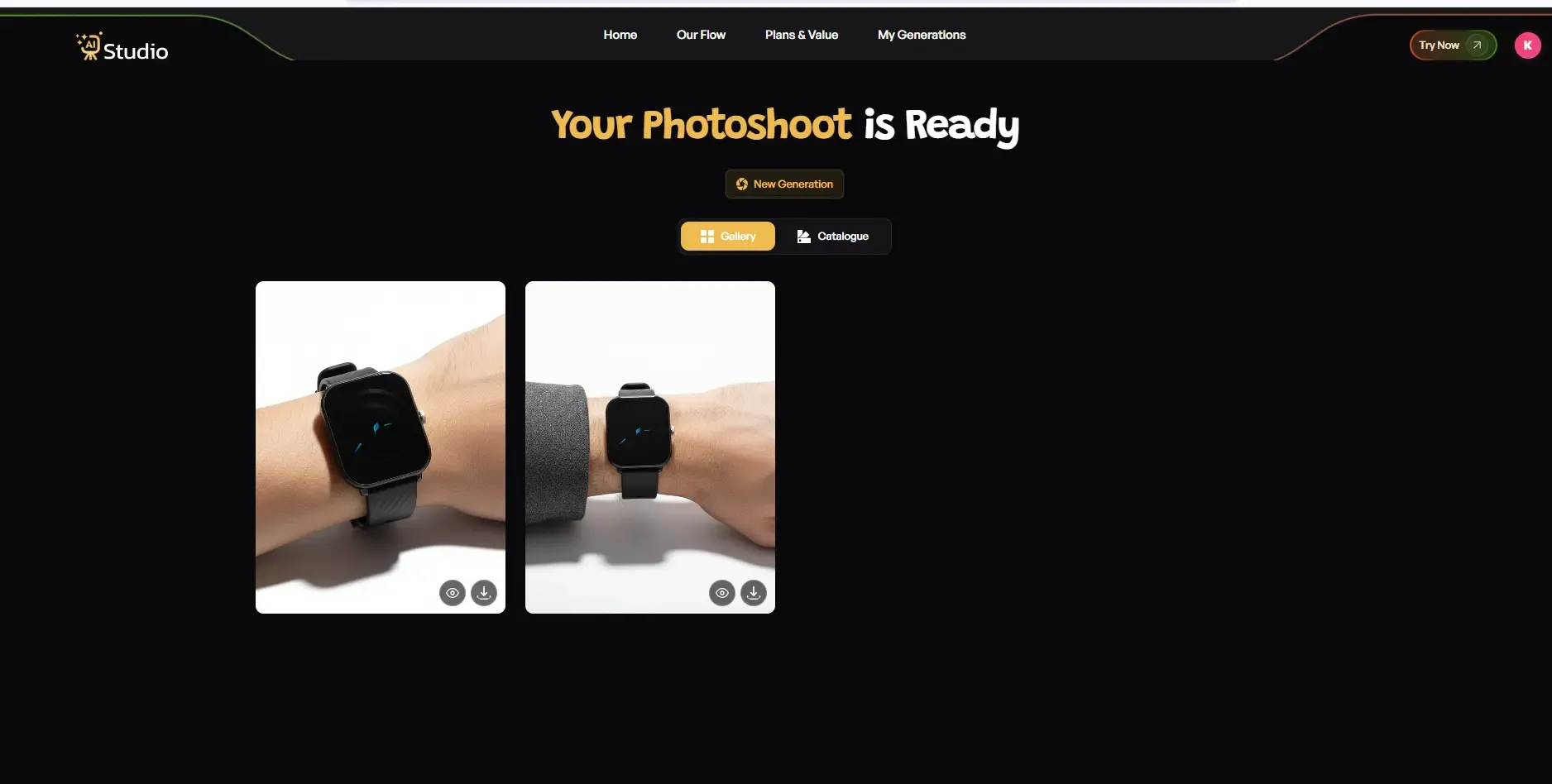
Within ten seconds, the AI generates a high-resolution on-model fashion image with a professional background. Download it at full resolution.
No retouching needed. No back-and-forth with a photographer. No waiting.
The image is ready for your Amazon listing, Shopify store, Flipkart catalog, or Instagram post the same day.
Real example (Fashion): A D2C brand selling kurtas in Jaipur creates a flat lay picture for its latest summer product range. It tags Women under the category of Fashion, chooses the option of Solid White as the background to satisfy Amazon's requirements, and selects Model Consistency. Within one minute, it gets four on-model pictures of its product range.
Real example (Accessories): A Shopify brand selling jewellery posts a product-only picture of a layered pendant. They opt for the Accessories category, choose the Close-Up style, and pick an inspiring lifestyle background that is warm. The model-wear picture comes out within ten seconds after running through the AI software. Used immediately in a Facebook ad.
For large catalogs: Switch on Model Consistency mode and create images for different SKUs in one go. This is particularly handy for sellers who are preparing for seasonal promotions on Amazon and Meesho.
For a full visual walkthrough of this process, read the detailed guide on how to create product photos with AI.
How to Get the Best Results from Your AI Fashion Photos
Getting good results from an AI product image generator is not automatic. There are a few simple practices that make a big difference in output quality.
Here is what actually works:
- Use a well-lit, plain background for your source photo: Natural window light works well. Avoid shooting on patterned surfaces or near colored walls.
- Make sure the full garment is visible: Do not crop the hemline, sleeves, or neckline. The AI needs to see the complete product to render it correctly on the model.
- Choose a flat lay over a hanger shot: Flat lays give the AI a cleaner fabric read, resulting in more natural draping on the virtual model.
- Select model characteristics that match your target customer: A kurti brand targeting women in their 30s should choose different model settings than a streetwear brand targeting college students.
- Use a white background setting for Amazon and Flipkart main images: Platform compliance matters. Getting this right during generation saves editing time later.
This checklist takes about two minutes and prevents the most common reasons AI-generated images get rejected or underperform on listings.
Platform-Specific Requirements: Amazon, Flipkart, and Shopify
Most guides tell you how to generate AI images, but never explain what you need to do with them afterward. Different platforms have different requirements, and your images need to meet those standards to go live without issues.
Here is a quick breakdown of what each platform expects.
| Requirement | Amazon | Flipkart | **Shopif |
|---|---|---|---|
| Background (main image) | Pure white (RGB 255,255,255) | White or light preferred | Flexible |
| Model photos allowed | Yes (fashion categories) | Yes (apparel and fashion) | Yes |
| Minimum resolution | 1000px on the longest side | 500x500px min, 1000x1000 preferred | 800x800px recommended |
| Text or watermarks | Not allowed on the main image | Not recommended | Not recommended |
| Format recommendation | Square or portrait | Square preferred | Square (1:1) |
Amazon
Amazon sets the strictest standards for images. Your primary product image should have an absolutely white background, devoid of any texts, marks, or logos. Modeling images can be used in the case of fashion items since they help increase the conversion rate. The minimum requirement for image resolution is 1000 pixels, allowing the use of the zooming functionality.
Flipkart
Similar recommendations exist for Flipkart too. The preferred option for catalog pictures will be a light or white background. Modeling photos can be used for fashion-related products. Make sure your image size is not less than 1000x1000 pixels.
Shopify
Shopify is the most versatile among these three platforms. Images with lifestyle shots and model images work well on Shopify product pages. It is best if the images are square (aspect ratio of 1:1). The best advice about Shopify is to ensure the visual consistency of your product catalog.
The way to do it is by setting the background preference in the AI software before generating images, not after. The AI Studio software makes it possible for users to select their background preference while creating images to ensure that they have a ready-to-go look.
For a detailed guide on image requirements for Amazon listings, read this piece on how to create product photos with AI for Amazon sellers.
Common Mistakes to Avoid When Creating AI Fashion Photos
AI fashion photo tools can create great images, but the final result still depends on how you use them. Many sellers make small mistakes that reduce image quality or create problems with product listings. Here are the common mistakes to avoid.
First, do not upload blurry or dark photos. AI can improve the image, but it cannot fully fix a poor-quality source photo. Always use a clear, bright, and sharp product image.
Second, avoid cropping the garment too closely. If sleeves, borders, buttons, or the bottom part of the clothing are missing, the AI may create incorrect shapes or distort the product. Make sure the full garment is visible.
Third, choose the right background for the platform. For example, Amazon's main product images usually need a clean white background. If you use a lifestyle background in the wrong place, your listing may get rejected.
Fourth, always check the fabric details after generation. Embroidery, transparent fabric, prints, and patterns may sometimes look different in AI-generated photos. Review the final image before uploading it.
Fifth, do not create only one image for each product. Generate two or three versions and select the best one. A small change in pose, lighting, or background can make the product look much better.
Sixth, avoid using source photos with messy or branded backgrounds. Colorful walls, packaging, or clutter behind the product can confuse the AI and leave unwanted marks in the output. Use a plain background whenever possible.
By avoiding these simple mistakes, sellers can create cleaner, more professional AI fashion photos that look better on ecommerce platforms.
Conclusion
On-model AI fashion photos are becoming a smart and affordable solution for Indian fashion, jewelry, and D2C sellers. Instead of spending thousands on models, photographers, studios, and editing, sellers can now create professional catalog images from a simple product photo. This helps brands save time, reduce photoshoot costs, and publish better-looking images across Amazon, Flipkart, Shopify, and social media.
For the best results, always upload clear source photos, keep the full product visible, and choose the right background based on your selling platform. Tools like Try AI Studio make the complete process simple: upload your product, select the model style or background, generate the image, and use it for your listing.