


How to Create Product Photos with AI (Step-by-Step Guide)
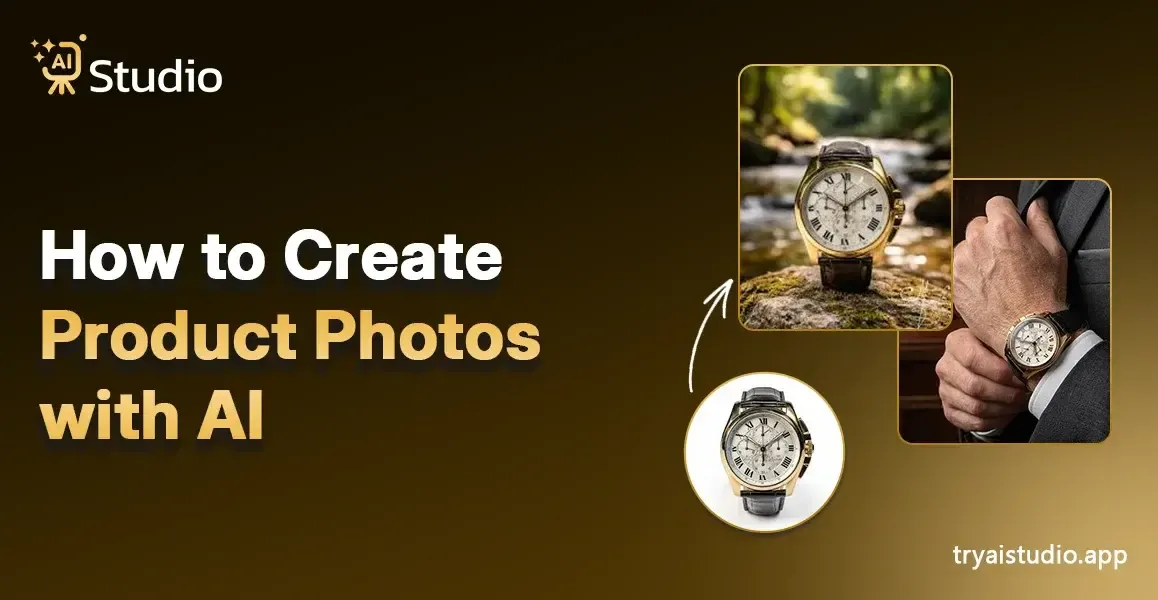
Online sellers need high-quality product images for their sales on Amazon, Flipkart, and their Shopify store. A blurry image that lacks brightness and shows different visual elements will stop a customer from buying the product before they reach the product details. However, professional photography services carry high costs for businesses.
The total expenses for a product photoshoot in India range from ₹10,000 to ₹50,000 because you need to pay for the studio, photographer, models, and editing services.
The majority of small business owners and D2C brands require complete budget control because they need to launch products and freshen their catalog. If you want to understand how AI product photography changes everything for online sellers, this guide will walk you through the entire process with a detailed step-by-step explanation.
What Is AI Product Photography?
Let me explain this in a simple way. AI product photography uses artificial intelligence technology to automatically create and improve product images.
You can skip booking a studio and hiring a photographer because you only need to upload your product photo, which the AI will handle automatically.
The AI system can eliminate background elements to create a pure white background or a visually appealing lifestyle display, while it also enhances product appearance through better lighting effects and shadow details, and shows the product together with a digital model.
The program provides advanced capabilities that users can operate because the system has been designed to provide complete usability for individuals who have never done photo editing before.
One short callout worth remembering: you do not need a camera, a studio, or Photoshop skills. Just your product and an internet connection.
AI Product Photography vs. Traditional Photography
| Factor | Traditional Photography | AI Product Photography |
|---|---|---|
| Cost | ₹10,000 – ₹50,000 per shoot | ₹600/month or free |
| Time | Days (booking, shooting, editing) | Under 10 seconds |
| Skill Required | High (photographer + editor) | None |
| Consistency | Varies from shoot to shoot | Consistent every time |
It is substantial. A vendor with hundreds of SKUs, using AI-powered product photography vs traditional shoots, relies on it, not merely a matter of convenience.
What Can You Create with an AI Product Image Generator?
The actual interesting part begins at this point. An effective AI product image generator needs to provide more capabilities than just background removal.
- Clean white or transparent background shots (required for Amazon main images)
- Lifestyle scene backgrounds, kitchen shelves, bedroom tables, outdoor settings, and luxury surfaces
- Product images placed on AI-generated models (perfect for clothing, jewelry, accessories)
- Seasonal or themed campaign visuals for Diwali, Valentine's Day, or sale seasons
- Social media-ready images in square, portrait, or landscape crops
Think about it this way: if you run a D2C fashion brand, you need fresh images regularly. The process requires you to find a photographer who will work with you every week. AI Studio enables users to create uniform brand images which maintain their desired appearance throughout all of their future work.
Can AI Generate Product Photos with Models?
The main benefit that most sellers in the market remain unaware of provides businesses with the greatest advantage. The artificial intelligence product photography solution with model tools enables users to display products through virtual model rendering. The user needs to upload the fashion item or accessory, and the artificial intelligence system will create a lifelike model that wears or holds the item.
I have seen fashion brands use this for their catalog without hiring a single model. The result looks natural and professional. This works exceptionally well for:
- Apparel and ethnic wear brands
- Jewelry and accessories sellers
- Bags, shoes, and lifestyle accessories
The product photoshoots with model results from AI become impossible to distinguish from actual photos for D2C sellers operating Myntra-style platforms and Instagram-first brands because they provide the same results at a lower price point. You can learn more about the benefits of AI product photography for fashion and accessories sellers.
How to Create Product Photos With AI for Free (Step-by-Step)
The practical application of this concept begins at this point. I will demonstrate the complete process of creating product images through AI Studio, which provides free AI services. The entire procedure requires less than 10 minutes to create your first image because you do not need any design or photography knowledge.
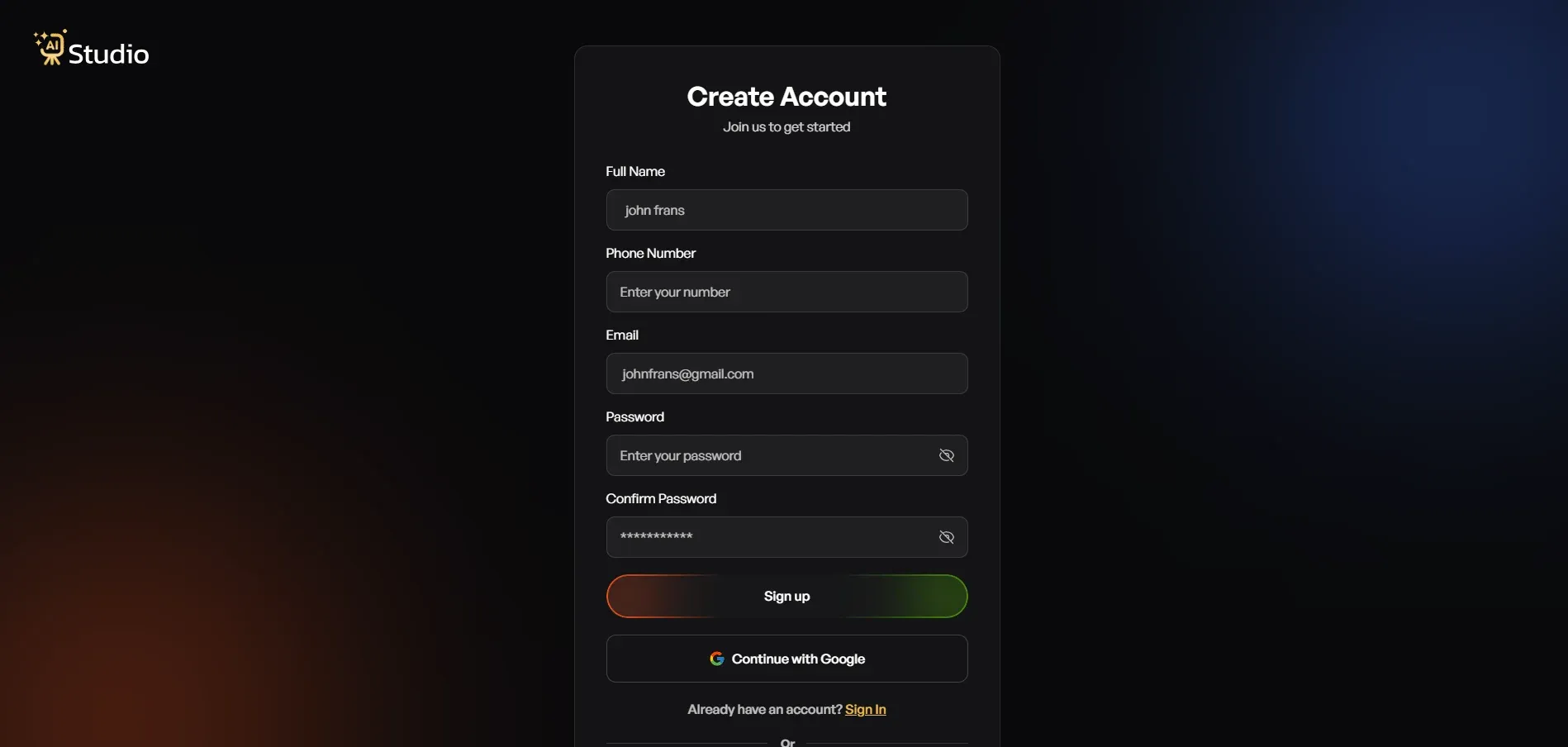
Step 1: Create a Free Account and Log In
You need to visit tryaistudio.app to create an account with no cost. The process begins without needing a credit card. Your dashboard will open after you complete the login process.
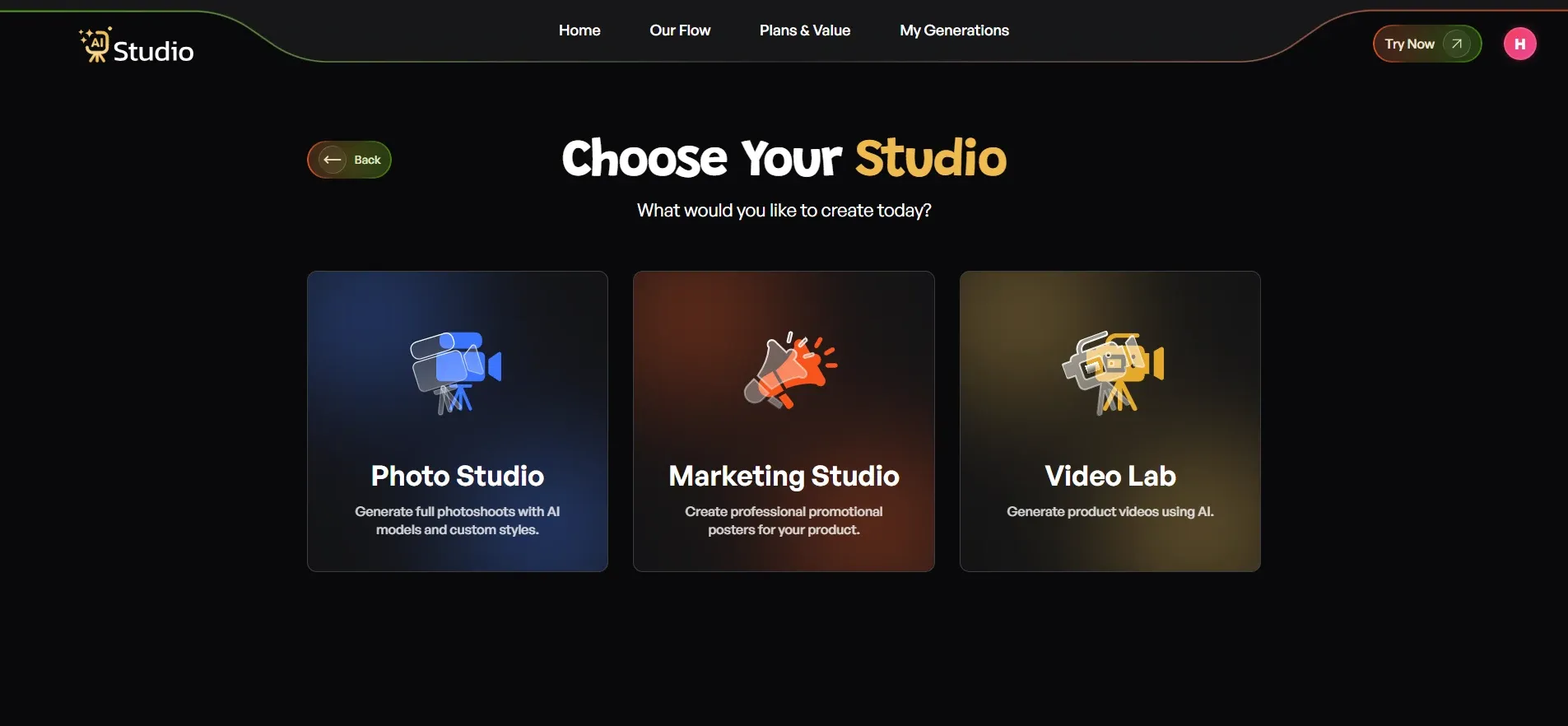
Step 2: Choose Your Studio
Inside the dashboard, you will see three options: Photo Studio, Marketing Studio, and Video Lab. The Photo Studio serves as the AI product photography interface. The complete process for creating product images occurs in this location.
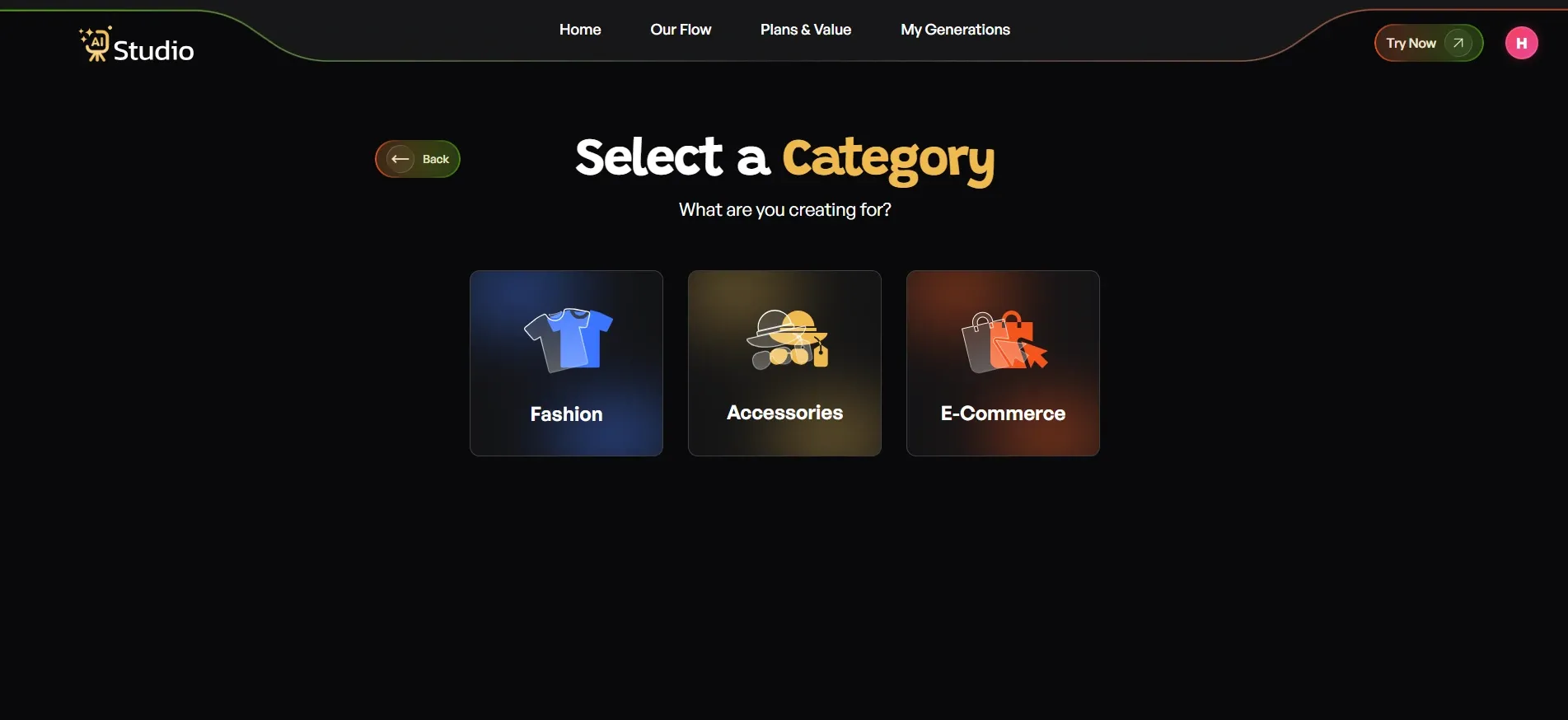
Step 3: Select Your Category
Then, you will be asked to answer "what your creation is for?" The framework contained three divisions: Fashion, Accessories, and E-commerce.
- Choose Fashion if you are selling clothing like kurtas, t-shirts, dresses, or ethnic wear.
- Choose Accessories if you sell watches, jewellery, bags, belts, or sunglasses.
- Choose E-Commerce for general product listings - electronics, home goods, beauty products, etc.
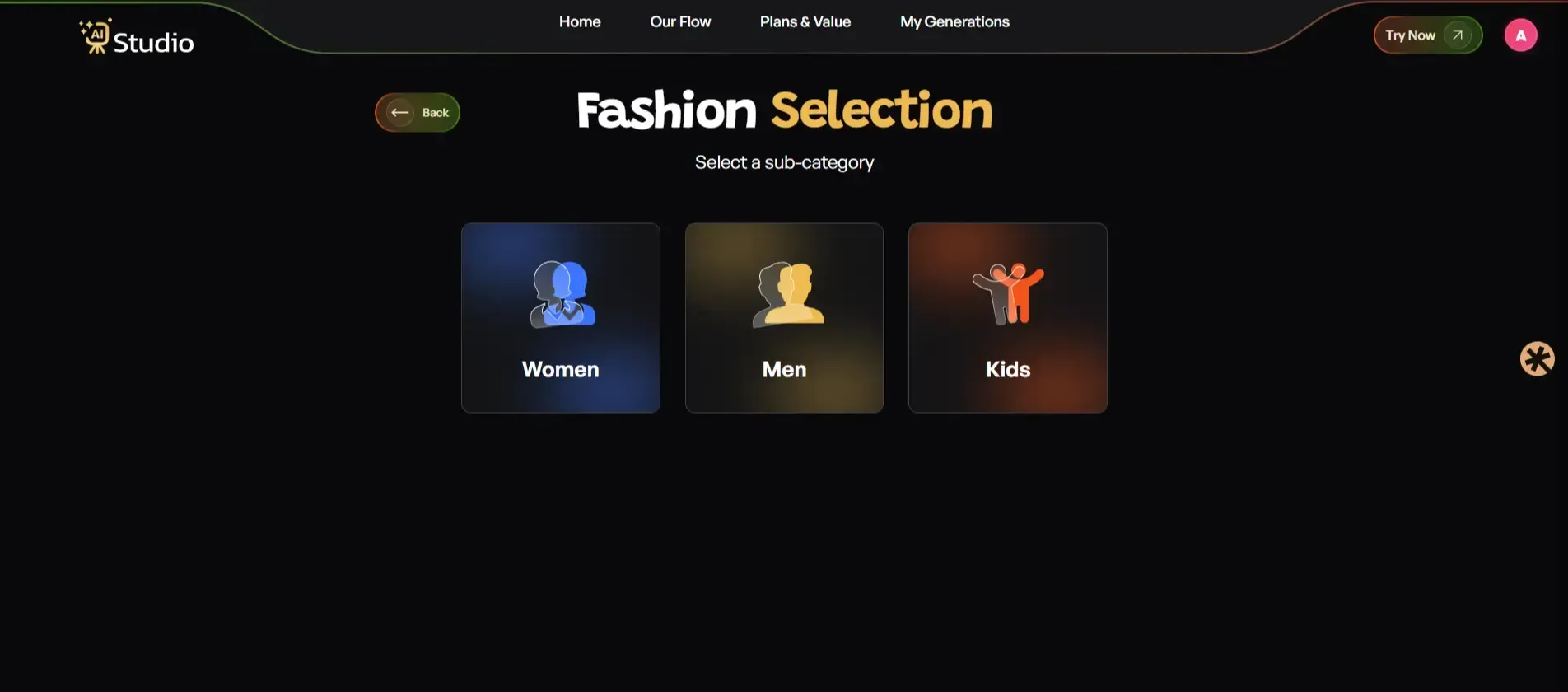
 You have to choose your primary category before making your subcategory selection. Fashion and Accessories requires you to choose one of the following options: Women, Men, or Kids. This tells the AI which type of virtual model to generate for your product.
The AI product photography system uses this step to create product images that show the correct model dressed in your product through automatic selection.
Step 4: Select Your Sub Category
Now, select your subcategory under these specific sections where you want to proceed. After that, proceed with the steps to upload a product photo.
Step 5: Upload Your Product Photo
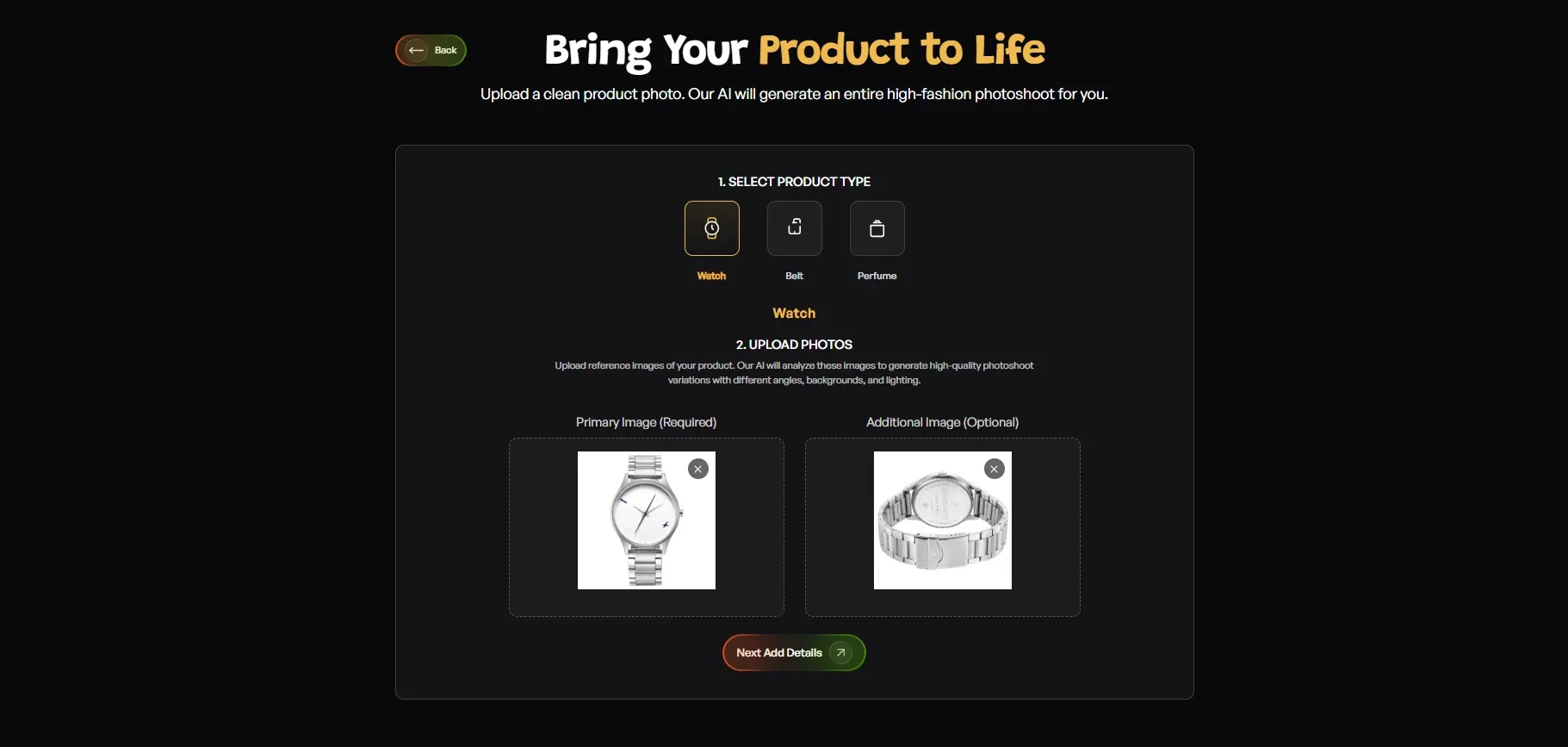
- Select your specific product type (for accessories: Watch, Belt, Perfume, etc.)
- Upload a Primary Image, a clear front-facing photo of your product (required)
- Add an Additional Image if you have a second angle (optional but recommended for accessories)
Your source photo needs a plain white or light-coloured background to achieve optimal results. Any phone photo will be suitable as long as its image remains in focus and the lighting conditions are appropriate. Click Next: Add Details when done.
Step 6: Fill In the Final Details
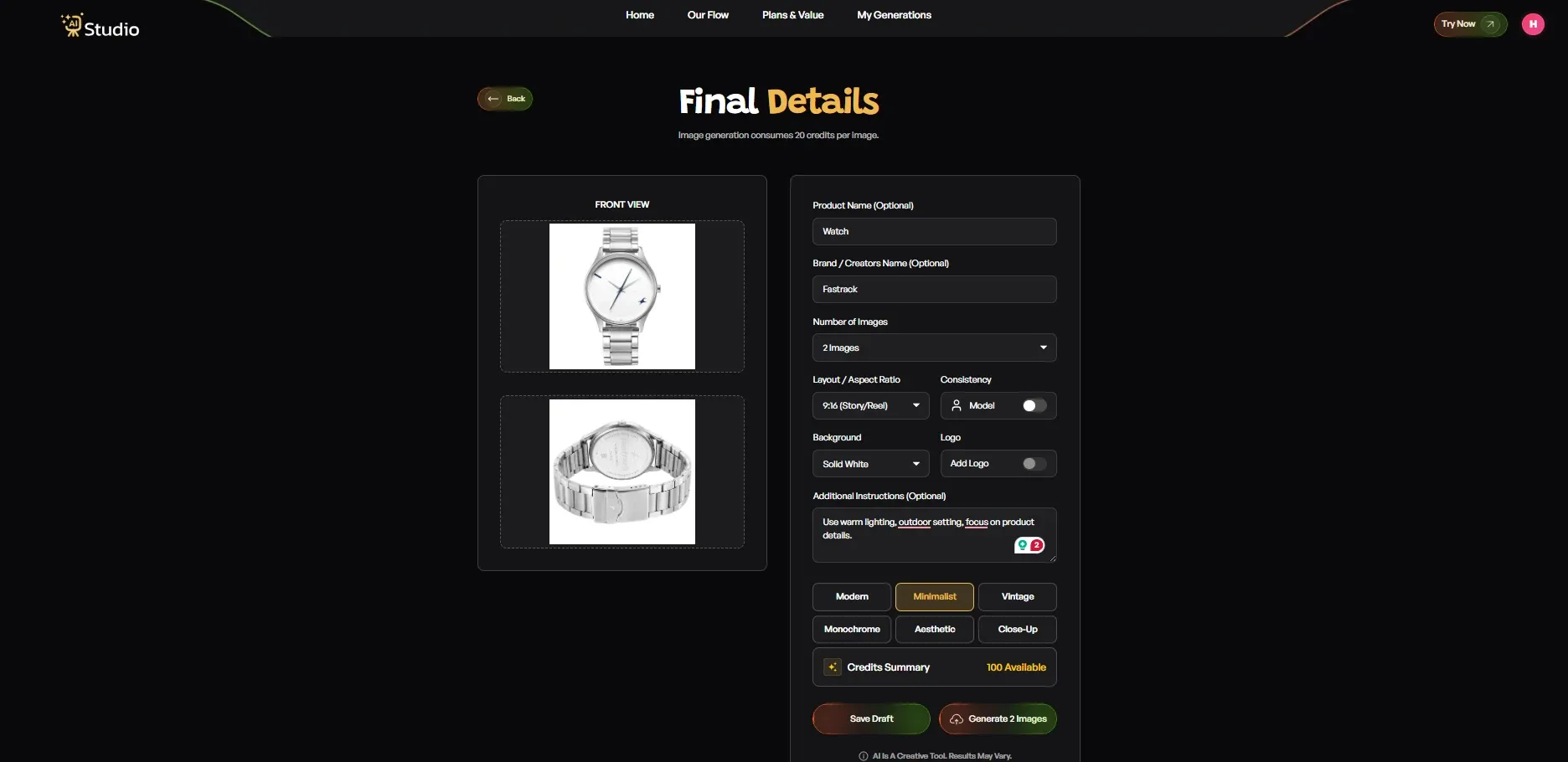
- Add your Product Name and Brand Name (optional, helps with consistency)
- Set the Number of Images you want generated (2, 4, or more)
- Choose Layout / Aspect Ratio: 1:1 Square for Instagram and Amazon, 4:5 for Instagram feed, 16:9 for banners
- Toggle Consistency: Model on or off, turn it on to keep the same model across all generated images
- Choose a Background. Solid White works best for Amazon's main images; other options suit lifestyle scenes
- Pick a Style: Modern, Minimalist, Vintage, Monochrome, Aesthetic, or Close-Up
- Add a Logo if you want your brand watermark on the images
- Write any Additional Instructions, for example: "Use warm lighting, outdoor setting, focus on product details."
Once everything looks right, click Generate 2 Images.
Step 7: Download Your Image
The product shows a virtual model and a professional scene studio presentation within 10 seconds of its execution. The user can download the image at its maximum resolution. The content becomes ready for your Amazon listing, Shopify store, Flipkart catalog, and Instagram page.
No retouching. No back-and-forth with the photographer. No waiting.
Tips for Getting the Best Results
A few small things make a big difference:
- Use high-resolution source images; even 12MP phone photos work well
- Avoid cluttered backgrounds in your original photo; a clean, plain surface gives the AI more to work with
- Try two or three background styles and aspect ratios before settling on the first option
- For jewellery and accessories, use a close-up with good natural light before uploading
- Turn on the Model Consistency toggle if you are generating a full catalog. It keeps the model the same across all images, which looks far more professional
If you want a deeper look at how to create product photos without a photoshoot, these tips will help you get the most out of every upload.
Best Free AI Tools for Product Photography (2025)
I have tested quite a few tools in this space. This comparison shows sellers an AI product photo generator which costs less than other AI product photo generators available in the market.
| Tool | Free Plan? | Best For | AI Models Available? |
|---|---|---|---|
| AI Studio (tryaistudio.app) | Yes, generous free tier | All product types, e-commerce | Yes |
| Photoroom | Limited (watermark on free) | Background removal | No |
| Picsart AI | Limited | Social media edits | No |
| Adobe Firefly | No (CC subscription) | Advanced creative edits | Limited |
AI Studio provides the best solution for Indian e-commerce sellers who are new to the market and need to establish their businesses. The platform provides a free tier for its AI product image generator, which lets users create product images that need no further modifications for use on Amazon, Flipkart, and Shopify stores.
Sellers have abandoned photoshoots which cost ₹20,000 because they can now create their entire product catalog using AI Studio at a monthly cost of ₹600 for the paid plan or through its free starting option. If you want the best AI tools for product photography without a steep learning curve, AI Studio is the one I would point any beginner toward first.
AI Product Photography for E-Commerce - Platform-Specific Tips
Most guides do not include this particular information. The truth is, each platform has its own image requirements, and getting these wrong will damage your product listings.
Amazon India: Amazon's main product image must have a pure white background (RGB 255, 255, 255). The product must fill at least 85% of the frame. The minimum size requirement starts from 1000x1000px. An AI product image generator that outputs clean white backgrounds saves you from manually editing every image.
Shopify / D2C Websites: Your own website will achieve better conversion results through the use of lifestyle images. A product shown in a real-looking setting (a coffee mug on a wooden table, a kurta on a model in a living room) builds trust and increases time on page. You can use an AI product background generator to create high-converting e-commerce images using AI without needing a studio for production.
Instagram and Meta Ads: Square (1:1) and portrait (4:5) images perform best on Instagram feed and Meta ads. High contrast visuals with clean, bold backgrounds get more thumb-stops. AI tools let you generate multiple crop variations from one source image quickly which works well for A/B testing on creative content.
Flipkart: Flipkart permits secondary slots to show lifestyle images, but needs a clean main image that matches Amazon's requirements. The primary slot should contain AI-generated white background images, while lifestyle scenes should serve as supporting images.
Conclusion
AI product photography has brought a complete transformation to D2C brands and small sellers and marketing teams who operate throughout India. Professional product images are now accessible without the need for a ₹30,000 studio booking or a complete day of shooting.
You can create platform-ready product photos within seconds by using an AI product image generator on your laptop or phone. This is exactly why Indian brands are switching to AI photography at a rapid pace.
The tools provide professional results through their easy operation, which costs much less than standard photography services. AI product photography enables sellers to manage their own product photography needs, whether they sell on Amazon, create a Shopify store, or advertise on Instagram.