


How to Create Product Photos Without a Photoshoot (Step-by-Step Guide)
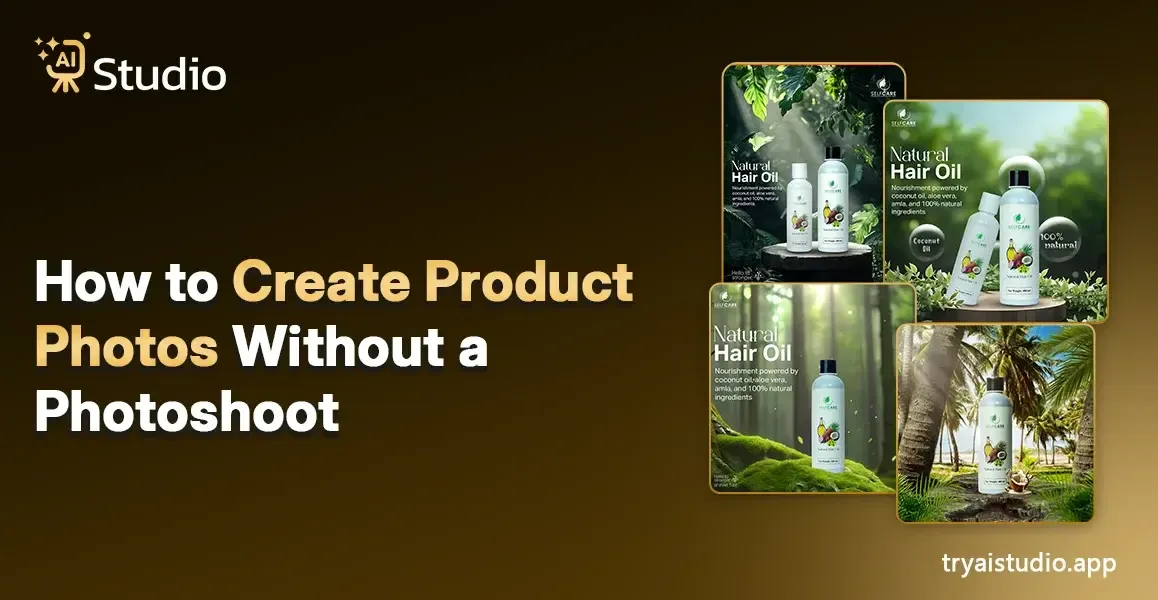
E-commerce businesses in India face high costs for product photography, whether you're selling on Amazon, Flipkart, or Shopify. A single studio session with a photographer can cost anywhere between ₹10,000 and ₹50,000. The total expenses will increase after you include the costs for the model, props, backdrops, and editing fees. This issue presents a significant challenge for both emerging D2C brands and small business owners.
AI product photography has developed into an innovative solution that enables sellers to produce product images without studio space, professional photographers, or DSLR cameras. You can produce high-quality product images from your laptop within minutes by using the right software. In this guide, I will provide you with precise instructions to follow for accomplishing your task.
What Is AI Product Photography?
I will present my explanation in a straightforward manner. AI product photography uses artificial intelligence to produce and improve product images through digital creation methods, which require no actual camera equipment. You can skip studio reservations and shooting preparations by uploading your product image because the AI system will perform all required work. The system automatically creates professional shadows while enabling users to remove backgrounds and introduce new ones, and to mimic studio lighting effects.
The system provides users with a complete photography studio that operates directly through their web browser. It uses artificial intelligence image editing software trained on millions of professional photos to recognize different types of lighting, composition techniques, and visual quality standards.
The outcome produces images that have the appearance of professional studio work, even though the original photograph was taken using a mobile device.
How Is It Different from Traditional Photography?
The process of product photography requires multiple steps from studio reservation and photographer selection to prop setup, production management, and final image delivery after editing. The process operates at a slow pace while incurring high costs and facing difficulties in scaling.
AI-based product photography vs traditional shoots breaks all of that:
- Cost: A traditional shoot can cost ₹10,000–₹50,000. AI tools cost a fraction of that; some even offer a free AI photo editor online.
- Time: A studio shoot takes days. AI generates images in under 10 seconds.
- Skill required: You do not need photography skills or design knowledge. The AI handles everything.
- Consistency: Want 50 product images with the same background and lighting? AI does that in minutes. A human photographer cannot match that speed.
You do not even need design skills to make professional-quality product pictures. You simply upload a file and press a button.
Why Skip the Photoshoot? (The Real Benefits)
I have seen many sellers struggle with product photos, especially when they are just starting. The first group waits until they can afford a proper shoot, while the second group posts blurry images and then complains about low conversion rates.
Your product photo serves as the first impression that buyers receive. A bad image on Amazon or Flipkart results in lost sales, which is an absolute truth.
This is exactly why so many Indian brands are switching to AI photography tools. Let me break down the real benefits:
- No studio costs: You skip the studio rental, the photographer fee, and the model charges entirely.
- Speed at scale: Creating images for 30 new SKUs? With AI, that takes an afternoon, not a month.
- Consistency across your catalog: Same background, same lighting style, same feel across every single product. This builds brand trust.
- Freedom to experiment: Want to test a white background for Amazon and a lifestyle background for Instagram? With AI, you run both versions in minutes and see what converts better.
- Affordable for small budgets: Tools like AI Studio offer plans starting at ₹600/month, a fraction of what even a single photoshoot costs.
Step-by-Step: How to Create AI Product Photos
Most guides choose to bypass this section or present its content in ambiguous terms. I will demonstrate the complete process from beginning to end using AI tools.
The tool I am going to reference here is AI Studio (tryaistudio.app), a product image AI platform built specifically for e-commerce sellers. The system enables users to create designs without needing design expertise, and it operates across various product categories, including fashion, jewelry, and accessories.
Step 1: Upload Your Product Image
Start by uploading a picture of the product. It doesn't necessarily need to be perfect, but a few things will help the AI work better:
- A plain or lightly colored background behind your product
- Good natural light (near a window works fine)
- The product should be the main subject, not cluttered with other items
The accepted file formats include JPG and PNG. A phone photo will produce good results when it shows clear details without any blurriness.
Pro tip from experience: Uploading images against a simple white or gray background gives the AI far more accurate results. This 2-minute preparation step makes a noticeable difference in output quality.
Step 2: Remove or Replace the Background
Once you upload your image, you can explore how the AI Studio workflow handles background removal. The AI automatically identifies your product and performs background removal with high accuracy.
You will see your product with clean, isolated edges, no manual selection needed. This step alone replaces what used to cost ₹500–₹1,000 per image in manual editing charges.
From this point, you can choose between a plain white background (ideal for Amazon and Flipkart) or proceed to the next step for complete scene generation.
Step 3: Choose or Generate a Scene or Background
This is where things get interesting. Instead of a basic white backdrop, you can now display your product inside an AI-generated lifestyle scene.
You can either choose from preset background templates or type a short prompt describing what you want. For example:
- "White marble surface, soft studio light."
- "Outdoor lifestyle setting, warm afternoon light."
- "Minimal dark background with subtle shadows."
The AI photo generation studio performs exceptionally well at this stage. The AI understands your product's selling context, it creates a premium, clean environment for a skincare product, and generates a fashion-forward background when you are marketing a handbag.
Step 4: Adjust, Refine, and Download
Once the background is generated, you can make minor refinements, adjusting shadow strength, adding reflection effects, or changing light direction. Most tools offer this through simple slider controls.
When you are satisfied, download your image. Typical export options include:
- High-res JPEG for Amazon and Flipkart listings (minimum 1000px recommended)
- PNG with transparent background for ads, social media, and website use
- Instagram-ready square crop for social content
The entire process from uploading to downloading takes less than 2 minutes. For a deeper look at exactly what's possible, see this guide on how to create product photos without a photoshoot.
Tips for Getting Better AI Product Images
The process of creating product photos through an AI image generator is simple, but a few techniques consistently produce stronger results.
Start with a clean original photo. The quality of your output depends on the quality of your input. Strong contrast between the product and its background helps the AI achieve complete, accurate object separation.
Write specific background prompts. Vague prompts give generic results. Replace "nice background" with something like "wooden tabletop, morning light, soft bokeh." Your brand presence improves when you provide precise details.
Match the background to the platform. Amazon requires white backgrounds for main listing images. Instagram and Pinterest perform better with lifestyle scenes or real-world context. You can manage both easily using the AI Studio marketing tools.
Generate 3–5 variations. Do not stop at one result. Generate a few different backgrounds and test which one gets better click-through rates. If you want to understand what makes images convert, this breakdown of high-converting e-commerce images using AI is worth reading. Traditional photography simply cannot offer this speed of iteration.
Avoid over-editing. Maintain realistic imagery. Excessively stylized or artificial-looking backgrounds decrease customer trust especially on Amazon, where buyers are already cautious about product authenticity.
Real Use Cases - Who Is This For?
AI product photography tools are accessible to all businesses, not just large corporations. In fact, smaller businesses experience greater advantages because they need to produce content faster with fewer resources.
Here are the people making the most use of these tools:
- Amazon and Flipkart sellers: Need white-background images for multiple SKUs that maintain a consistent look across their entire inventory. AI delivers this quickly, especially during product launches and seasonal sales.
- D2C fashion and jewelry brands: Create Instagram and website lifestyle photos without hiring models. A free AI photo editor lets you build brand-compliant, beautiful scenes that showcase a kurta or necklace with ease.
- Startups and new D2C brands: Need launch-ready images before they can afford a proper photographer. AI tools deliver professional results on day one. Discover the full benefits of AI product photography to understand why so many new brands are making this switch.
- Marketing agencies: Managing product shoots for 5 to 10 e-commerce clients simultaneously. An AI image editor like AI Studio can cut production time by 80% while maintaining quality.
- Freelancers: Offering product photo editing services enhanced by AI. Clients pay ₹3,000–₹5,000 for work you can complete in under 30 minutes. If you're evaluating options, this comparison of the best AI product photography tools for e-commerce can help you choose the right platform.
The common thread across all of these cases is limited time, limited budget, and the need for reliable, consistent results.
Conclusion
AI product photography enables Indian vendors and small business operators to compete with larger brands. What once required three days, a full studio, and a professional photographer now takes minutes using just a laptop or phone.
Whether you are an Amazon seller, a D2C fashion brand operator, or a marketing agency manager, tools like AI Studio's video and content generation suite and its broader platform allow you to produce consistent, high-quality product images at a fraction of typical production costs.
You do not need a big budget. You do not need design skills. The right tool and a few minutes is all it takes. Choose your studio and get started today.