


Stop Spending ₹20,000 on Photoshoots - Use an AI Image Generator for Product Images.
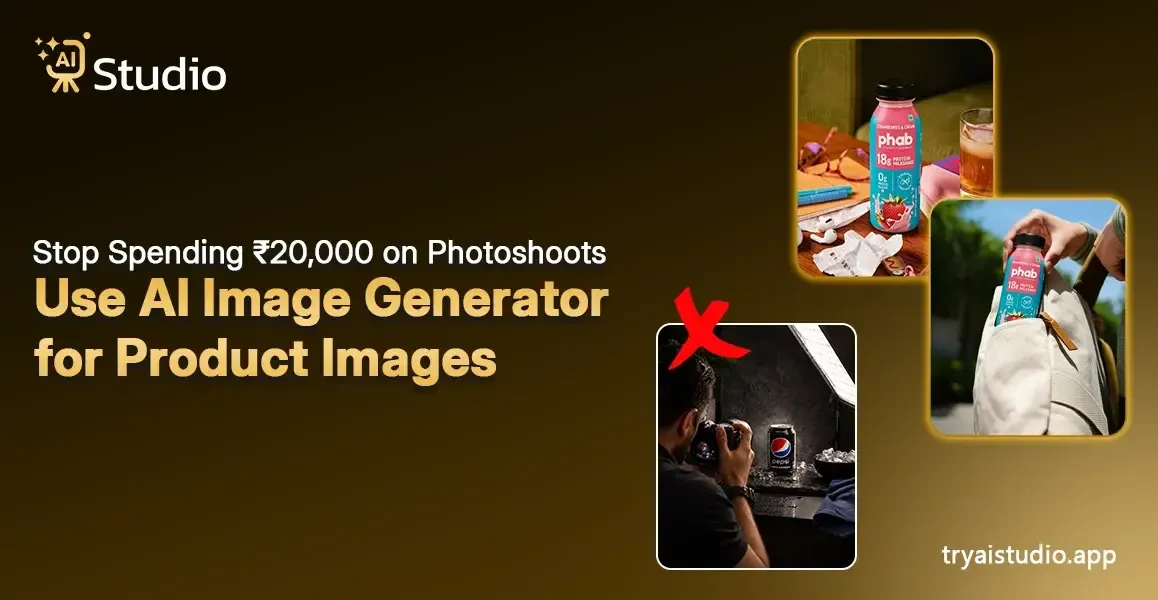
Raju put in ₹18,000, then waited 10 days for a product photoshoot, but nope, some items went out of stock before the images were even ready, kinda messy, right?
This is also the reality for a lot of Amazon, Flipkart, and Shopify sellers.
Now, AI image generators for product photography are starting to shift the game. They can produce studio-quality product images in seconds, without real studios, models, or high costs.
Why Product Images Make or Break Your Sales
Your product photo is kinda your first impression. Buyers cannot really touch the product. They cannot smell it, feel it, or try it out. So all they have is what they see on screen, nothing else.
A blurry or dull image means a missed sale, even if your product is actually excellent. Listings with high-quality images consistently convert better on Amazon and Flipkart than listings with poor visuals, so it's not just "pretty".
Besides conversions, your images still have to match platform standards. Amazon India requires a white background and at least 1000x1000px resolution. If the image looks low quality or is cropped oddly, it can mess up the whole listing. Poor image quality also means fewer clicks.
What Indian Platforms Expect from Product Images
- Amazon India: Pure white background (RGB 255, 255, 255), product must fill 85% of the frame, minimum 1000x1000px
- Flipkart: Clean background, sharp product focus, no watermarks
- Shopify: High-resolution images, consistent style across your store
Not meeting these standards not only hurts conversions. It can actually get your listings removed. Ecommerce product images and AI tools are now being used by sellers to satisfy these requirements on autopilot, without hiring a photo editor, or at least without doing much extra.
The Real Cost of a Product Photoshoot in India
This is the section no one talks about honestly. Let us break it down.
A typical product photoshoot in India involves the following costs:
- Studio rental: ₹3,000 to ₹8,000 per day
- Photographer fees: ₹5,000 to ₹15,000
- Model fees (for fashion or lifestyle shots): ₹5,000 to ₹20,000
- Post-production editing: ₹500 to ₹2,000 per image
- Travel and logistics: varies
For a small seller doing 20 to 30 SKUs, the total realistic cost per shoot is ₹15,000 to ₹50,000. And when a new season arrives, you do it all over again.
Then there is the time cost. Booking coordination takes days. Editing turnaround is 7 to 15 days. By the time your images are ready, trends may have already shifted. Your competitor has already listed and started selling.
Instead of spending ₹20,000 on a shoot, many Indian sellers now use AI product photography tools like AI Studio to get the same results for under ₹600 a month.
Hidden Costs Sellers Ignore
Most sellers calculate studio and photographer fees. They forget:
- Reshoot charges when something goes wrong
- Model coordination delays pushing back launch dates
- Travel to studio locations
- Delay in listings going live, meaning lost sales days
- Inconsistency across SKUs when different shoots are done at different times
These hidden costs often end up doubling the real expense of traditional product photography in India. The AI product shoot alternative is not only more affordable. It basically erases all these friction points entirely, so the whole thing feels smoother.
What Is an AI Image Generator for Product and How Does It Work
An AI image generator for product is basically a tool that uses your product photo that you already have, then it gets rid of the background by itself, it puts the item in a proper studio scene, adds believable light and shadows, and then gives you back a sharp, high-resolution image that is ready for your listings or ads. The whole thing happens in under 10 seconds, and you do not need any design skills at all.
Think of it like a virtual photo studio that works 24/7 from your laptop. You do not need a photographer, a model, or a studio booking.
Here is how AI product photography works step by step:
- You upload a product photo (even a phone camera image against a plain wall works)
- The AI automatically detects your product and removes the background
- You choose a scene or background style (studio clean, lifestyle, or premium)
- The AI generates a studio-quality output with proper lighting and shadows
- You download the HD image and use it directly on Amazon, Flipkart, or Shopify
Tools like AI Studio do support multiple styles, so you can pick studio clean, lifestyle contextual, or premium backgrounds too. You can also type a custom prompt to describe, in a very direct way, the specific scene you want, and it gives you that full creative control without needing any design knowledge.
It's sort of the common answer people ask: how does an AI photo generator work for product images? Basically, it uses deep learning models, trained on millions of product and studio shots to grasp what those professional photos are like, and then it tries to recreate that "look" for your item automatically. So, you end up with a polished image without doing all the manual setup.
For a deeper look at how this technology is changing the game, read AI product photography changes everything.
AI vs Traditional Product Photography - Full Comparison
| Factor | Traditional Photoshoot | AI Image Generator |
|---|---|---|
| Cost | ₹10,000 to ₹50,000 per shoot | Under ₹600/month |
| Time to get images | 7 to 15 days | Under 1 minute |
| Studio needed | Yes | No |
| Model needed | Yes (for fashion/lifestyle) | No |
| Consistency across the catalog | Difficult | Easy |
| Works for new products | Requires new shoot | Upload and generate |
| Editing included | Extra cost | Built-in |
| Good for Amazon/Flipkart | Yes | Yes |
AI vs traditional product photography feels like it's not really a close fight for most Indian sellers who are working on a budget. Just the cost gap alone makes the call kinda obvious, like you don't even have to think much.
But past cost, the bigger deal is consistency, and this is where AI tools actually shine. When you shoot across several studio sessions, the lighting can drift a bit, backdrops move or shift, and then suddenly your whole catalog looks uneven. With an AI tool, every single image usually lands at the same quality baseline, because the same system processes each photo in the same way.
For bootstrapped brands that are juggling 20-plus SKUs, ecommerce photography AI has basically reshaped what you can get done. You do not even need a big budget anymore to present like a professional brand.
Who Should Use AI Product Photography Tools
Amazon and Flipkart Sellers
When you handle a bunch of SKUs and you need a white background plus lifestyle imagery on a steady rhythm, the traditional photo shoot expenses can pile up really quick. With AI product photography for ecommerce, you get compliant, high-quality images at a much smaller fraction of the price, without all that extra coordination.
D2C Fashion and Jewelry Brands
Consistency across the whole catalog really does something for how people perceive a brand. AI product photography tools help fashion and jewelry brands make visuals that stay on-brand, without needing to hire models each time for a new collection. D2C brands use AI Studio to build consistent product imagery across their entire jewelry catalog, doing it end-to-end without hiring a single model, ever.
For jewelry and accessories specifically, explore AI product photography for accessories to see what is possible.
Marketing Agencies
Agencies that handle multiple ecommerce clients are always needing fast content generation for ads, social media, and those listing updates too. Using the best AI tools for product photography can really help agencies deliver quicker, and yes, it can cut production costs quite a bit. It's sort of that smart speed, and fewer steps in the workflow, so everything feels more nimble, even when timelines are tight.
Small Business Owners Just Starting Out
If you cannot afford a ₹20,000 photo shoot but still want professional-looking images, AI product photography for small businesses is kinda made for you. Just upload a product photo on your phone and get listing-ready images the same day, no extra fuss really.
How to Generate Studio-Quality Product Images with AI (Step by Step)
Step 1: Click a clean product photo. It does not need to be professional. A phone camera image against a plain wall works well. Make sure the product is fully visible and in focus.
Step 2: Upload your image to AI Studio. Go to AI Studio Photo and upload your product image. The AI automatically detects your product and separates it from the background.
Step 3: Choose your background style. Select from studio clean (white or grey), lifestyle (contextual scene), or premium (luxury aesthetic). You can also type a prompt to describe the exact scene you want.
Step 4: Let the AI generate your image. This typically takes under 10 seconds. The AI applies professional lighting, shadows, and background in one click.
Step 5: Review and download. Your image is HD quality, ready for Amazon, Flipkart, Shopify, or social media ads. No additional editing required.
Step 6: Repeat for all SKUs. Use the same style settings across all products to maintain catalog consistency in one sitting.
What used to take 10 days and ₹20,000, now kinda takes 10 minutes and ₹600 instead. If you are running a fashion brand, you could check out some specific features at AI Studio Fashion, or if you want broader ecommerce style tools, head over to AI Studio Ecommerce.
Conclusion
Raju from Surat does not spend ₹18,000 on photoshoots anymore. Now, he just generates about 30 AI product photography images in one afternoon, somehow. His listings go live faster, his catalog looks pretty consistent, and his costs have dropped by more than 90%.
You do not need a big budget to look like a professional brand. An AI image generator for product photography has kinda levelled the playing field for Indian ecommerce sellers. Small sellers now compete with larger brands on visual quality without the overhead at all.
If you are spending more than ₹5,000 per shoot or waiting weeks for images, it is worth trying an AI tool. AI Studio offers a free trial. Upload one product and see the result yourself at Try AI Studio.