


Best AI Tools for Product Photography in E-commerce
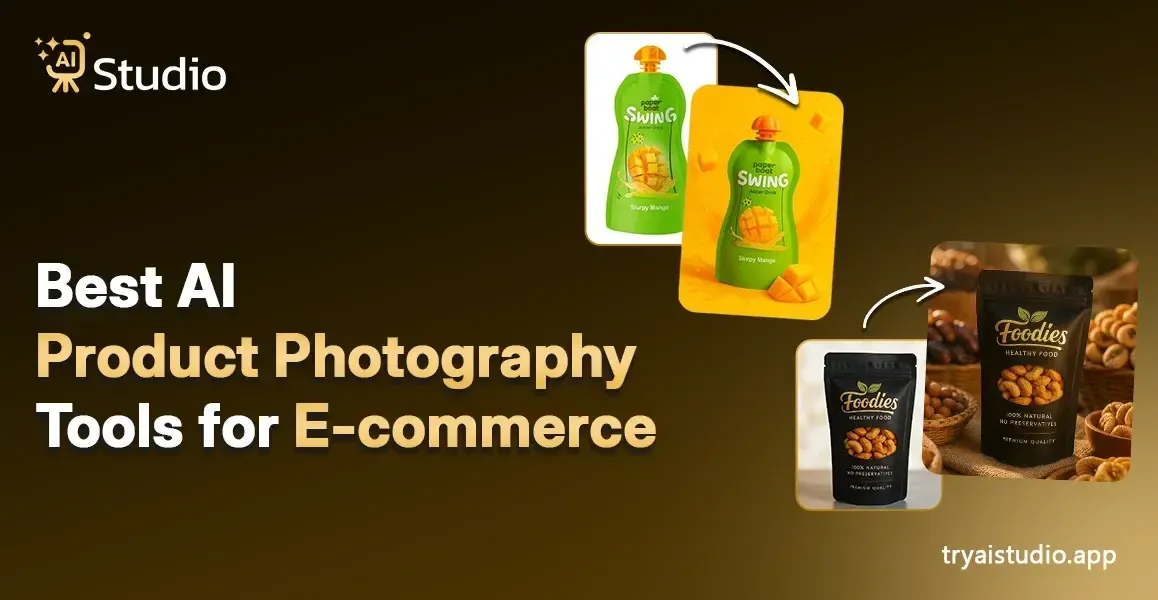
LinkThe process of conducting a product photo shoot requires substantial financial investment and more time than most people expect. The expenses start to accumulate when you need to hire a photographer and reserve a studio and search for models who can wear your clothing and then spend several days waiting for picture edits to be completed.
The cost of one shoot ranges from ₹10,000 to ₹50,000 which most small businesses in India cannot afford. AI product photography technology currently revolutionizes e-commerce operations by providing businesses with a new competitive advantage.
The 2026 guide will present all available AI product photography tools which I will explain through their operational functions and user instructions without requiring design skills from users. This guide applies to all users who sell products through Amazon, Flipkart, and Shopify.
What Is AI Product Photography?
The process of AI product photography uses artificial intelligence to create and improve and modify product images without any need for actual photo sessions. The AI system handles all tasks after you upload a basic product photo which includes background removal and lifestyle scene creation and product placement on a virtual model. The process requires no studio space and no equipment and no time delays.
The service operates as a complete professional studio which includes a retouching team who work continuously throughout the day for a fixed monthly cost. The tools which small business owners need today are provided by AI Studio at tryaistudio.app.
There are three core things a good AI product image generator can do for you:
- Remove and replace backgrounds instantly
- Generate lifestyle or themed scenes around your product
- Place your product on a virtual model for fashion shots
How Does an AI Image Generator Work?
Let me explain this in a simple way. The process behind any AI image generator for product photography is not complicated at all. When users operate AI Studio they can expect to see this specific sequence of events take place.
Step 1: Upload Your Product Image
You start by uploading a photo of your product. A clear phone photo on a plain white or light background works perfectly fine. The AI reads your product details automatically and prepares them for the best visual output.
Step 2: Choose Your Background, Theme, or Model Style
This is the point where things start to become engaging. You select the type of image which you wish to use. You can choose from four options which include a white background for your Amazon listing and an on-model fashion shot for your clothing brand and a lifestyle scene for social media and a minimalist layout for your Shopify store. The AI completes everything according to your chosen options.
Step 3: Download Your HD, Watermark-Free Result
The process completes within seconds to produce your image. You download it at full resolution with no watermark. Your product exists as ready-to-use content for Amazon, Flipkart, Shopify, and Instagram platforms. The process requires no retouching and no back-and-forth communication and no waiting period.
The entire process requires no design skills and no camera equipment and no need for a studio. If you want a closer look at how this works in practice, this guide on how to create product photos with AI walks through it step by step.
AI vs. Traditional Product Photography
The actual situation shows that traditional photography methods function properly but their cost and time requirements now prove unworkable for most Indian sellers who operate with minimal staffing. The side-by-side comparison will demonstrate the difference between two things.
| Factor | Traditional Photography | AI Photography |
|---|---|---|
| Cost per image | ₹500 to ₹5,000+ | ₹10 to ₹50 |
| Time to get results | 2 to 7 days | Under 60 seconds |
| Studio or equipment needed | Yes | No |
| On-model photos | Expensive | Instant |
| Consistency across the catalog | Variable | Always consistent |
| Best for | Luxury or hero shots | Ecommerce at scale |
The AI product photography tool generates high-quality images which meet daily requirements for ecommerce listings and social media content and advertisement designs because it operates at a lower cost than traditional studio methods, which makes it suitable for small businesses and dropshipping companies and brands that require large amounts of content.
Some brands achieved a cost reduction of 70% through eliminating the need for live models and location rentals and crew members which allows even the smallest direct-to-consumer brand in India to conduct on-model AI fashion photo shoots that require no human models.
Best AI Tools for Product Photography in 2026
I have assessed many tools which operate in this particular area. Some tools excel at handling large catalog processing tasks while others perform best with fashion and lifestyle photography. The following tools from 2026 deserve your attention according to my research.
1. AI Studio - tryaistudio.app (Best Overall for Indian Sellers)
The AI Studio program functions as the best product photography solution which Indian e-commerce sellers and D2C brands need because it delivers affordable results without requiring users to possess technical skills. I have seen small clothing brands use the system to create on-model fashion shots and jewelry listings which appear to be professional studio photographs within 10 seconds.
- Works for fashion, jewelry, accessories, gadgets, and ecommerce listings
- Generates studio-quality AI product photos with no photographer needed
- Free HD download with no watermark, plans starting at just ₹600/month
- Best fit: Amazon, Flipkart, Shopify, Instagram ads
2. Photoroom - Best for Bulk Background Removal
Photoroom serves as an effective ecommerce photo background removal AI solution which works best for businesses that require rapid white-background image production to prepare their extensive product catalog for online marketplaces. The pricing begins at approximately $7.50 every month. The solution serves as the optimal choice for Amazon and Flipkart product main listing images.
3. Flair.ai - Best for Lifestyle Scene Generation
Flair.ai enables users to design brand-specific lifestyle environments which showcase their products. Flair creates Pinterest-ready visuals for home decor and skincare and accessory products. The platform serves as an effective AI photo editing solution for DTC brands which require social media content creation.
4. Claid.ai - Best for Large Catalog Automation
Claid.ai has been designed to handle large-scale operations. The platform provides bulk AI product image processing and API integration services to agencies and brands that manage more than 1,000 stock keeping units. The starting price for the service is $9 per month while businesses can choose from various enterprise pricing plans.
5. WeShop AI - Best for Virtual Model Fashion Photos
WeShop AI specializes in displaying your apparel products through virtual fashion photoshoots. The combination of AI Studio and on-model images provides fashion brands on Shopify with an effective solution that eliminates the need for costly model shoots. For a detailed breakdown of these options, see this comparison of the best AI product photography tools for ecommerce.
Which AI Tool Is Best for Amazon Sellers?
Amazon's main listing image rules require the actual product on a pure white background. The Photoroom tool and AI Studio's clean background mode both serve as effective solutions for this purpose.
The AI product photography system for ecommerce which functions on Amazon platforms demonstrates its best performance through secondary images and lifestyle shots and A+ content sections. AI Studio operates this workflow through its native functions which establish it as one of the leading AI photo tools used by Amazon sellers at this moment. You can see exactly how this works with ecommerce high-converting images using AI.
Which AI Tool Works Best for Shopify?
Shopify introduced native AI image tools in its 2025 update, but third-party tools offer significantly more creative control and style consistency. This is where a dedicated Shopify AI image generator like AI Studio adds clear value, especially for fashion brands that need on-model shots and lifestyle visuals at scale.
How to Create Product Photos with AI
AI Studio enables you to create product images within seconds through its simple process. I completed the entire procedure by myself, which resulted in the first picture becoming available to me within a time frame of less than ten minutes.
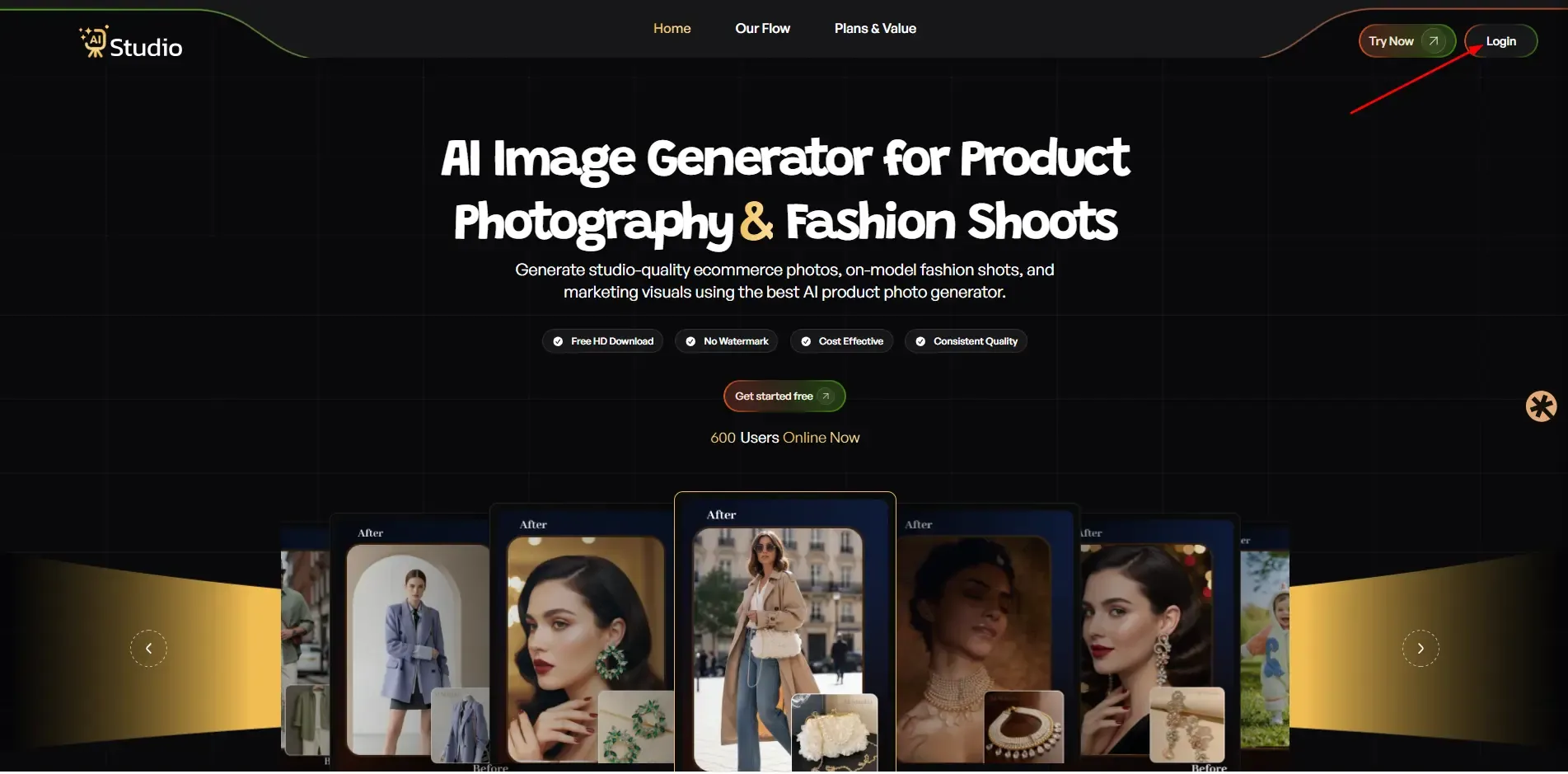
Step 1: Create a Free Account and Log In
First of all, you need to visit the trystudio.app. And just keep researching about you Ecommerce Product modelling.
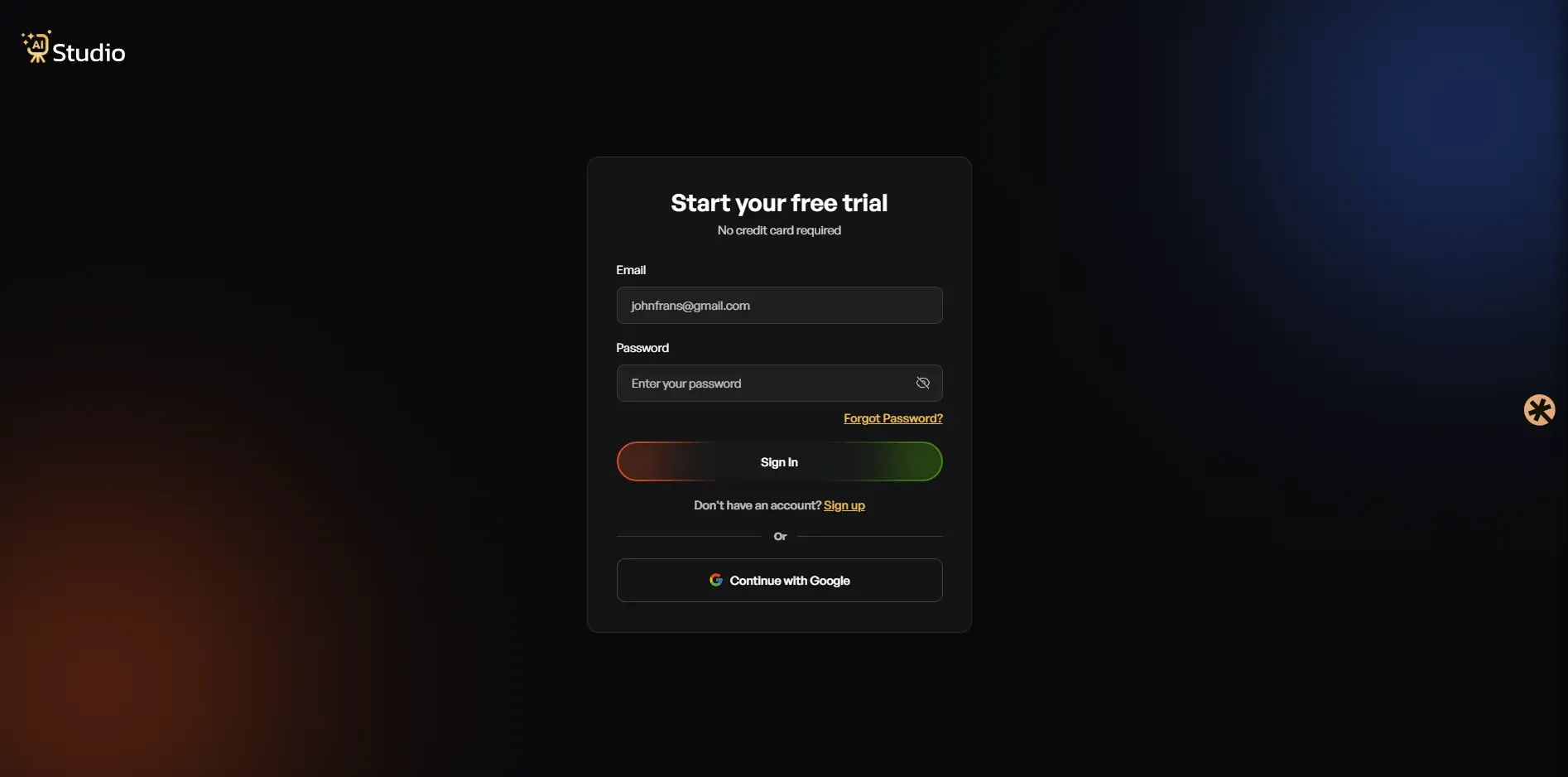
Then, you go to the login screen, and if you’re first time create an account and if you visited earlier, please log in through Google.
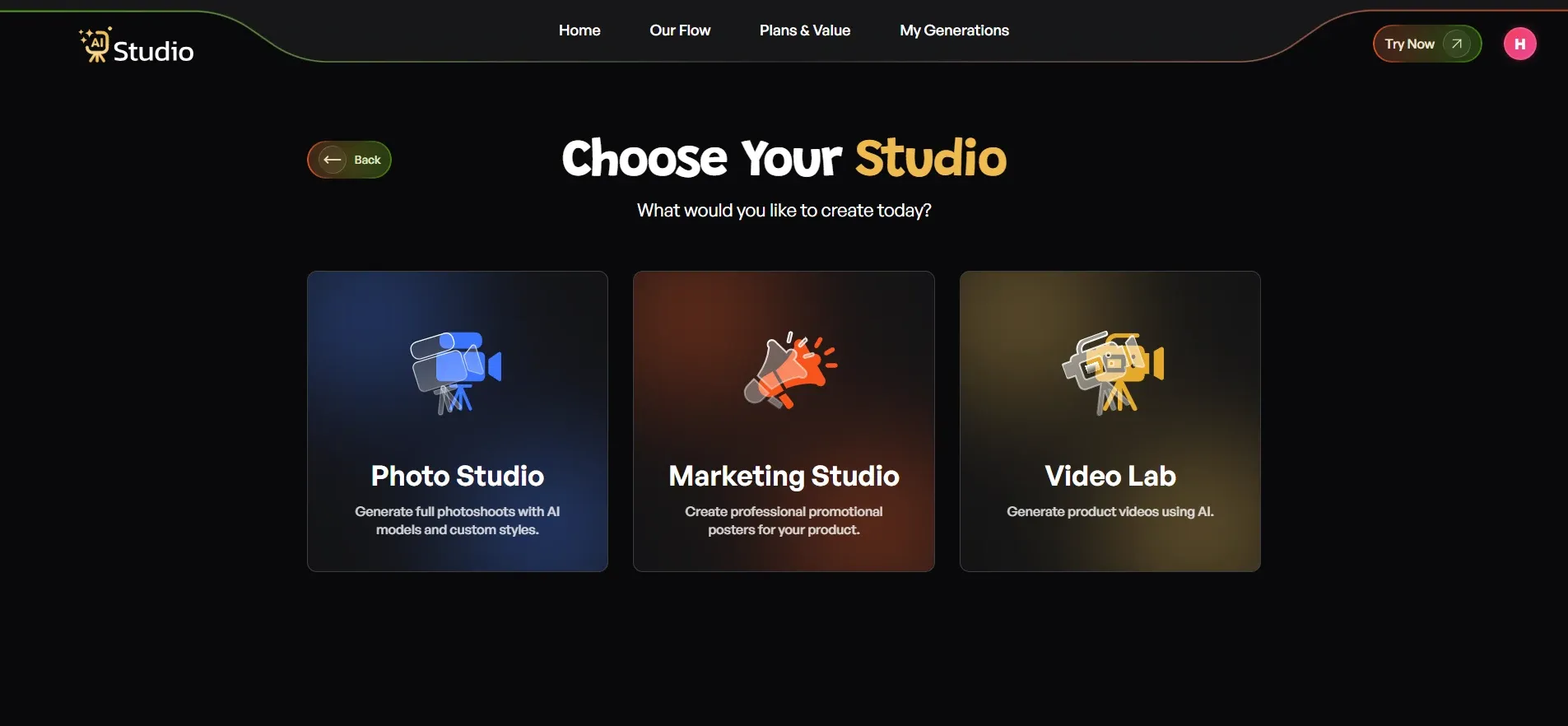
Step 2: Choose Your Studio
The dashboard provides three options, which include Photo Studio, Marketing Studio, and Video Lab. You need to select Photo Studio to access AI product photography. This location serves as the central point for creating all product images.
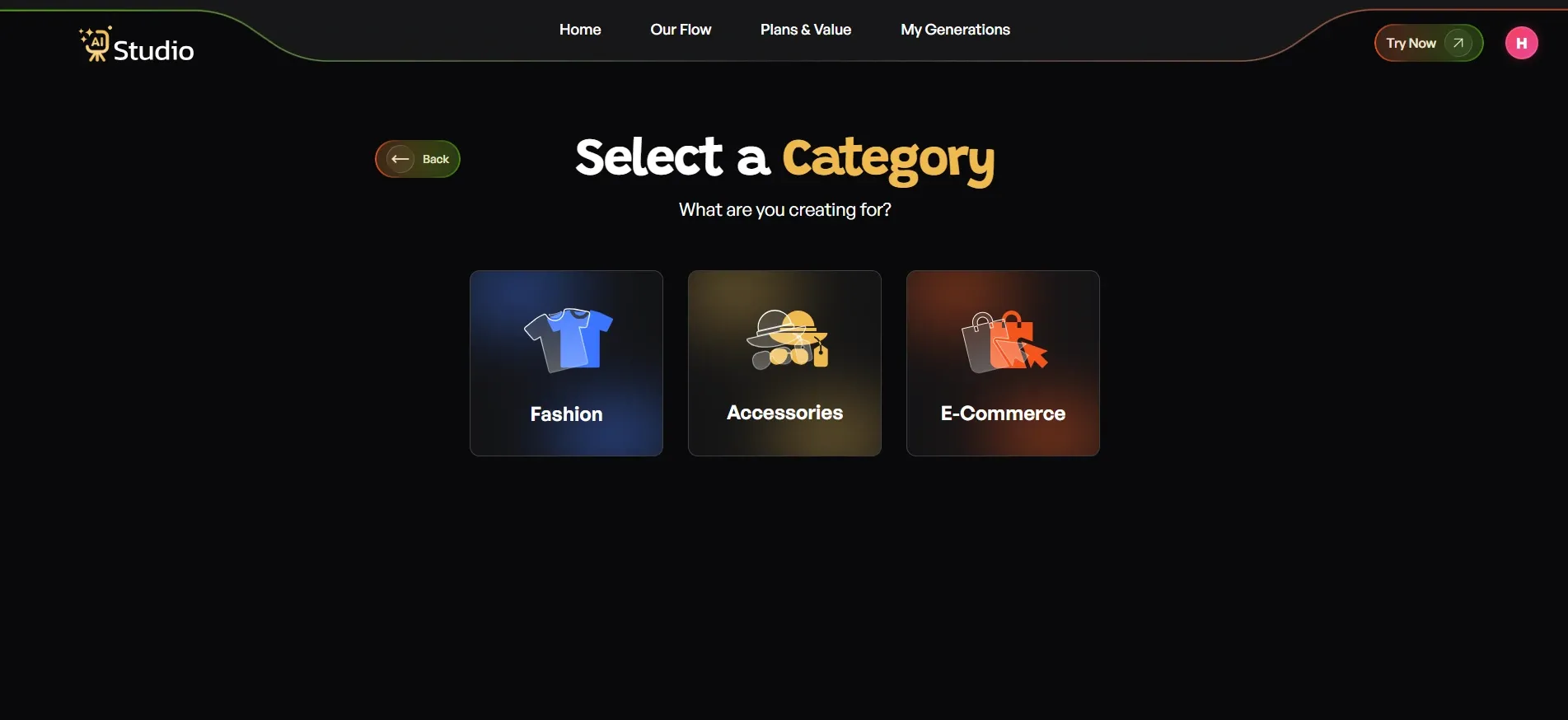
Step 3: Select Your Category
What does your site do? There are five principal categories to choose from:
- Fashion should be chosen by you for selling clothing items which include kurtas and t-shirts and dresses and all types of ethnic wear.
- Accessories should be selected by you for selling items which include watches and jewellery and bags and belts and sunglasses.
- E-Commerce should be selected for displaying all types of products which include electronics and home goods and beauty products.
Step 4: Select Your Subcategory
After picking your main category, select your specific subcategory.
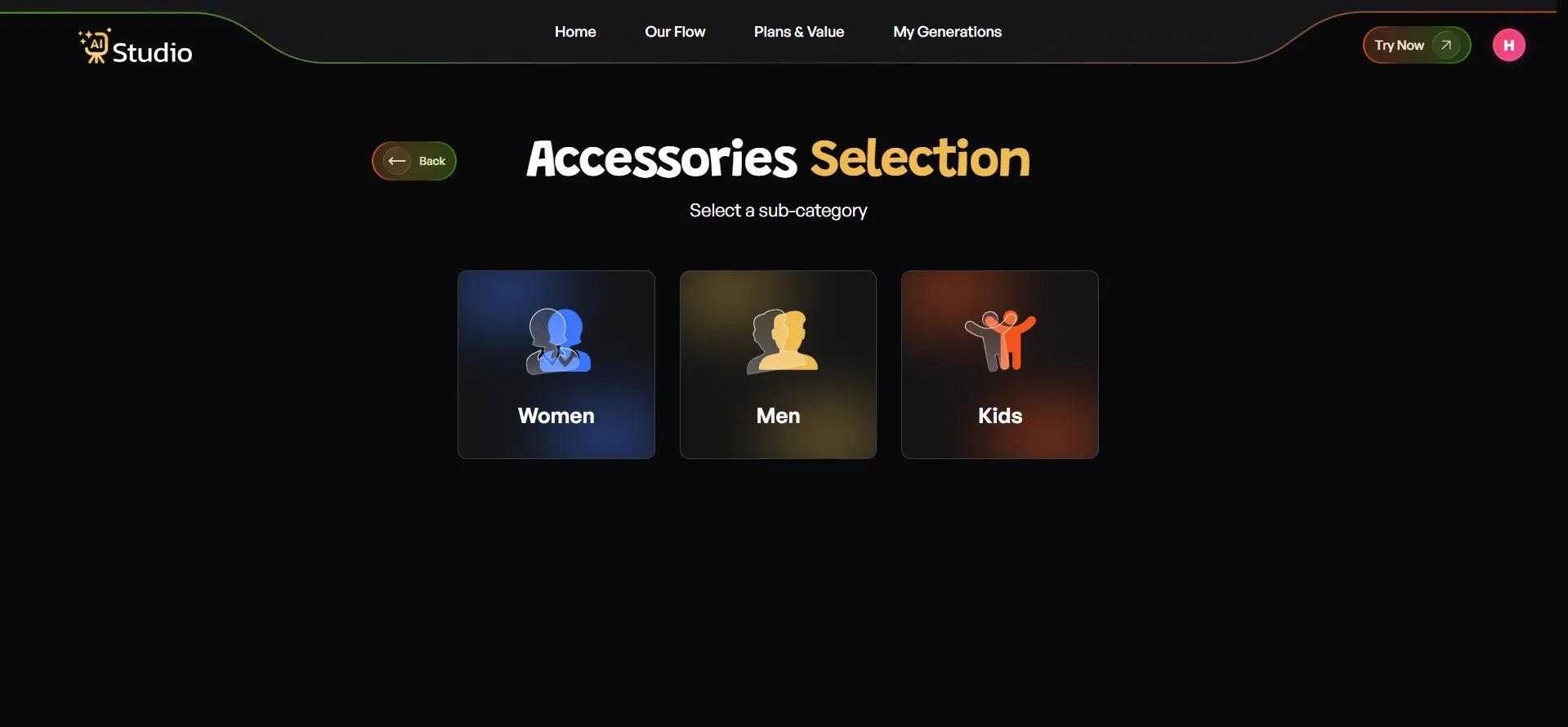 Once that is done, you move on to uploading your product photo.
Step 5: Upload Your Product Photo
Here you will see a simple upload screen. Select your specific product type, for example, you can choose clothes apparel, and other accessories as per your need.
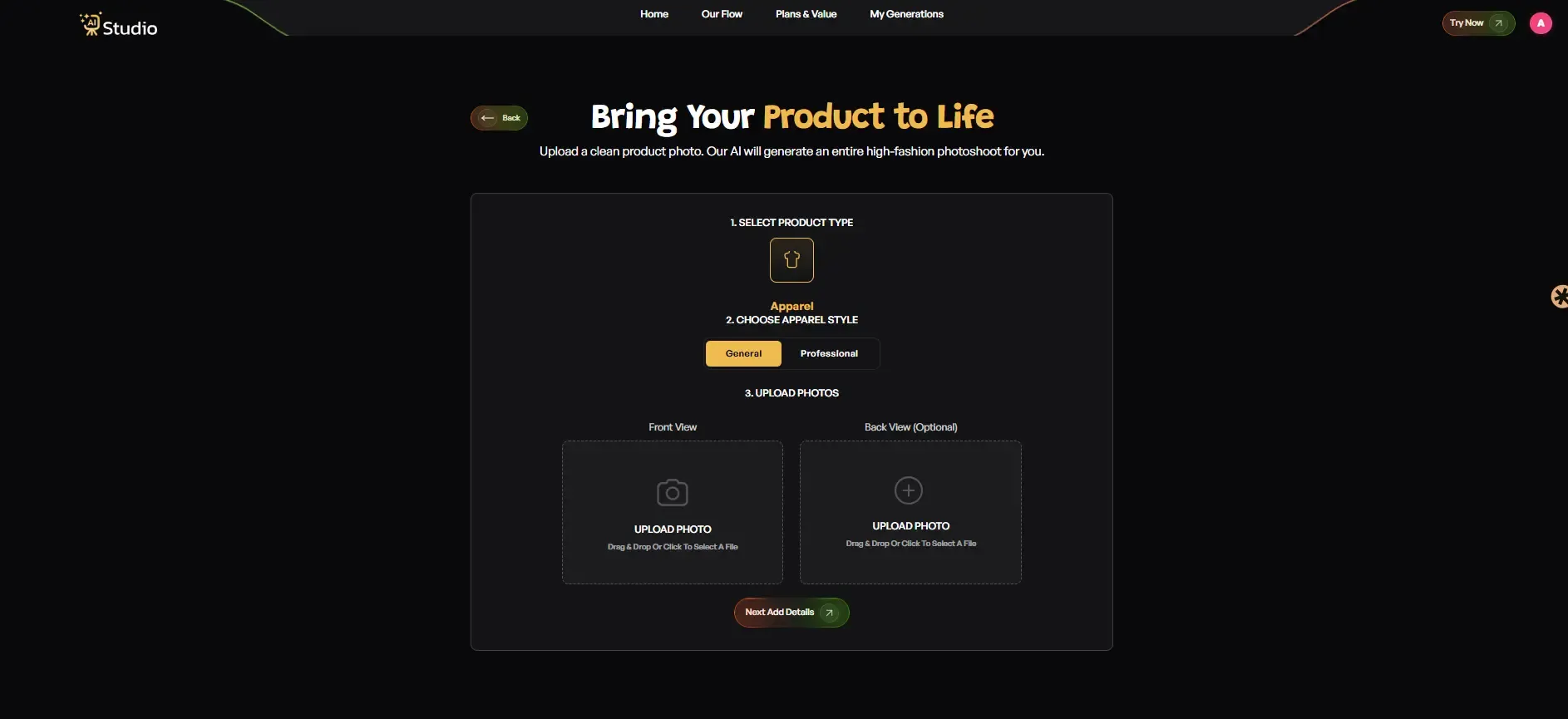
- Upload a Primary Image, a clear front-facing photo of your product (required)
- Add an Additional Image if you have a second angle (optional but recommended for accessories)
Your source photo works best with a plain white or light-coloured background. Any phone photo is fine as long as the product is in focus and the lighting is decent. Click Next: Add Details when you are ready.
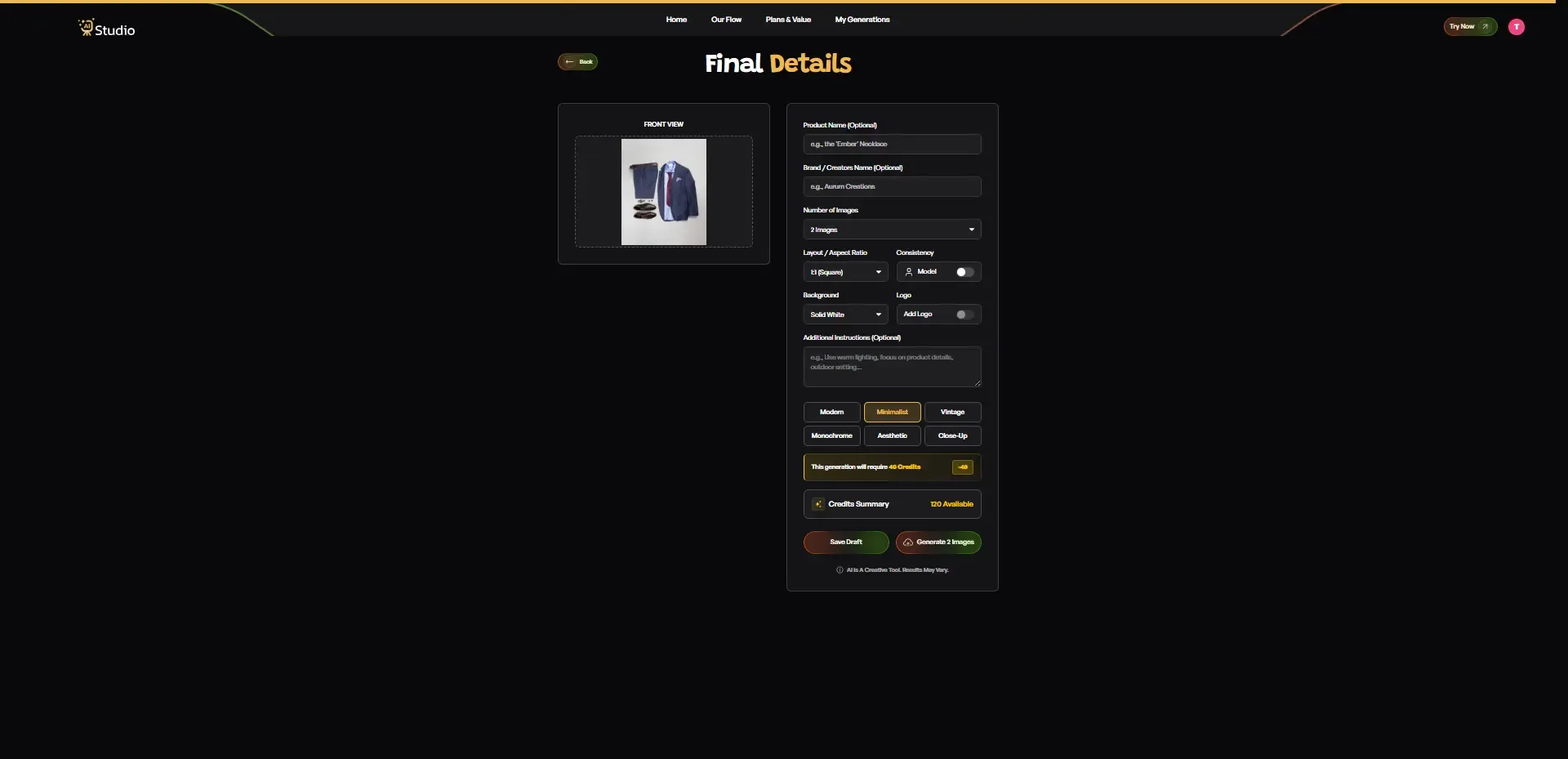
Step 6: Fill In the Final Details
This step is where you customize your output. Here is what you can set:
- Product Name and Brand Name (optional, helps with consistency across images)
- Number of Images you want generated: 2, 4, or more
- Layout and Aspect Ratio: 1:1 Square for Instagram and Amazon, 4:5 for Instagram feed, 16:9 for banners
- Model Consistency toggle: Turn this on if you want the same model across all generated images
- Background: Solid White works best for Amazon's main images; other options suit lifestyle scenes
- Style: Pick from Modern, Minimalist, Vintage, Monochrome, Aesthetic, or Close-Up
- Logo: Add your brand watermark if needed
- Additional Instructions: For example, "Use warm lighting, outdoor setting, focus on product details."
Once everything looks right, click Generate Images.
Step 7: Download Your Image
The product renders within 10 seconds as a virtual model and a professional studio scene. The full resolution file is available for download. The product is prepared for your Amazon listing and your Shopify store and your Flipkart catalog and your Instagram page. 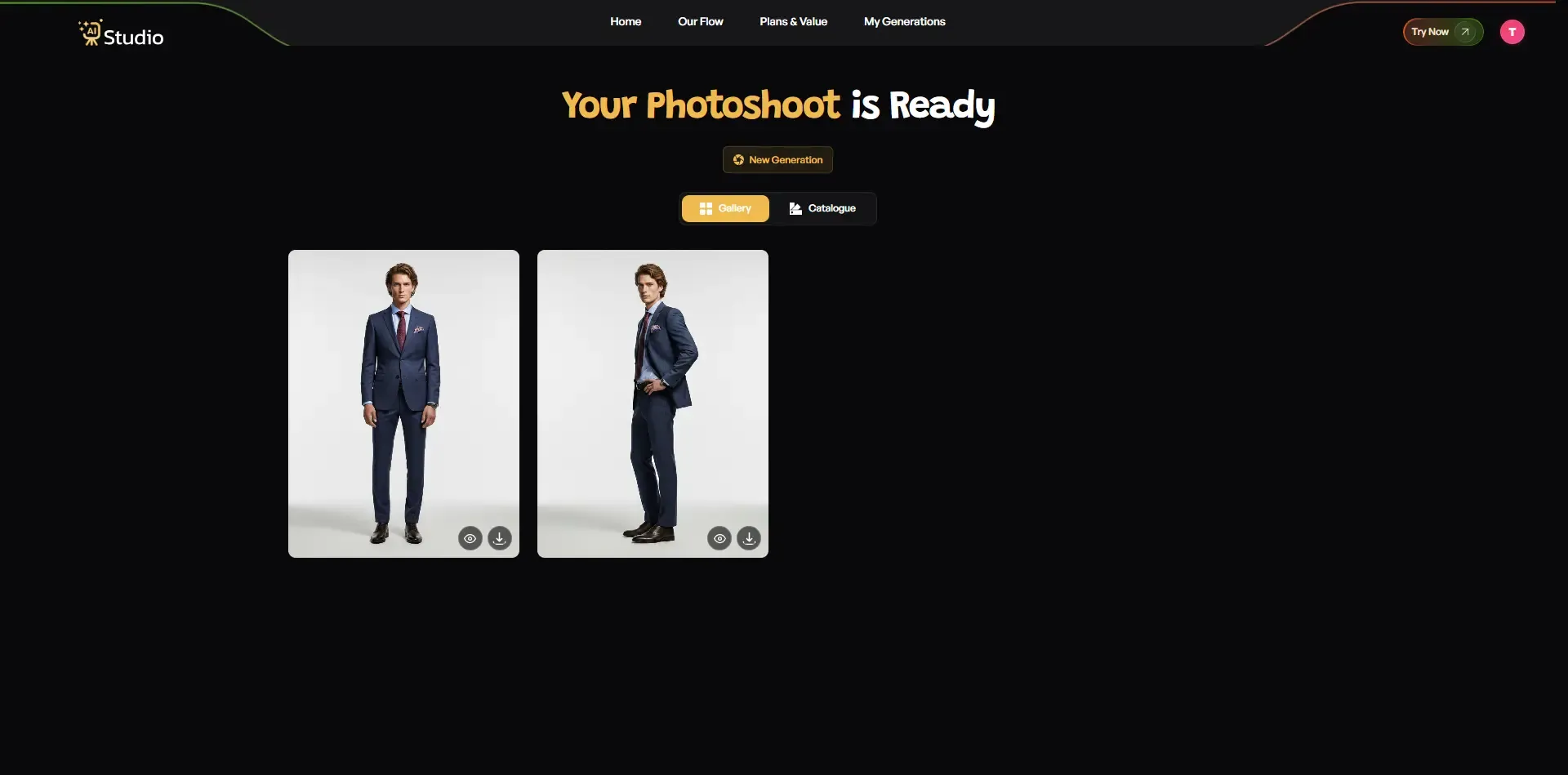
The process needs no retouching. The process needs no interaction with the photographer. The process takes no time to complete.
AI Studio provides small sellers with a solution that enables them to use AI for product photography instead of traditional photography while achieving their desired professional appearance throughout their product range.
Tips for Getting the Best Results
A few small things make a big difference when using any AI product photography tool:
- Use high-resolution source images; even a 12MP phone photo works well
- Avoid cluttered backgrounds in your original photo; a clean, plain surface gives the AI more to work with
- Try two or three background styles and aspect ratios before settling on one
- For jewellery and accessories, use a close-up with good natural light before uploading
- Turn on the Model Consistency toggle if you are generating a full catalog; it keeps the same model across all images, which looks far more professional
For more practical advice, this list of AI product photography tips for ecommerce sellers covers common mistakes and how to avoid them.
AI Product Photography for Specific Niches
Not every product category has the same photography needs. Here is how AI product photography tools apply across the most common niches I have seen Indian sellers work in.
AI Product Photography for Fashion and Clothing
This is where AI has made the biggest impact. Brands can take a single product photo and let the AI generate a photorealistic image of a model wearing that product in a realistic scene, with adjustable poses and swappable backgrounds. AI product photography with models used to cost brands ₹20,000 or more per session. Now it costs a fraction of that, with consistent results every time.
AI Product Photography for Jewelry
Jewelry is tricky because reflective surfaces often fool basic AI tools. AI Studio's dedicated photo studio has a dedicated jewelry category that handles light reflection and fine detail well, making it a strong AI jewelry product photography tool for sellers on Amazon and Flipkart.
AI Product Photography for Amazon and Shopify Sellers
For marketplace sellers, the best practice is to use AI for your secondary images, lifestyle photos, and A+ content. These are the images that actually drive conversions, and AI tools make producing them fast and affordable.
Is AI Product Photography Worth It for Small Businesses?
I have seen this question come up a lot, especially from sellers just starting out on Meesho, Amazon, or their own Shopify store. The answer is yes, and the numbers back it up.
Traditional product photography incurs expenses between ₹3,500 and ₹35,000 for each product because it requires payment for model services, studio space, and photographer expertise and retouching services. AI product photography for small businesses brings that down to ₹700 to ₹3,500 per product, which decreases further through subscription options.
Gartner predicts that 40 percent of e-commerce images will use artificial intelligence for their creation by the year 2026. The early adopters of new technology achieve better conversion rates than their rivals who continue to use costly studio photography methods. You do not need technical skills, a camera, or a design background to get started.
AI Studio offers small business owners who spend excessive amounts on photoshoots an entry point because they can begin without any costs, with no credit card required. You can also read more about why Indian brands are switching to AI photography to understand just how fast this shift is happening.
Conclusion
The AI product photography used by intelligent ecommerce businesses will become common in 2026 because it already serves as their competitive tool. The right AI product image generator will deliver monthly savings of thousands of rupees and time savings of multiple hours for your business at any stage of development, from fashion brands in Mumbai to jewelry sellers on Amazon and D2C brands operating their first Shopify store.
The tools provide excellent performance because their costs remain reasonable while delivering amazing outcomes. AI Studio (tryaistudio.app) offers users a free plan that lets them upload one product photo to experience the system's capabilities.