


AI Background for Product Photos Ecommerce: Create Studio Images
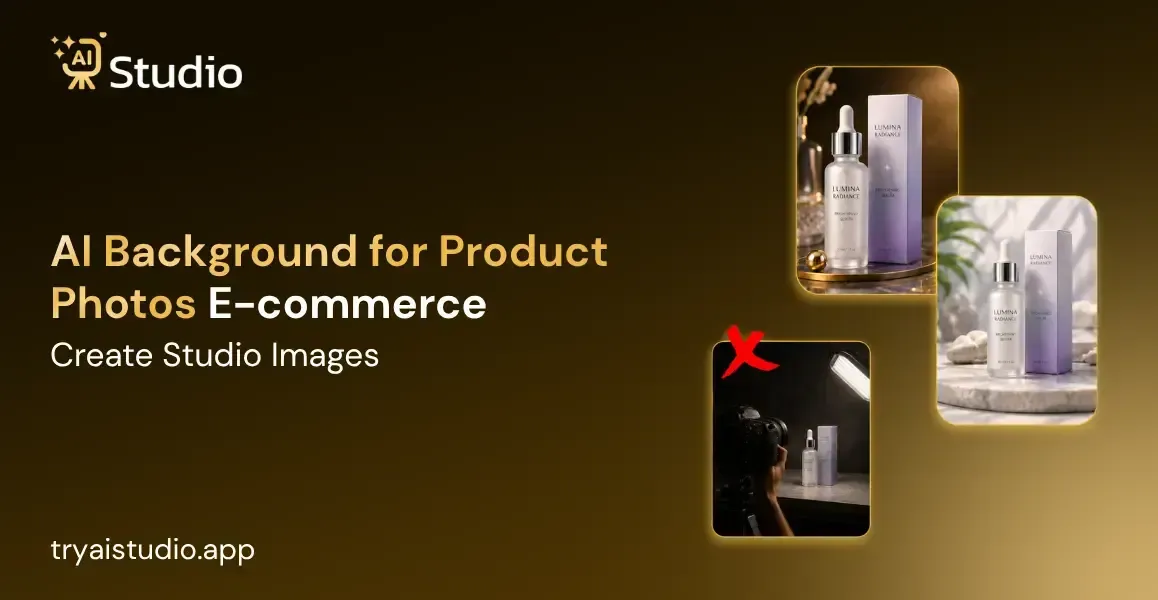
If you sell online, you have to know about a single product, which can incur more costs. Many Indian sellers spend Rs. 10,000 to Rs. 50,000 every time a new collection is launched; sometimes, money goes into studio rent, photographer fees, and sometimes models too. This process, which takes days, and half of the time, the photos still need photoshoots.
This comes under the situation about an AI background for product photos for e-commerce sellers, which can make a real difference. Instead of booking a studio for a full day, you have to upload one photo and get a clean, professional background, which comes ready in minutes. In this guide, I'll explain why an AI background photo will be valuable for our client's purpose.
What is an AI Background for Product Photos?
Now, you'll see what it means when we talk about an AI background for product photos. This defines that the tool analyzes your product photos, removes the existing backgrounds, and replaces them with new ones.
This new background can be plain white, a lifestyle setting, or a studio style backdrop. It is a part where no camera, lighting setup, or physical space is needed. You just have to upload a photo and an artificial intelligence image editor does the work in seconds.
Why AI Backgrounds Matter for Ecommerce Sellers
This is the truth. Small businesses do not have the money to go for a new photoshoot every month. This means that you will either go back to reshooting all products whenever there is a new one, or use conflicting images from previous shoots.
This is where ecommerce photography AI tools become useful. They solve three big problems sellers face every day:
- Expensive shoots that eat into your profit margin
- Slow turnaround when you need images urgently for a sale or launch
- Inconsistent backgrounds across your product catalog
Here is the logic. If you are selling through Amazon, Flipkart, or your very own Shopify store, the listing images will influence your click-through rate and conversion. The best AI for ecommerce photography solutions will allow you to make sure all your product photos look neat and clean, no matter the photographer's schedule.
There are many instances where photographers can become problematic due to cost. Sellers who had difficulty with their product photos due to budget concerns saw their issues solved once they went AI-based.
AI Backgrounds vs Traditional Product Photography
Let's compare both approaches honestly, because traditional photography still has its place in certain situations.
When Traditional Photography Still Works
For major campaign shoots, hero banners, or brand films, there is no substitute for a professional photographer because he offers a set-up of lights and direction that even artificial intelligence cannot match yet.
When AI Wins for Everyday Needs
For regular catalog images, product image generator tools are faster, cheaper, and easier to scale. Here's a simple comparison:
| Factor | Traditional Shoot | AI Tool |
|---|---|---|
| Cost per session | Rs. 10,000 to Rs. 50,000 | Rs. 600/month or less |
| Time required | 1 to 3 days | Under a minute per image |
| Consistency | Depends on the photographer | Always consistent |
| Scalability | Hard to scale | Easy to bulk process |
AI vs traditional product photography isn't really an either-or decision. Most growing brands use AI for daily catalog needs and save traditional shoots for big campaigns.
How to Create AI Backgrounds for Product Photos (Step by Step)
Now let's get totally practical. Let me give you an example of a practical platform called AI Studio, where you can simply upload a picture and have a studio-grade background image prepared for you. Here you won't need any designing skills, only your image and a few clicks.
This really sounds like magic! AI-powered background removal is a huge breakthrough in the field that will help e-commerce businesses, photographers, and content creators save lots of money.
AI Studio: Step-by-Step Guide to Studio-Quality Product Photos
Transform your raw product photos into professional, studio-quality images in just a few clicks, no design skills or expensive photoshoots required. Follow this simple guide to get started:
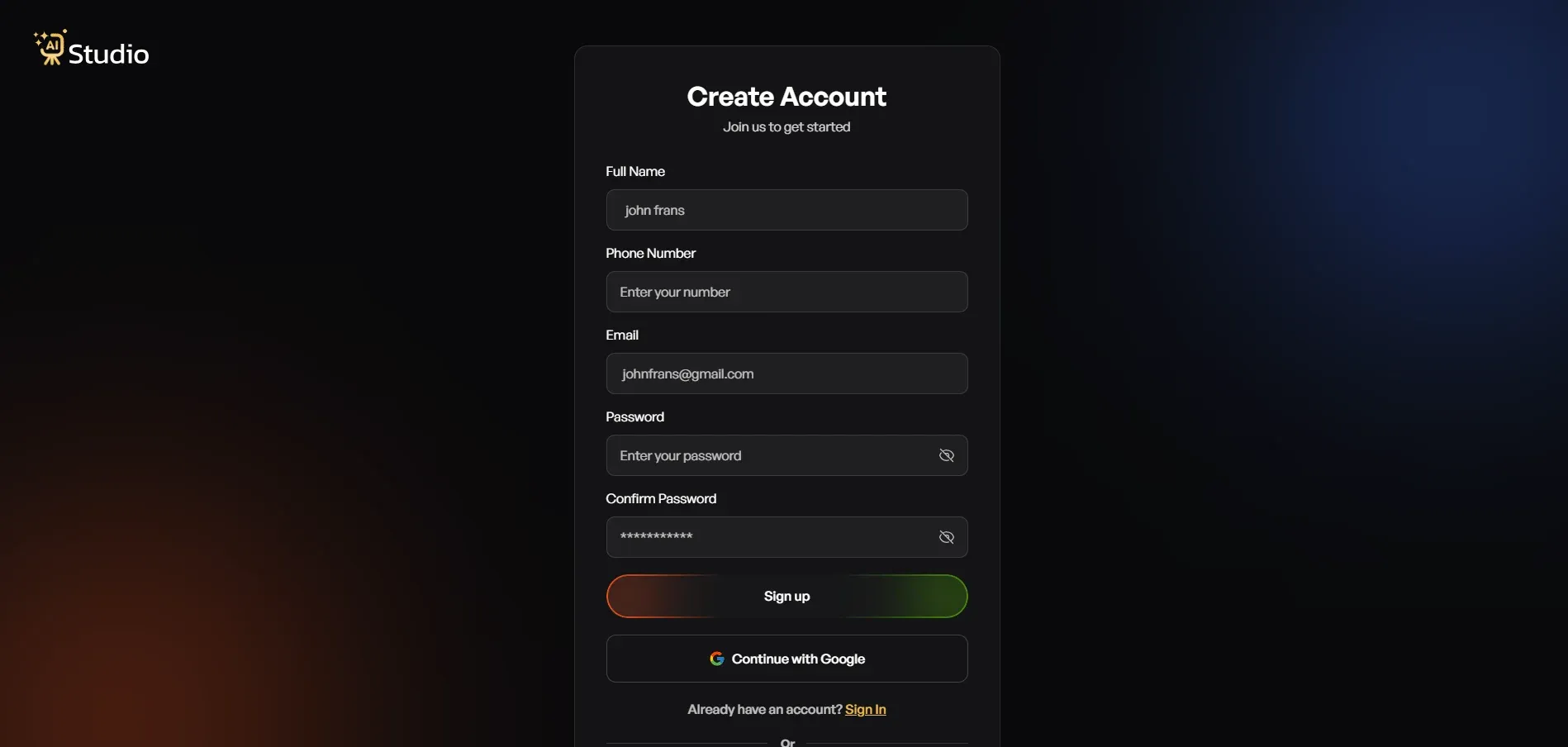
Step 1: Sign Up and Access Your Dashboard
Action: Go to tryaistudio.app to begin.
Account Creation: Create a free account (no credit card is required to get started).
Next Step: Once logged in, your personal dashboard will open, and you are ready to begin.
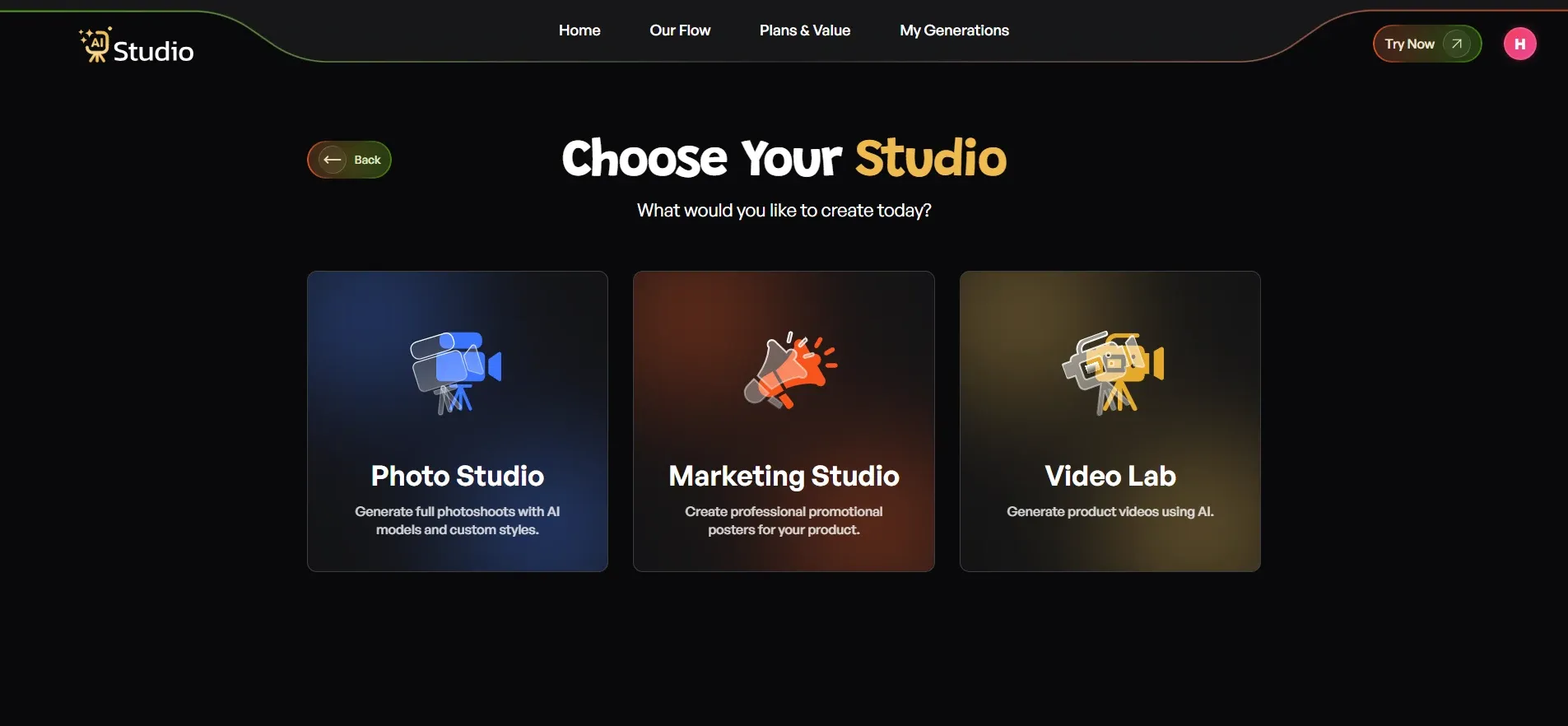
Step 2: Choose Your Studio
Inside the main dashboard, you will see three distinct options:
- Photo Studio
- Marketing Studio
- Video Lab
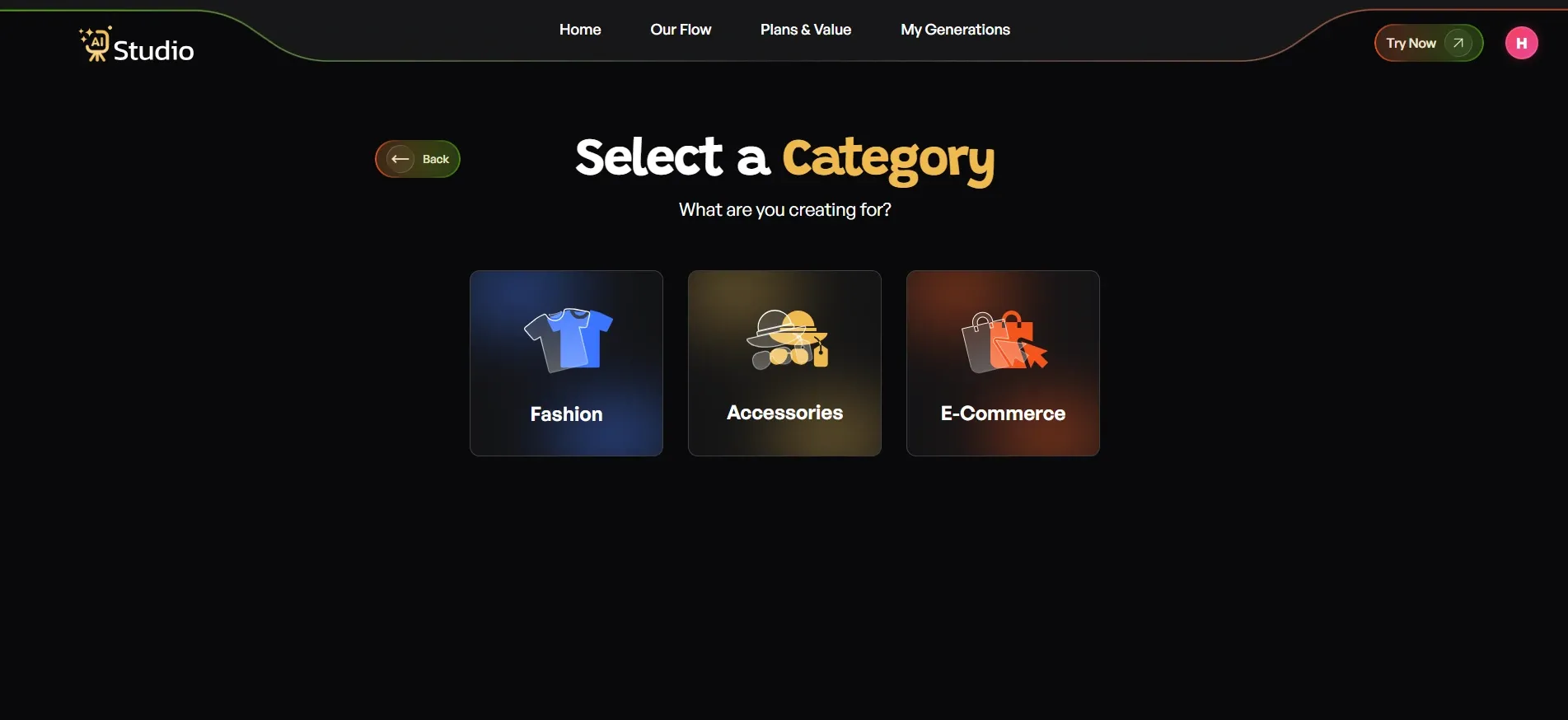
Step 3: Select Your Category
To help the AI understand your item perfectly, select the category that best matches your creation:
- Fashion: For clothing items like kurtas, t-shirts, dresses, sarees, or ethnic wear.
- Accessories: For smaller items like watches, jewelry, bags, belts, or sunglasses.
- E-Commerce: For general product listings like electronics, home goods, or beauty products.
Step 4: Select Your Sub-Category
After choosing your main section, navigate to the sub-category page where you will find three specific options: Women, Men, or Kids.
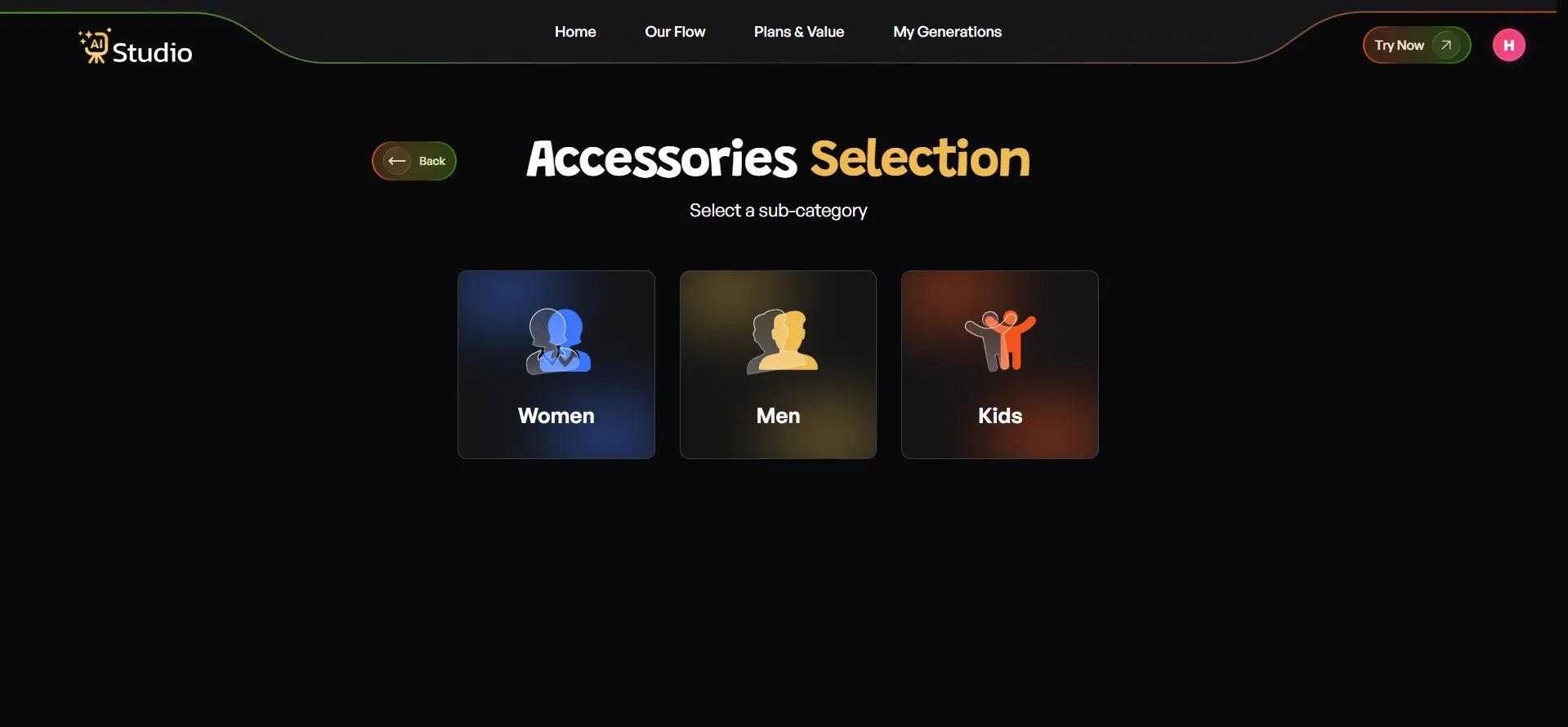
Why this matters: Selecting the right sub-category (especially for Fashion and Accessories) tells the AI exactly what kind of virtual model to generate so it can fit and match your item flawlessly. Once selected, proceed to the upload page.
Step 5: Upload Your Product Photo
This is the only piece of asset you need to prepare beforehand.
- Primary Image (Required): Upload a clear, front-facing photo of your product.
- Additional Image (Optional): Add a second angle, which is highly recommended for accessories and jewelry.
Pro Tip: Your source photo works best when taken against a plain white or light-colored background. Any smartphone photo is perfectly fine as long as the product is in focus and the lighting is reasonable. When ready, click Next: Add Details.
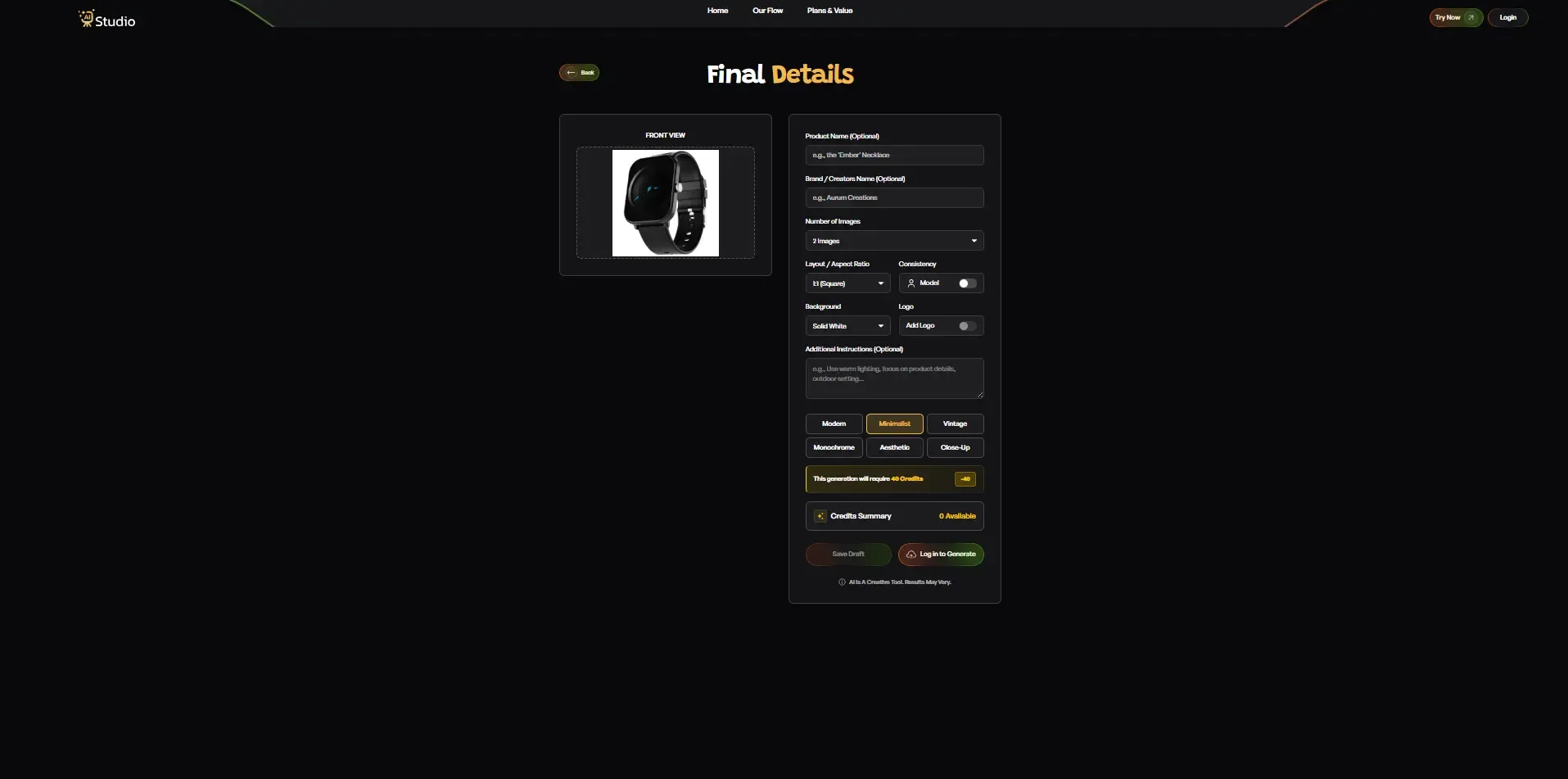
Step 6: Fill In the Final Details (Customization)
Customize your output settings on this final screen before generating your image:
| Customization Option | Description and Recommendation |
|---|---|
| Product and Brand Name | Optional. Helps maintain consistency across a larger catalog. |
| Number of Images | Choose how many unique variations you want the AI to generate at once. |
| Layout / Aspect Ratio | Select 1:1 Square for Amazon/Instagram, 4:5 for Instagram Feed, or 16:9 for Web Banners. |
| Model Consistency | Turn this ON to keep the exact same virtual model across your entire product line. |
| Background | Use Solid White for Amazon main listings, or lifestyle options for Shopify. |
| Style | Choose from presets like Modern, Minimalist, Vintage, Monochrome, Aesthetic, or Close-Up. |
| Logo and Instructions | Add your brand watermark and write specific directions in the Additional Instructions box (e.g., "Use warm lighting, outdoor setting, focus on product detail"). |
Once everything looks right, click Generate Images.
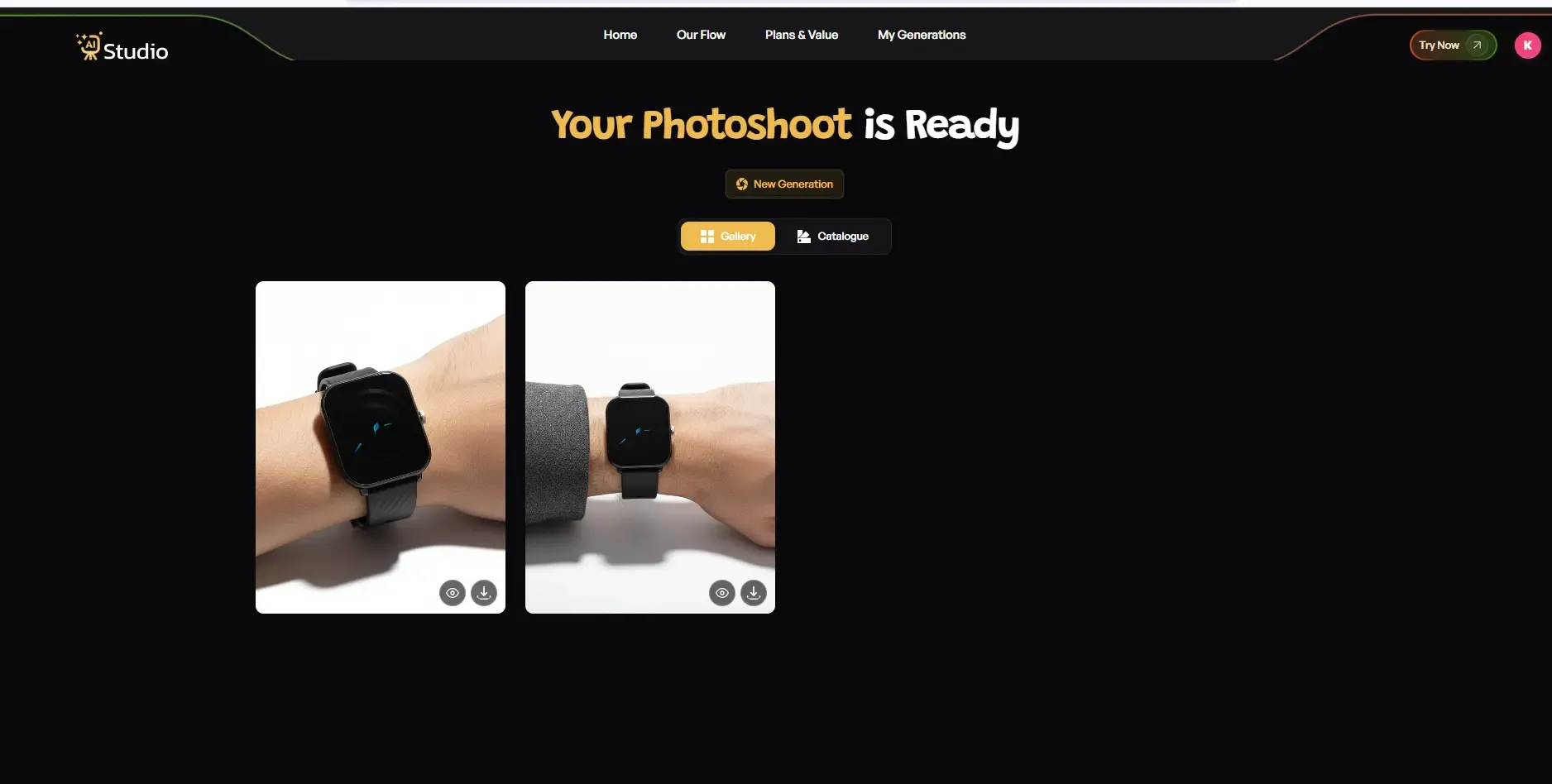
Step 7: Download and Upload to Shopify
Instant Generation: The AI will generate your high-end image in under 10 seconds. Depending on your choices, you will see your product featured on a virtual model or placed inside a professional scene.
Review and Regenerate: Take a moment to look over the results. If you want a different background or a more specific style, simply click Regenerate to let the AI try a new variation.
Download: Once you are fully satisfied, download the image at full resolution.
Final Step: AI Studio automatically outputs crisp images that fit Shopify's recommended standard of 2048 x 2048 pixels for the best product page zoom look. Upload it straight to your Shopify store, no manual retouching, no back-and-forth with editors, and no waiting around!
Real Examples: Fashion, Jewelry, Shopify, and Amazon Sellers
Numbers are good, but let me show you how this actually plays out for different types of sellers.
Fashion Brands Creating Lifestyle Backgrounds
An apparel company I consulted was looking for Instagram ad creatives weekly. Casting models and scouting locations were out of the question due to their budget constraints. With AI fashion photography, they were able to generate lifestyle backgrounds for their merchandise without a single shoot booking.
Jewelry Sellers Highlighting Detail
Background is highly essential in jewelry products since it affects the visibility of the product. High-quality AI product images require that the background be very clean and not distracting. The background images are automatically generated by AI while retaining the quality of the product details. You can read more about AI product photography for accessories to see how this works in practice.
Shopify Stores Maintaining Catalog Consistency
A Shopify store owner mentioned that while the problem with their images wasn't necessarily quality, it was rather consistency. No two images looked alike. However, by using the AI image generator for product photos, all images suddenly became consistent.
Amazon Sellers Meeting Listing Requirements
Amazon has stringent guidelines regarding the background of the main image; it should be absolutely white. Amazon product photos with AI can help in creating the perfect white background for Amazon products instantly.
Cost Comparison: Studio Shoot vs Photographer vs AI Tool
Let's talk numbers, because this is often the deciding factor for small sellers.
- Studio rental: Rs. 5,000 to Rs. 15,000 per session, plus equipment costs
- Photographer fees: Rs. 5,000 to Rs. 25,000 per shoot, depending on experience and location
- AI tool subscription: Often around Rs. 600/month for unlimited or bulk image generation
In my own experience, the cost of photoshoots becomes very high when you consider the cost of renting a studio, paying photographers, and sometimes even models.
If we talk about affordable product photography AI tools, then there are clear savings. With just one photoshoot, the price would be equal to that of the entire yearly subscription to the software.
Nevertheless, traditional photoshoots are definitely not useless in any way. However, with such huge expenses involved, they cannot be considered every time.
Common Mistakes to Avoid with AI Product Backgrounds
Before you jump in, let me share a few mistakes I've seen sellers make.
- Ignoring marketplace guidelines: Amazon and Flipkart have specific image requirements; always check these before uploading.
- Using artificial-looking backgrounds: Some backgrounds look too fake and can reduce buyer trust.
- Not checking shadow and lighting consistency: If the shadow direction doesn't match the product lighting, the image looks off.
- Skipping quality review: Always preview images before uploading to your store or marketplace.
AI-generated product image quality has improved a lot, but a quick manual check before publishing still helps catch small issues early. Check out these AI product photography tips for ecommerce sellers to avoid the most common pitfalls.
How AI Studio Helps You Create Studio-Quality Backgrounds
Having understood the complete process, let me illustrate how this can be done using software like AI Studio.
Rather than paying Rs. 20,000 to carry out a photo shoot, many vendors use AI Studio's Photo Studio for both background removal and creation.
Just add your product photo to this software, and within 10 seconds or so, you have a studio-quality photograph of your product.
I've seen brands use AI Studio to create consistent product images without hiring models or booking studios. This works well for:
- Fashion and apparel listings
- Jewelry and accessories
- General ecommerce product catalogs
- Social media ads and promotional content
For sellers managing bulk AI product image processing, this kind of workflow saves hours every week. At around Rs. 600/month, it's priced for small businesses that require studio-quality product photos with no photographer involved at all. You can also explore AI Studio's marketing tools to take your product visuals even further for campaigns and ads.
Conclusion
Product photography doesn't have to ruin your finances anymore. In this guide, we discussed how an AI background for product photos used by ecommerce sellers is different from regular photography and gave various examples for fashion, jewelry, and Amazon listings.
A significant difference in costs alone can give you reasons to try some AI solutions for your monthly catalog updates, regardless of your budget constraints.
When you're frustrated by costly photoshoots and delays in getting high-quality images, it's probably time to consider AI background removal tools for your next product picture.