


AI Background Generator for Ecommerce: Studio-Quality Photos
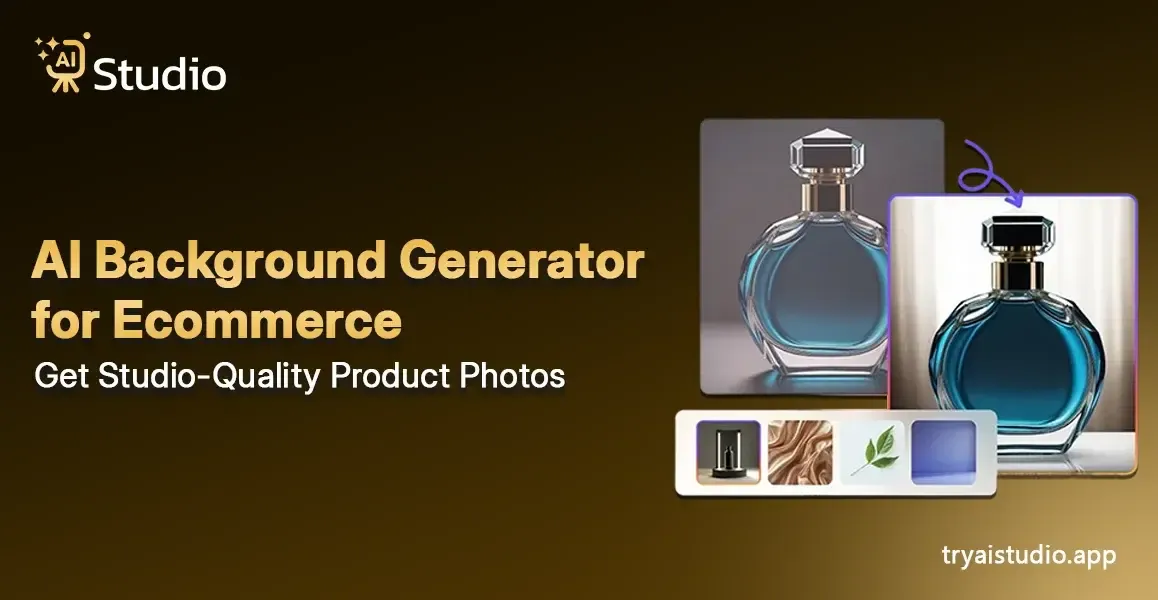
The experience of online selling will show you the difficulties that you must face. The competitor's listing displays product photos that appear to have been taken in a professional studio that uses optimal lighting and maintains unobstructed backgrounds while displaying products in an organized manner.
The photos I took with my phone on a white bedsheet make me question how I will compete with others. The basic photography fees in India start at ₹10,000 and reach up to ₹50,000 for each session, while excluding model costs and editing services.
The solution becomes impractical because it requires too much time and financial resources, which most small businesses cannot afford. I created this guide to demonstrate how an AI background generator transforms the industry.
The guide will teach you the process to obtain professional ecommerce photographs without any cost for your business, whether you sell through Amazon, Flipkart, or operate a Shopify store.
What Is an AI Background Generator for Ecommerce?
Let me explain this in a simple way. An AI background generator uses artificial intelligence to create new backgrounds for your product image through automatic background replacement. The AI system handles all tasks after you upload your product photo.
You can complete the process without using a studio, hiring a photographer, or needing any editing abilities.
The situation becomes more intriguing at this point. The field contains two distinct types of tools that operate in different ways. The understanding of these differences enables you to select the appropriate tool for your requirements.
AI Background Removal vs. AI Background Generation: What Is the Difference?
Background removal tools start from the original photo to extract the product, which they display on a white background or a transparent background. The solution provides basic functionality, but it needs more advanced features. The ecommerce solution requires AI background generation because it enables AI to produce new backgrounds instead of eliminating existing ones.
The system generates an entirely new, authentic environment that surrounds your item. Your jewelry now appears sitting on a marble surface. Your skincare product is suddenly inside a clean spa setting. The visual experience receives a complete transformation through this development.
To understand how this works in more detail, check out this guide on how to create product photos with AI.
What Is Product Staging?
The product staging process requires you to display your product within an authentic life scene instead of using a solid background. The new display shows your sneakers on a wooden floor, which receives illumination from natural light that enters through a window. The visual storytelling method creates Amazon and Shopify conversion success.
Multiple sellers I encountered faced product photography challenges because they were unaware that product staging existed as an option, which did not require complete product shooting. The good news is that tools built for ecommerce photography AI can now do all of this automatic work. The sales numbers show actual results.
One ecommerce brand that switched to AI product photography reported a 40% boost in conversions while saving over 20 hours per week that used to go into manual editing. The savings that small business owners achieve through that method create major advantages because they handle every task by themselves.
How Does AI Product Photography Work?
The tools are accessible to users who lack design or technical expertise. I will demonstrate the process because I find its execution to be extremely straightforward.
Here is a step-by-step breakdown of how the best AI tools work:
Create a free account and choose your studio. You can access try ai studio to create a free account. The dashboard leads users to Photo Studio, which serves as the platform for all AI product photography activities.
You will then be asked to select your category: Fashion, Accessories, or E-Commerce. For Fashion and Accessories, you also pick a subcategory like Women, Men, or Kids, which tells the AI what kind of virtual model to generate for your product.
Upload your product photo. The user must choose a product category from the provided list of Watch, Belt, and Perfumes, which exists under the Accessories section. The user needs to upload a front-facing product image that meets the requirement of clear visibility. Even a phone photo works perfectly.
The AI achieves better accuracy with a plain white or light-coloured background, but it can process photographs that have less than ideal conditions. The user has the option to upload a secondary image, which will enhance their results.
Fill in the details and choose your scene. The final appearance of your project is determined at this location. The user needs to select an aspect ratio, which includes 1:1 Square for Amazon and Instagram, and 4:5 for Instagram feed and 16:9 for banner display, while choosing Solid White background style for Amazon main images and a lifestyle scene for Shopify, and selecting a visual style from Modern, Minimalist, and Vintage, while activating Model Consistency to display the same virtual model throughout all catalog items.
The AI generates your image. You should click on the "Generate Images" button, and you need to wait approximately 10 seconds. The AI image generator uses deep learning models that have learned from extensive image and text datasets to produce a new background that matches your product through authentic illumination and shadows, and correct size relationships. The AI product photography tools use this specific method to transform standard product images into high-quality studio images.
Download in platform-ready format. The complete final image of your work operates at full resolution and matches specifications for Amazon product listings, Shopify product pages, Flipkart product catalogs, and Instagram advertising. The process requires no image retouching. The process requires no waiting time. The process requires no communication with a photographer.
Do You Need Design Skills to Use It?
No. The entire design exists to achieve that specific purpose. The e-commerce AI product photography tools have been created to enable users to use them without needing any advanced expertise because they have established their user interface at a fundamental operational level. The tools become accessible to users who have the ability to upload images because they need to perform only one button operation. I have witnessed that first-time sellers reach professional outcomes during their first attempt at selling.
AI Product Photography vs. Traditional Studio Photography
The current situation presents fundamental challenges that most sellers must navigate. Certain types of images still require traditional studio photography as the most effective method of capture. The method is not suitable for the majority of e-commerce product photography needs. Read a full breakdown in this AI product photography vs traditional shoots comparison.
| Factor | Traditional Studio | AI Product Photography |
|---|---|---|
| Cost | ₹10,000 to ₹50,000 per session | As low as ₹600/month |
| Time | Days to weeks | 10 seconds to a few minutes |
| Skills Needed | Photographer + editor | No skills required |
| Scalability | Limited by time and budget | Hundreds of SKUs in one go |
| Consistency | Varies from shoot to shoot | Uniform style across all images |
| Model Required | Yes, for fashion/apparel | No, AI can place products on models |
The process that used to require several days to complete at a photo studio now takes only seconds to accomplish through AI product photography which costs much less. That is not just a convenience. For a seller dealing with more than 100 stock-keeping units, it represents an entire business transformation.
The one area where traditional photography maintains its advantage over other methods happens to be complex hero shots, which include luxury watch campaigns and high-end fashion editorials.
The required artistic guidance needs to achieve high levels of detail, which AI technology currently lacks. The AI product photography tools provide sufficient quality for most Amazon listings, Shopify storefronts, and Instagram ads while delivering superior results.
Is AI Product Photography Good Enough for Amazon and Shopify?
The main product image for Amazon requires a pure white background, which must use the RGB 255 255 255 color code. The AI tools provide a complete solution to this problem. Shopify recommends that businesses use square images that have unblemished backgrounds to maintain their catalog appearance. The AI system achieves perfect results for this task. Present-day AI product photo generators deliver their best output quality, which meets professional standards and platform requirements.
If you are looking for the right tool to get started, here is a list of the best AI product photography tools for ecommerce.
Key Features to Look For in an AI Background Generator
Different AI tools display different performance capabilities because they are developed with different design approaches. I have tested multiple background removal tools and discovered that there exists a distinct difference between basic background removal tools and professional background removal tools used by serious ecommerce businesses.
The features that actually matter for ecommerce sellers are:
Background generation, not just removal. Any basic tool can cut out a background. The required tool needs to create an authentic scene surrounding your product. The main difference between free online AI photo editors and professional AI background creation tools lies in their primary function.
Product staging and lifestyle scenes. The tool should demonstrate its ability to show your product through its real-world application. A fashion accessories brand needs its bags to appear in lifestyle shots, not just floating on white. The user should search for tools that provide virtual product photoshoot functions that include different scene possibilities.
On-model photography without hiring a model. The fashion industry reaches a pivotal moment through this development because it provides new options. The current tools enable users to create AI fashion photography with on-model photos without models, which allows them to display their clothing on computer-generated models without needing to hire actual models.
Bulk processing for large catalogs. You need bulk AI product image processing because you have 200 products that require photography. The process of manual upload would take an excessive amount of time because you need to upload each item individually. The best tools let you process hundreds of images in one go.
Platform-ready exports. The tool should automatically resize and format images for Amazon, Shopify, Etsy, Flipkart, and social media. The downloaded content requires no additional editing work from you.
Free plan or trial. You are going to be spending the cash, and you may wish to be able to test the tool to check out the feedback from actual products. Offering a free trial signifies the confidence and conviction in the above products of the company.
Free vs. Paid AI Product Photography Tools
Multiple free AI tools with ecommerce photography work, which provide effective testing solutions. The free plans of most services include watermarks and restricted download capabilities, and limited access to their features.
Paid plan costs are justified for professional sellers who need to handle extensive product SKUs. If you want to compare your options before spending anything, check out this list of the best free AI product image generators. The affordable product photography AI tools provide their paid plans at costs which remain below the expense of one studio session.
What Makes AI Studio Different
The AI Studio platform stands out among seller tools because it unites three functions through its background generation, product staging, and on-model photography features. The system provides all required functions through a single interface instead of needing users to operate three distinct tools.
The system operates equally well with fashion items, jewelry, accessories, and hard goods while enabling users to process multiple AI product images at once instead of handling each image individually. You can browse all available studio options on the choose your studio page. The pricing starts at around ₹600/month, which is genuinely affordable for any size of business.
How to Use AI Studio to Create Product Photos (Step-by-Step)
Let me show you exactly how to go from a basic phone photo to a professional ecommerce image using AI Studio. This is the practical walkthrough you have been looking for, and it is much simpler than you might expect.
- Go to tryaistudio.app and sign up for a free account. No credit card needed to start.
- Upload your product photo. A plain background works best, but the AI can handle busy backgrounds too. Make sure the product is well-lit and in focus.
- Select your output goal. Choose from options like Amazon main image (white background), lifestyle scene, social media ad, or on-model shot depending on your product type.
- Describe the scene or choose a template. Type something like "clean marble surface, soft shadow, luxury feel" or simply pick from pre-built styles like Studio White, Outdoor Wood, or Modern Kitchen.
- Click generate and wait about 10 seconds. The AI processes the image and produces the final result.
- Download your image in the correct format for your platform. Amazon, Shopify, and Instagram, all sizes are available.
For a more detailed walkthrough of the ecommerce photo studio, visit the AI Studio photo page.
Best Types of Products for AI Photography
In my experience, AI product photography works exceptionally well for:
- Fashion and apparel: kurtas, ethnic wear, western clothing, activewear. The fashion category on AI Studio is built specifically for these product types.
- Jewelry: rings, necklaces, earrings, bangles. High-quality AI jewelry product photography is a particular strength.
- Accessories: bags, wallets, sunglasses, belts. The accessories category handles these product types very well.
- Cosmetics and skincare: bottles, tubes, jars, serums. The ecommerce category covers all hard goods including beauty products.
- Home goods and small decor: candles, cushions, small appliances.
- Electronics: phone cases, earphones, chargers, small gadgets.
Tips for Getting the Best Results
A few small things make a big difference in the output quality. For a full list of actionable advice, read these AI product photography tips for ecommerce sellers.
- Shoot against a plain background, preferably white or light grey. This helps the AI identify your product edges more accurately.
- Use natural daylight or a ring light. Avoid harsh shadows in your original photo.
- Make sure your product fills at least 70% of the frame. Tiny products in large photos do not stage as well.
- Avoid reflective packaging if possible. Highly reflective surfaces can sometimes confuse the edge detection.
- For clothing, shoot the product laid flat or on a hanger. The AI can handle both for on-model placement.
Real Results: What AI Product Photos Can Do for Your Sales
The statement lacks a theoretical foundation because ecommerce brands that adopted AI product photography for their online stores now demonstrate actual business results. Brands that implement AI background generation for their entire product range experience more than 50% increase in their sell-through rates.
Better visual presentation, together with faster content production and rapid testing of different background styles, leads to that level of increased performance.
The D2C brands in India that I witnessed developed their product image standards from random photo usage to proper professional catalog presentation within one week. To understand why this shift is happening across the country, read about why Indian brands are switching to AI photography.
An Etsy jewelry seller explained their previous photography expenses of ₹15,000, which they needed to pay every three months. Their current expenses total ₹600 monthly for an AI product photography tool, which enables them to create double their previous image output.
Small sellers now use AI Studio to create visual content, which previously required major companies to spend large advertising expenses. The current transformation of ecommerce business operations represents the actual change that occurs in the industry.
Conclusion
The use of product photographs is essential for online shopping platforms because they serve as the initial visual element that customers encounter, which determines their decision to either explore more content or select a different store. For many years, businesses needed to pay between ₹40,000 and ₹60,000 to obtain professional photographs through studio time.
The situation has changed because people can now obtain professional photographs without needing to pay expensive studio fees.
An AI background generator gives every seller, whether you are running a small Etsy shop, a growing D2C brand, or a large Amazon catalog, access to studio-quality product photos without the cost or the complexity.
The AI Studio platform offers free access to users who want to experience the platform's capabilities. Upload your first product photo and see what professional ecommerce images actually look like, without spending a rupee on a photographer.