


Best AI Product Image Generator Free (2026)
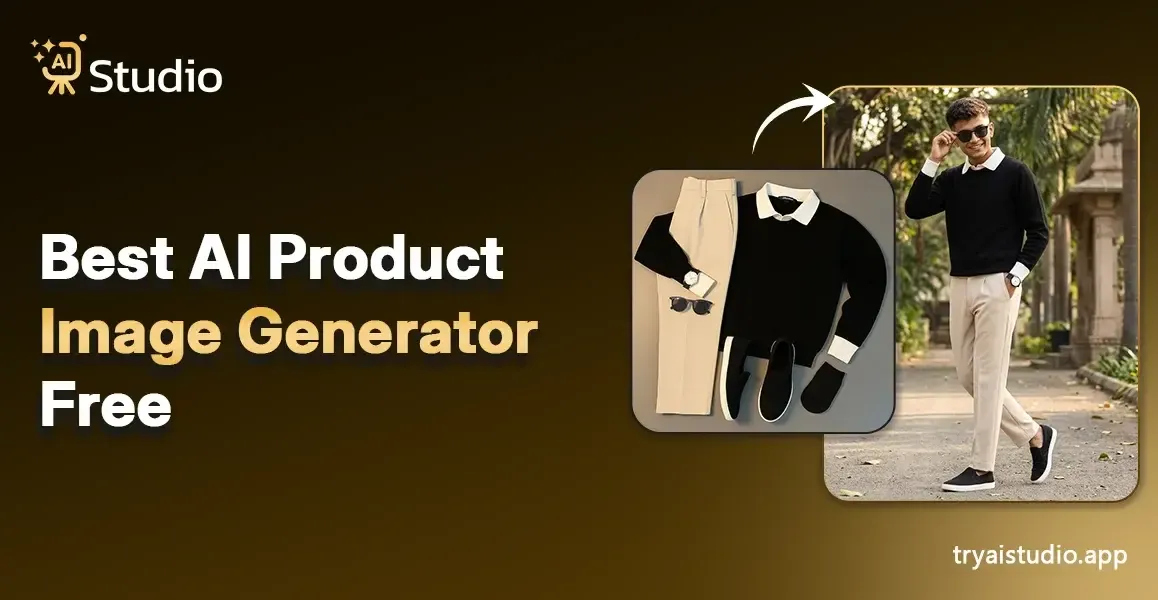
Professional product photography used to be one of the biggest expenses for any online seller. Small business owners have spent between ₹10,000 and ₹50,000 for one product shoot, which failed to deliver the required uniformity between their online product displays.
A photographer had to find a studio, set up their photography session with models, and then wait several days until they received their completed photo edits. The introduction of AI product photography in 2026 has changed everything about the product photography process.
The article presents information about the top free AI product image generator tools that are currently accessible and explains their operational methods while demonstrating how users can produce impressive product images within a few minutes.
The tools presented here enable you to create images that will drive sales for your Amazon, Flipkart, and Shopify businesses without requiring any studio expenses. I will guide you through the entire process, starting from the beginning.
What Is an AI Product Image Generator?
The AI product image generator generates product photos through its artificial intelligence system, which creates new images, modifies existing images, and improves current images. You do not need a camera, a studio, or a professional photographer.
The AI system handles all the work after you upload a basic product image, which includes background removal, lighting addition, and creation of realistic scenes and production of studio-standard results.
The tools are designed to help e-commerce businesses, D2C companies, small enterprises, and marketing departments that require fast and inexpensive access to professional-quality photographs.
The need for these products has increased quickly because businesses require both fast results and low-cost solutions during their market competition. You can learn more about why Indian brands are switching to AI photography and how it is reshaping the way sellers present their products online.
AI Studio provides complete control over virtual model integration and background replacement through its user-friendly interface which allows anyone to operate the system.
How AI Product Photography Works
The common understanding of people shows that AI product photography technology functions in a simple way while it operates with advanced technical systems. I will present my explanation to you through basic language.
The AI product image generator processes your uploaded product photo by first recognizing the object. The system then removes the existing background before it places the product into an AI-generated environment.
The system determines lighting directions while it creates authentic shadows and modifies the surroundings according to your selected style, which includes a white studio background, a lifestyle environment, and an outdoor landscape. The entire process completes within a few seconds.
Here is the basic 3-step process most of these tools follow:
- Upload your product photo: even a plain photo taken with your phone works fine
- Choose a background style or scene: studio, lifestyle, gradient, outdoor, seasonal, etc.
- Download your professional image: ready for your store, ads, or social media
Most product photography AI tools today allow users to create shadows and determine scene depth and make adjustments from multiple viewing angles. To understand all the benefits of AI product photography, it helps to see just how much time and money sellers are saving compared to traditional methods.
Can AI Generate Product Photos With Models?
Fashion and apparel sellers most frequently ask me this question, which I answer positively because it represents a complete transformation of the industry.
The existing AI product photography tools enable users to display their clothing and jewelry and accessories through virtual modeling. You do not need to hire a model, book a shoot, or manage a styling team.
The AI creates a lifelike human model who shows your product as clothing or accessories. The solution benefits fashion brands, kurta sellers, ethnic wear D2C brands, and accessories companies which need lifestyle images for conversion purposes.
The free plan of AI Studio includes this feature which operates as one of its offered tools. The system allows users to choose their desired model type and modify their selected pose or scene, which results in a professional output that eliminates all expenses associated with conventional product photoshoot with model.
Best Free AI Product Image Generator Tools in 2026
Today multiple tools exist for use because their quality differences have decreased when compared to other tools that existed before. The following comparison shows the main alternatives which I have observed to be effective for ecommerce sellers.
| Tool | Best For | Free Plan |
|---|---|---|
| AI Studio (tryaistudio.app) | All-in-one product photography, model integration | Yes, generous free tier |
| Remove.bg | Background removal only | Limited free downloads |
| Photoroom | Background swap, basic scene generation | Limited exports are free |
| Canva AI | Social media graphics, simple product shots | Yes, with watermark on some features |
| Adobe Firefly | Advanced scene generation | Limited free credits |
For a deeper look at how these platforms compare, check out this detailed guide on the best AI product photography tools for ecommerce sellers in 2026.
AI Studio provides the most comprehensive free tool for creating backgrounds, integrating models, producing lighting effects, and generating ecommerce outputs. The product was developed exclusively for use in product photography, which distinguishes it from general-purpose tools like Canva.
AI Studio - Free AI Product Photography Tool
AI Studio serves as a dedicated platform for both ecommerce sellers and D2C brands. The software provides an image editing tool that specifically meets the needs of product photography, which creates images that enhance online product displays, advertising materials, and social media posts.
Key features:
- AI product background generator: choose from hundreds of studio, lifestyle, and seasonal scenes
- Virtual model support: perfect for fashion, jewelry, and accessories
- Shadow and lighting generation: makes products look professionally lit
- High-resolution downloads: ready for Amazon, Flipkart, Shopify, and Instagram
- Starts at ₹600/month with a free plan available
Sellers who previously paid ₹20,000 for a shoot now create complete product catalogs through AI Studio within one afternoon. The small Shopify brands I studied achieved more than 80 percent savings in photography expenses after they implemented this tool. You can see how businesses are creating high-converting ecommerce images using AI to boost their sales results.
How to Create Product Photos With AI for Free (Step-by-Step)
The practical application starts from this point. I will demonstrate the process to create product images through AI Studio which provides all necessary tools for free. The entire process requires less than 10 minutes to complete your initial image.
For a full walkthrough, you can also refer to this guide on how to create product photos with AI from scratch.
Step 1: Create an Account and Login
First, you need to visit the website tryaistudio.app and create a free account. You need to access your dashboard through login. The service allows users to begin without entering credit card information.
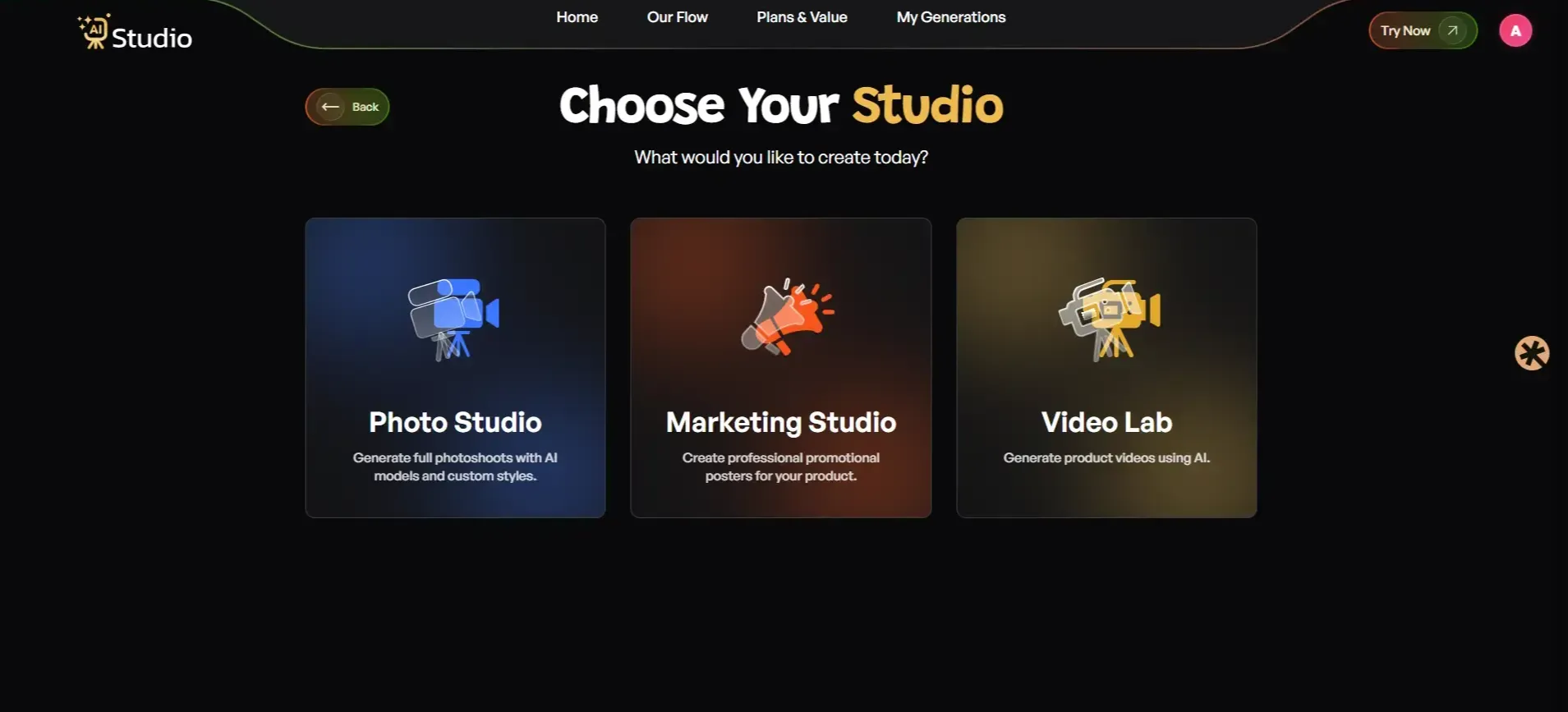
Step 2: Choose Your Studio
Inside the dashboard, you will see multiple options like Photo Studio, Marketing Studio, and Video Lab. Users should select Photo Studio for their AI product photography needs.
Step 3: Select Your Category
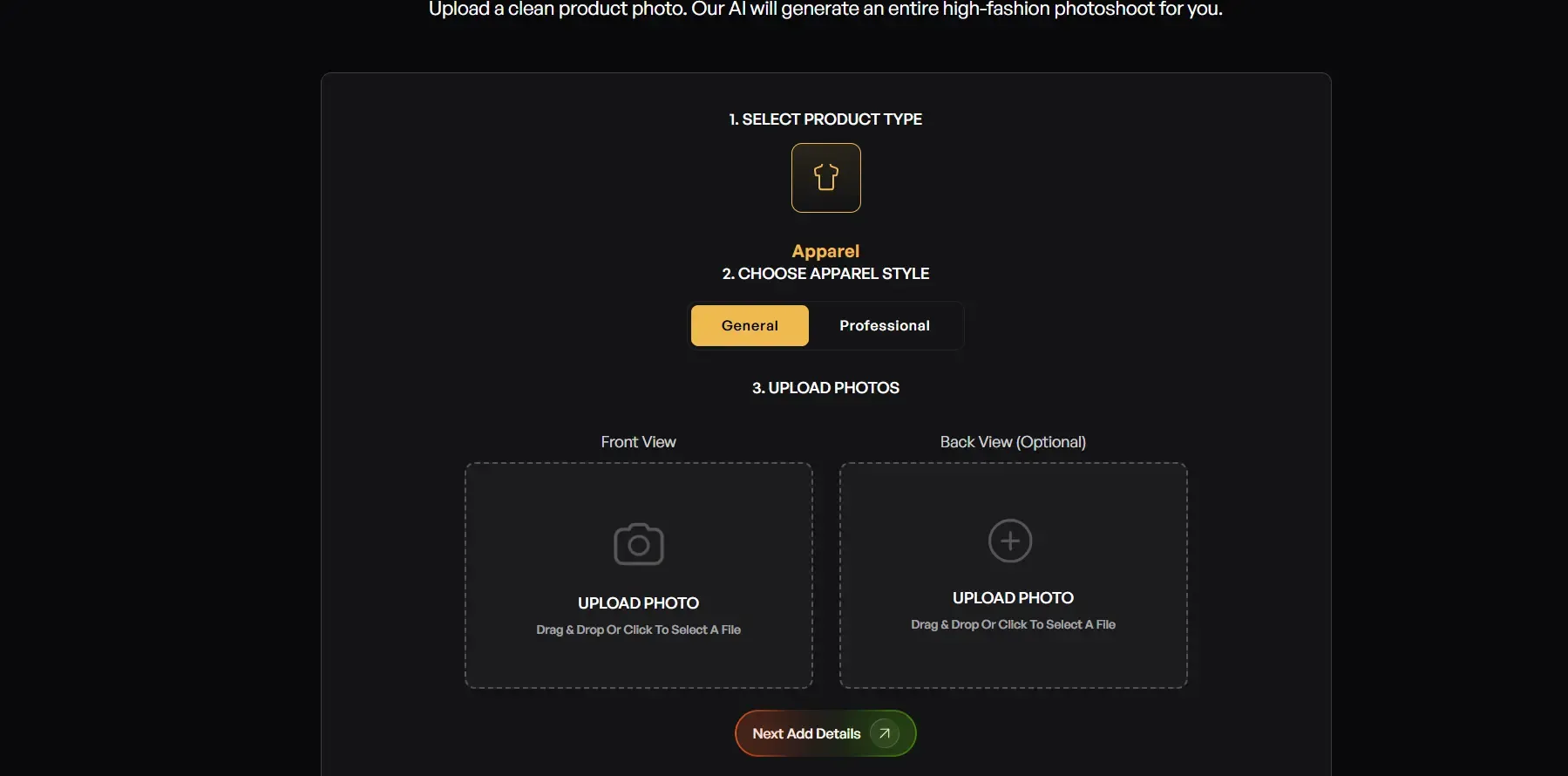
Now navigate to the section that matches your product. Fashion sellers must access the Fashion section to select their applicable product category, which includes Male, Female, and Kids.
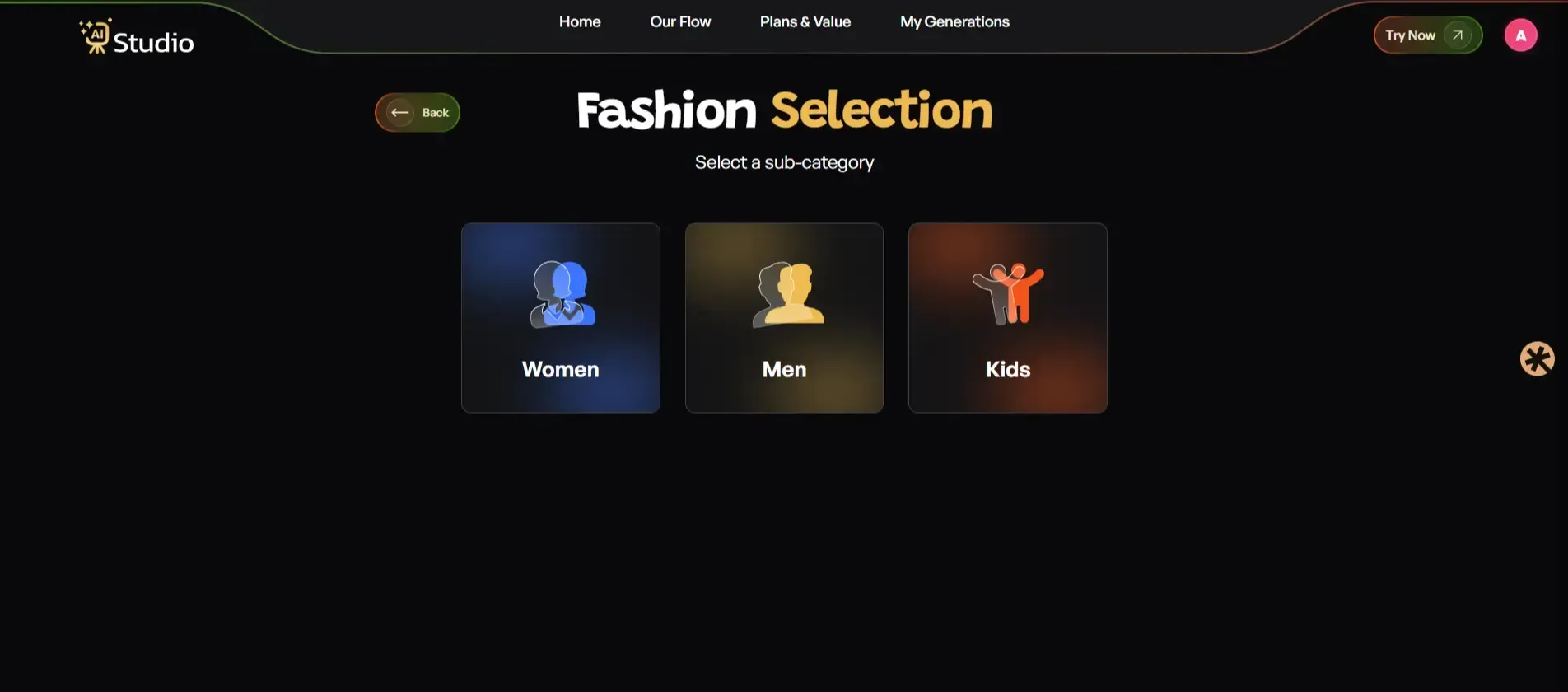
Then select your apparel type, upload your product photo (front view required, back view optional), and click Next.
Step 4: Select Your Sub-Category
Now you can select a sub-category so you can choose any of the accessories to make a clear image.
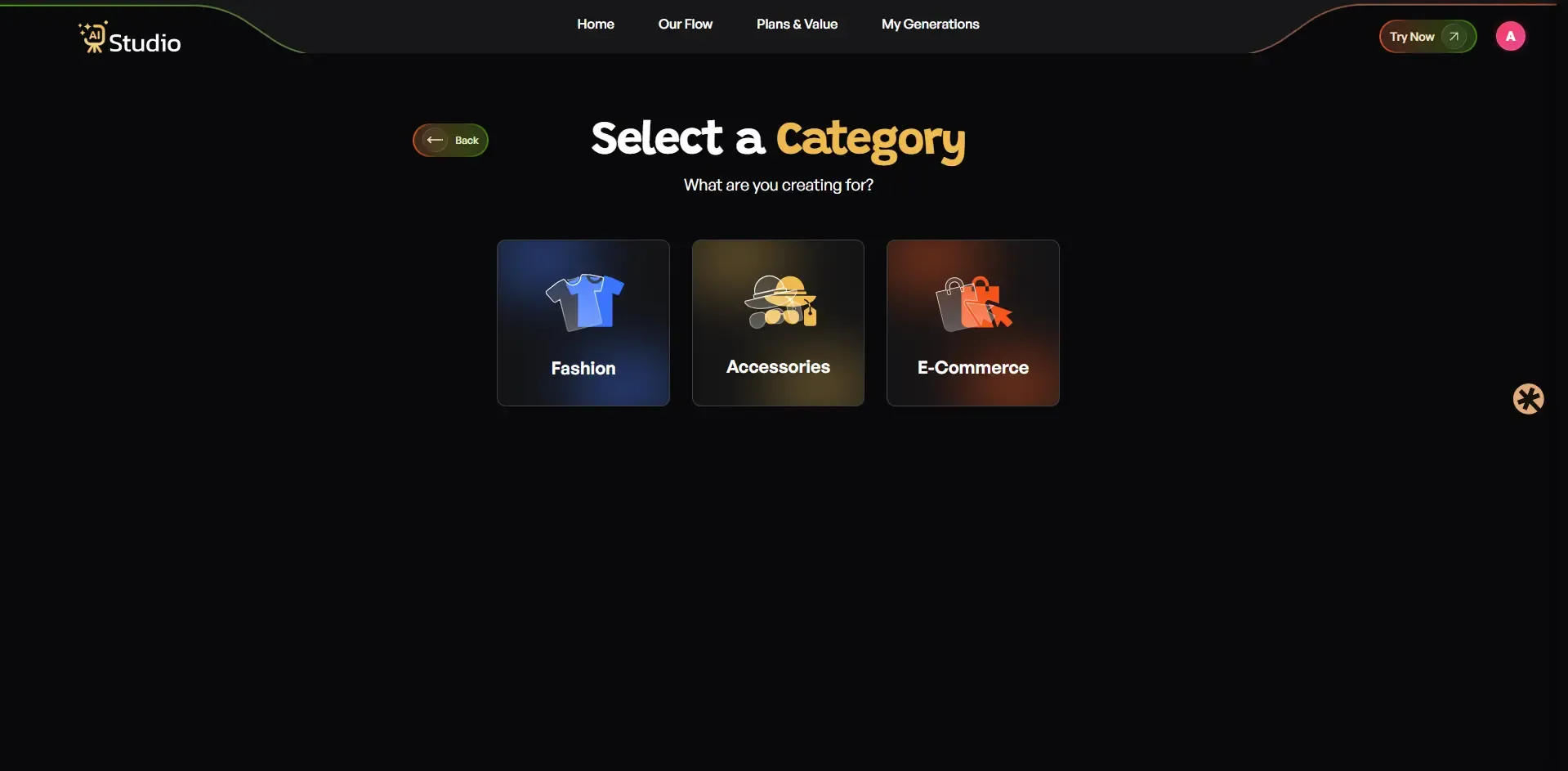
Now choose an apparel type, upload a photo, and download your image.
Step 5: Fill In the Product Details
Add the required details about your product on the next screen. Make sure everything is filled in correctly, as this directly affects how accurate and realistic your final image looks.
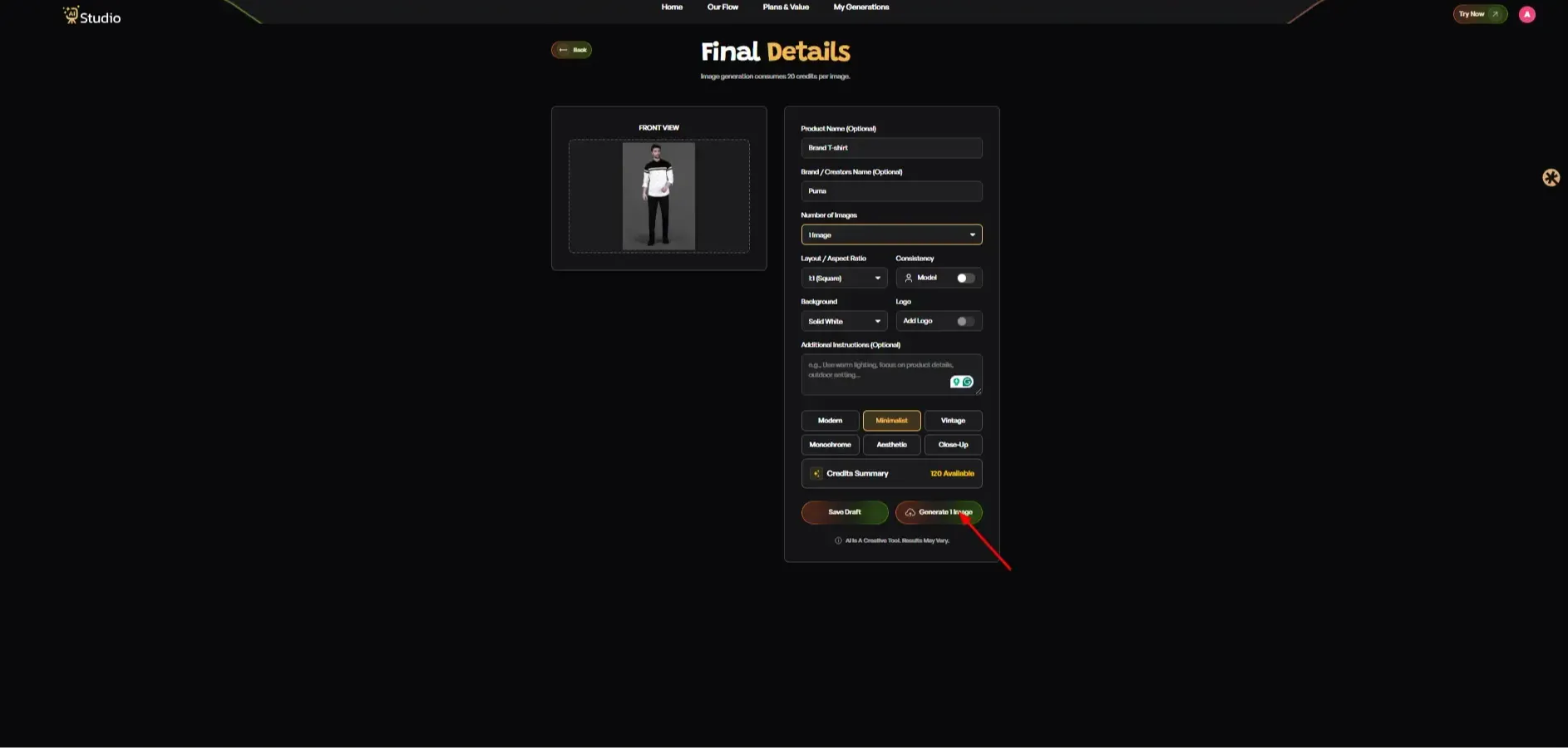
Step 6: Generate Your Image
To produce an image, press the Generate Image button. Your product will display on a virtual model in a professional studio-quality environment within seconds. The final image appears in high resolution which you can use for your Amazon listing, Shopify store, and Instagram page.
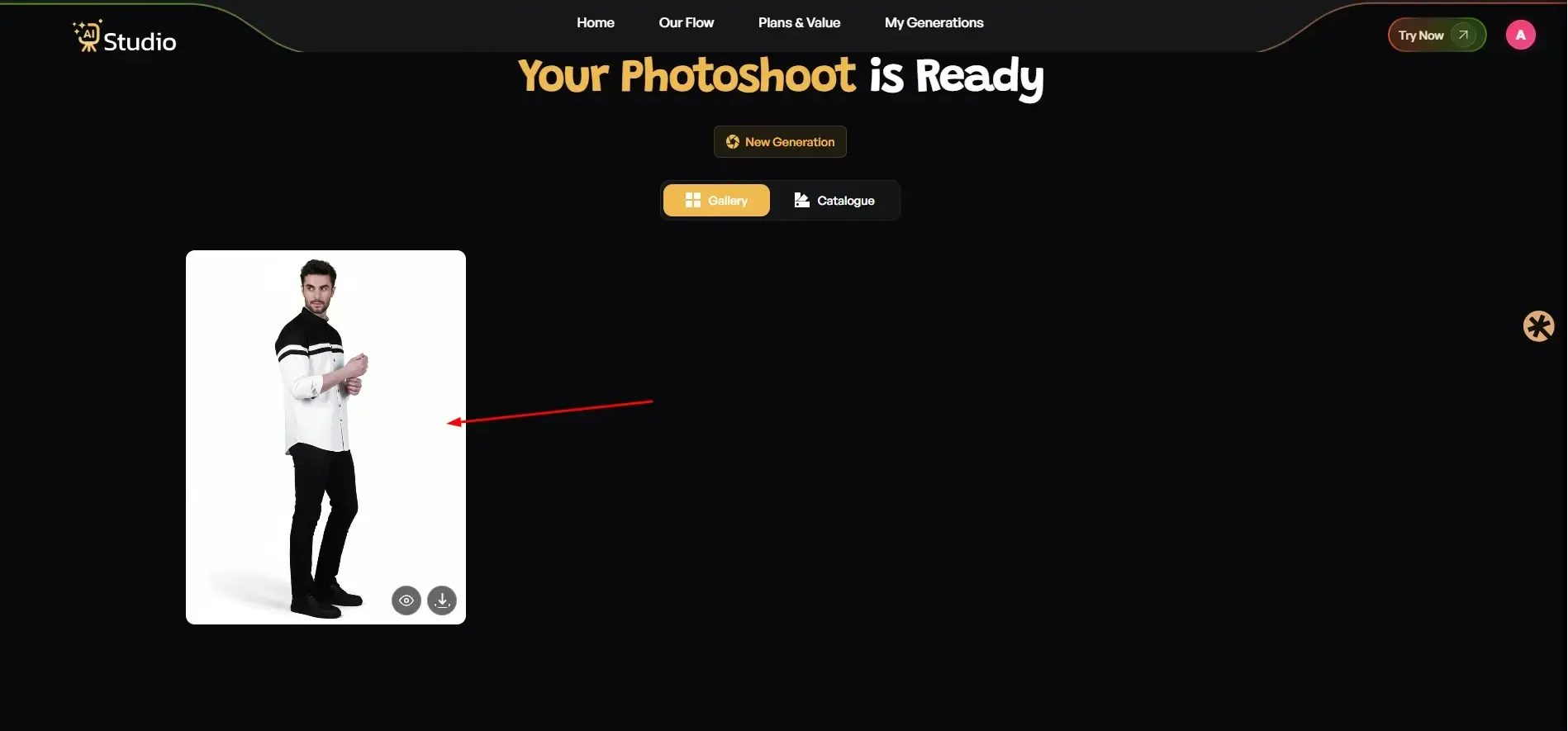
That is it. No retouching. No back-and-forth with a photographer. No waiting.
Best Use Cases for AI Product Photography
I should like to reply here simply to be honest because nothing beats trust when a machine turns into a pair of helping hands. Here is a head-to-head comparison.
To understand the full picture, this breakdown of AI product photography vs traditional shoots gives you all the details you need to make the right decision for your business.
Traditional Studio Photography:
- Cost: ₹10,000 to ₹50,000 per shoot
- Time: 2 to 7 days, including editing
- Output: Limited shots per session
- Flexibility: Hard to redo or change after the shoot
- Equipment needed: Studio, lighting, camera, props, model
AI Product Photography:
- Cost: Free to ₹600/month
- Time: Under 10 seconds per image
- Output: Unlimited variations
- Flexibility: Change backgrounds, scenes, or models instantly
- Equipment needed: None, just your phone or existing product photo
AI technology provides small businesses and e-commerce businesses with superior performance across every practical aspect. The system enables users to create multiple listing and advertisement designs at a faster speed and reduced cost, which results in greater testing options.
The situation contains one valid exception because high-end luxury products require professional studio photography to capture all physical product details at the highest market level.
The product image AI tools provide adequate performance for 90% of Indian e-commerce sellers, which enables them to achieve actual business outcomes.
Conclusion
The present day shows that smart sellers use AI product photography free tools which was once considered a future technology. The best AI product image generator free tools in 2026 give you studio-quality output without a studio, models without a casting call, and professional results without a professional budget.
The shift becomes necessary for e-commerce sellers, D2C brands, and small business owners who spend excessive amounts on photography.
People can use AI Studio free of charge at the website tryaistudio.app because they need neither a camera nor a studio to begin using it. The product listings will show you their gratitude.