


Generate Product Photos with AI Instantly: A Faster Alternative to Traditional Photoshoots
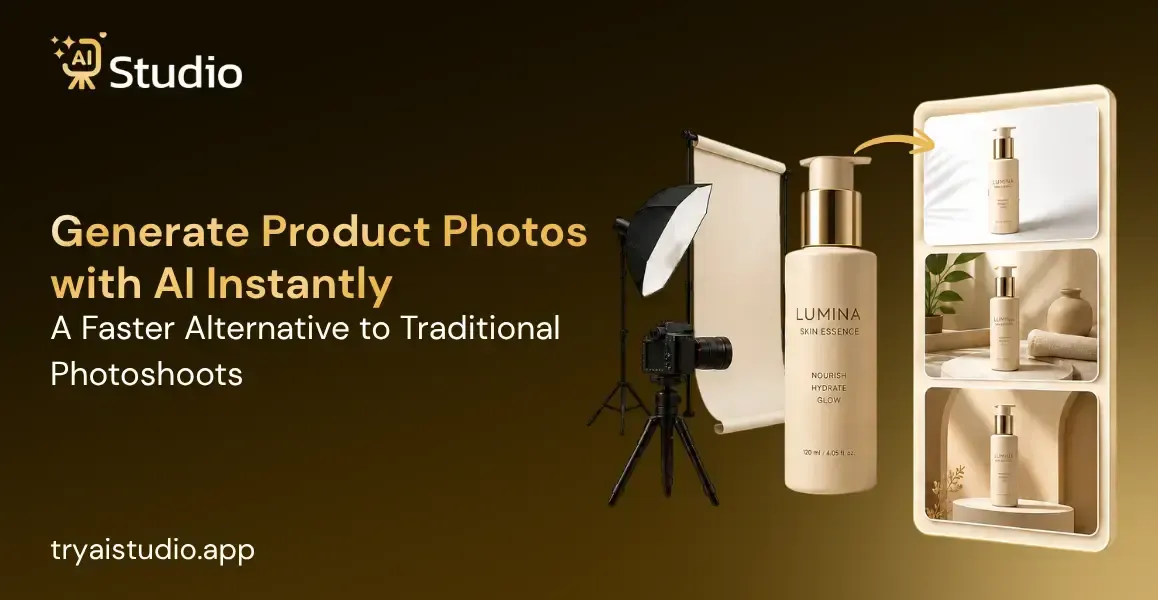
Most Indian ecommerce sellers end up spending roughly ₹10,000 to ₹50,000 for a single product photoshoot, even with all the careful planning. That budget usually covers studio rental, the photographer, sometimes a model, and of course, the post-production editing. But for small brands that launch new products every month, it stacks up really fast, faster than you might expect.
Now there is, honestly, a better way. You can create product photos with AI in under a minute, no studio booking, no need to hire anyone, and not much hassle.
This piece explains how AI product photography really works, what it costs compared with a traditional shoot, and how sellers on Amazon, Shopify, and Flipkart are using it right now.
What Does It Mean to Generate Product Photos with AI?
AI product photography is basically the process of using artificial intelligence to make professional-looking product images without doing a real photoshoot, like not physically. You start by uploading a basic photo of your product, just any decent shot. Then the AI strips away the background, it builds a studio-grade scenario, and it spits out a listing-ready image. So yeah, no actual studio.
This kind of tech works by analysing your product image and slotting it into a professionally rendered scene. The AI takes care of lighting effects, shadows, and the background creation all by itself. The result looks like it was made in a high-quality studio, even if your original picture was taken with a phone.
For ecommerce sellers, this means you don't have to book a shoot weeks ahead every time you launch a new product, or refresh a seasonal collection. You get what you need in under a minute, and you move on.
Why This Matters for Small Ecommerce Sellers in India
In Surat, a clothing seller is launching 15 new kurti designs every month, and for each shoot session, they spend anywhere from ₹15,000 to ₹30,000. This figure comes first, before they even think about a single rupee on advertising. For a small D2C brand, it feels like a real, constant budget drain, not just a little hiccup.
Here is what a typical traditional photoshoot actually costs in India:
- Studio rental: ₹5,000 to ₹15,000 per half-day
- Photographer fees: ₹5,000 to ₹15,000
- Model fees (if needed): ₹5,000 to ₹25,000
- Editing and retouching: ₹2,000 to ₹5,000
- Total per shoot: ₹10,000 to ₹50,000 for 10 to 20 final images
Beyond cost, the scheduling problem is just as painful, honestly. Booking a photographer takes about 2 to 3 weeks in most cities and for a seller who needs fresh listing images every week, that kind of delay hits sales right away. You cannot list a product you cannot photograph, simple as that.
Research from Salsify (2025) also suggests 77% of shoppers say image quality matters more than product descriptions when they're deciding to buy. And it's not only that poor images look off, they actually cost you real sales. This is exactly why Indian brands are switching to AI photography to keep up with demand without breaking the budget.
Traditional Product Photography vs AI Workflow: A Direct Comparison
Before choosing your approach, it helps to see the difference side by side. For a deeper look at how these two methods stack up, check out this detailed guide on AI product photography vs traditional shoots.
| Factor | Traditional Shoot | AI Product Photography |
|---|---|---|
| Time per image | 1 to 3 days | Under 60 seconds |
| Cost per session | ₹10,000 to ₹50,000 | From ₹600/month |
| Catalog consistency | Varies by shoot date | Consistent every time |
| Setup required | Studio, lights, camera | Just a browser |
| Beginner-friendly | No | Yes |
| Output resolution | Depends on the photographer | High-res, listing-ready |
Traditional photography still kinda has a place. For luxury brand campaigns, editorial-style shoots, or visuals that need deep emotional storytelling, a professional photographer delivers results that AI cannot fully replicate, not yet.
If you're running a high-concept campaign for a premium product, a professional shoot is absolutely worth the investment.
For everything else, which is most of what's on Amazon listings, Flipkart catalogs, Shopify product pages, and social media content, AI product photography is the faster, more affordable, and honestly more practical choice for Indian sellers, especially when budgets are tight and timelines get real rushed.
How to Generate Product Photos with AI: Step-by-Step
Let's walk through the actual process. This works for jewelry, fashion, electronics, or any physical product.
Step 1: Sign Up and Access Your Dashboard
Go to tryaistudio.app to get started with AI Studio.
Create a free account by signing up with your email address. No credit card is required to start using the platform.
After completing the registration process, log in to your account. Your personal dashboard will open automatically, allowing you to begin creating AI-powered product photography.
Step 2: Choose Your Studio
Once you are on the dashboard, you will see three available studio options on the studio selection page:
- Photo Studio
- Marketing Studio
- Video Lab
Select Photo Studio if you want to generate professional AI product photography for your products.
Step 3: Select Your Product Category
The next step is to choose the category that best matches your product. This helps the AI understand the type of item you are uploading and generate more accurate results.
Available categories include:
- Fashion: For clothing items such as t-shirts, kurtas, dresses, sarees, jackets, and ethnic wear.
- Accessories: For products like watches, jewelry, handbags, belts, sunglasses, and similar items.
- E-Commerce: For general products such as electronics, home décor, beauty products, kitchen items, and other online store listings.
Choose the category that best represents your product before proceeding.
Step 4: Select Your Sub-Category
After selecting the main category, you will be directed to the sub-category selection page.
Choose one of the following options based on your product:
- Women
- Men
- Kids
Selecting the correct sub-category is especially important for Fashion and Accessories because it helps the AI generate the most suitable virtual model and ensures your product fits naturally in the final image.
Once you have selected the appropriate sub-category, click Next to continue.
Step 5: Upload Your Product Photo
Now it's time to upload your product images.
Primary Image (Required)
Upload one clear, front-facing image of your product. This image is mandatory and will be used by the AI to create the final product photography.
You can also upload a second image showing another angle of your product. This is highly recommended for accessories, jewelry, handbags, and products with detailed designs, as it helps the AI generate more accurate and realistic results.
After uploading your image(s), click Next: Add Details to move to the next step of the AI product photography creation process.
For a complete walkthrough with screenshots, refer to this detailed guide on how to create product photos with AI.
Real Use Case: Fashion Brand in Surat
A clothing company dealing with ethnic wear through its Amazon India store was spending ₹30,000 for each photoshoot to launch its new collection. With new Kurtis being launched in the market in 20 numbers per month, it was becoming unaffordable.
After using Try AI Studio, it is now uploading just one product image of every kurti design and generating the on-model AI fashion photo without a model within one minute. All 20 images of a collection get generated in an hour.
The process that used to cost ₹30,000 for each photoshoot is now getting done at a very low price as part of subscription charges.
Real Use Case: Jewelry Seller on Amazon India
A silver jewelry seller in Jaipur kinda needed two types of images for every product: one clean, white background picture for the Amazon main listing, and another lifestyle image where the jewelry is shown worn in a real sort of setting for secondary images and A+ content too.
With Try AI Studio, the seller can generate both in one session, not like doing this separately. The white background result already lines up with Amazon's main image compliance rules. Then the lifestyle output puts the piece on a virtual model in a more styled environment, so it looks natural and not just flat.
Also, everything is done without booking a photographer, arranging a model, or renting a studio space. So now the seller can create Amazon product photos with AI for new arrivals on the same day the inventory arrives in stock, which is honestly a big time saver, and yeah, it keeps things moving.
How Much Does AI Product Photography Cost Compared to a Studio Shoot?
The cost difference between traditional photography and AI tools is significant, especially when you account for volume.
| Method | Cost | Time Required | Output Volume |
|---|---|---|---|
| Studio photoshoot | ₹10,000 to ₹50,000 | 1 to 3 weeks | 10 to 20 images |
| Freelance photographer | ₹5,000 to ₹20,000 | 3 to 7 days | 15 to 30 images |
| AI Product Photography (Try AI Studio) | From ₹600/month | Under 60 seconds | Unlimited |
Many AI product photography tools, including Try AI Studio, offer a free AI product image generator plan so you can generate and download images before committing to a paid plan. This means you can test the output with your own products at zero cost.
For a seller managing 50 or more SKUs who photographs products once a month, switching to AI can save between ₹1,20,000 and ₹6,00,000 per year compared to traditional shoot costs. That saving goes directly back into product sourcing, advertising, or business growth.
Common Mistakes to Avoid When Using AI for Product Photography
Most sellers who are unhappy with their AI product photos made one of these five mistakes. Avoiding them puts you ahead of 90% of first-time users. For more guidance, this list of AI product photography tips for ecommerce sellers covers these in more detail.
1. Uploading a blurry or poorly lit source image
The AI really does enhance the background and adds lighting, but it can not do much if the product image is out of focus or feels too dark. It kind of won't "magically" correct that. So, start with the clearest possible photo, like, seriously, because the AI works best when the base is already solid.
2. Ignoring platform-specific image requirements
Amazon asks for a pure white background on your main listing image, no wiggle room really. Over on Flipkart, the image sizes are different too, like, they have their own exact dimension requirements. So if you try to use a lifestyle-style photo as the main Amazon image, the whole listing may get rejected, and that's the end of it.
3. Choosing the wrong product category in the tool
Selecting E-Commerce for a garment produces a generic studio scene. Selecting Fashion produces on-model or lifestyle shots that convert better for clothing listings. Matching your product to the right category makes a visible difference in output quality.
4. Downloading only one variation
Most AI tools generate multiple output options per upload. Test 3 to 5 variations on your listing before choosing a final image. The variation that looks best to you may not be the one that converts best with your customers.
5. Skipping image resizing before upload
For best results, upload a square-cropped image at a minimum of 1000 by 1000 pixels. Amazon, Shopify, and Flipkart all require this minimum resolution. Uploading a small image reduces output quality and may make the final photo unusable on your listing.
Conclusion
Product photography doesn't really need to wreck your budget or make your product launches super slow. If you sell on Amazon, Flipkart, or Shopify, using AI to generate product photos with AI instantly can give you that studio-quality look in seconds, for a price that actually fits for smaller brands and teams.
This change is already here. Thousands of Indian sellers are quietly building their full product catalog without scheduling a single photoshoot. The process is pretty simple too, for first-time users, yet the results are strong enough for sellers who have hundreds of SKUs, not just a few items.
Give it a try with a free account at tryaistudio.app and see how quickly you can move from a basic product image to something ready for your listing.