


AI Product Photo Generator Free Trial: Try It Free Today
If you have an online store in India, you must know how challenging it can be. Getting a professional photo of your product can cost you anywhere between ₹10,000 and ₹50,000. Not to mention the time it takes to get your product photographed, book a studio, and receive the pictures back.
Many small organizations and business owners take on new products each month, but they can't seem to afford a new picture every time they need to update their listings.
That's why you should take advantage of the AI Photo generator. It allows you to try the studio-quality mode first and see if you like the picture, and only pay for what you need!
What Is an AI Product Photo Generator
Let me explain this in simple terms. An AI image generator for products is a method in which you take a photo that you already have (even something as simple as a phone picture) and put it into a new background or environment using artificial intelligence. There is no need for a professional studio, lighting, or anything like that.
Simply put, instead of hiring a professional photographer to photograph your product on a white background or in a lifestyle shot, an image editor that uses artificial intelligence can put your product into a professional-looking image without any hassle.
(Insert product photography example here) ALT text suggestion: AI product image generator example showing before and after product photo
Tools like AI Studio work exactly this way. You upload a product photo, choose a background, and the product image AI engine handles the rest in seconds.
How Does an AI Product Photo Generator Work
Let me take you through the process step by step as it takes place in the AI Studio, so that you understand how easy it actually is. A lot of people think there's some technical expertise involved, when in reality it's much closer to filling out a form than it is to photo editing. The process from sign-up to download is as follows:
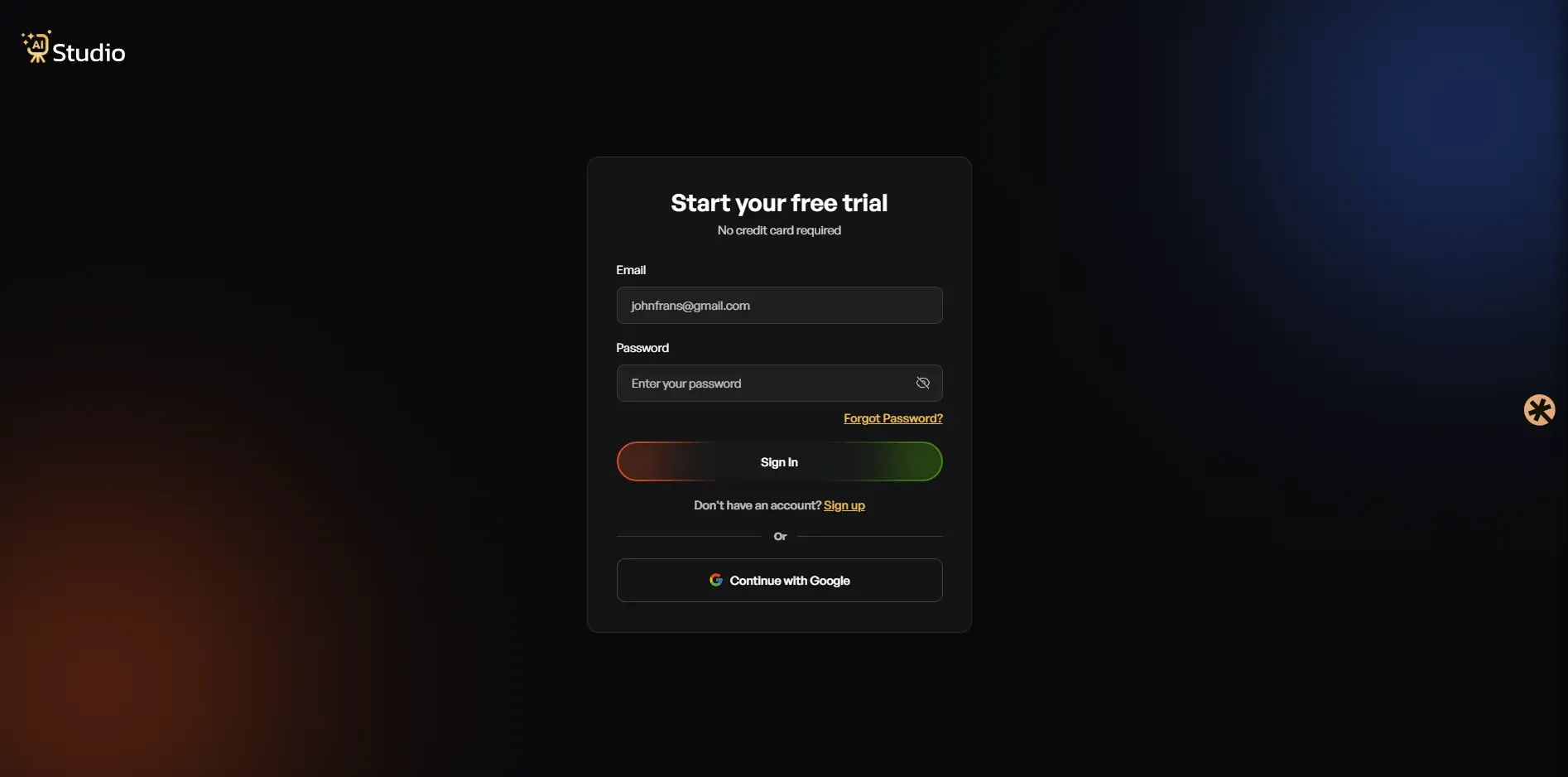
Step 1: Create a Free Account and Log In
You register at AI Studio; a credit card is not required to sign up. When you log in to your account, the next thing that appears on your screen is your dashboard, where you can start creating your images.
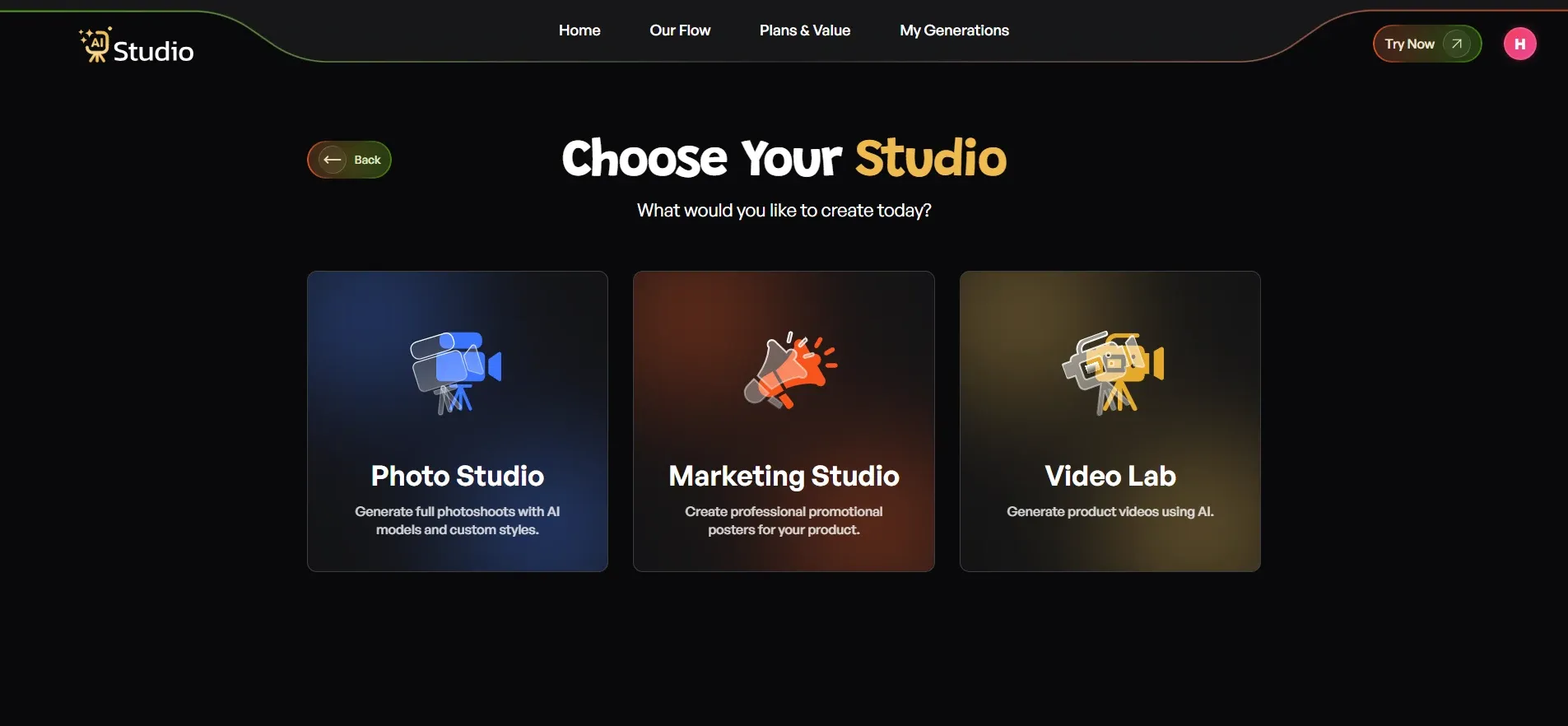
Step 2: Choose Your Studio
By opening the dashboard of the app, you will see three options in front of you. These are Photo Studio, Marketing Studio, and Video Lab. To utilize AI product photography, you need to choose the first option, Photo Studio, as this is where image generation takes place.
Step 3: Select Your Category
Next, the tool asks what your product is for.
- Choose Fashion if you are selling clothing like kurtas, t-shirts, dresses, or ethnic wear.
- Choose Accessories if you sell watches, jewelry, bags, belts, or sunglasses.
- Choose E-commerce for general listings like electronics, home goods, or beauty products.
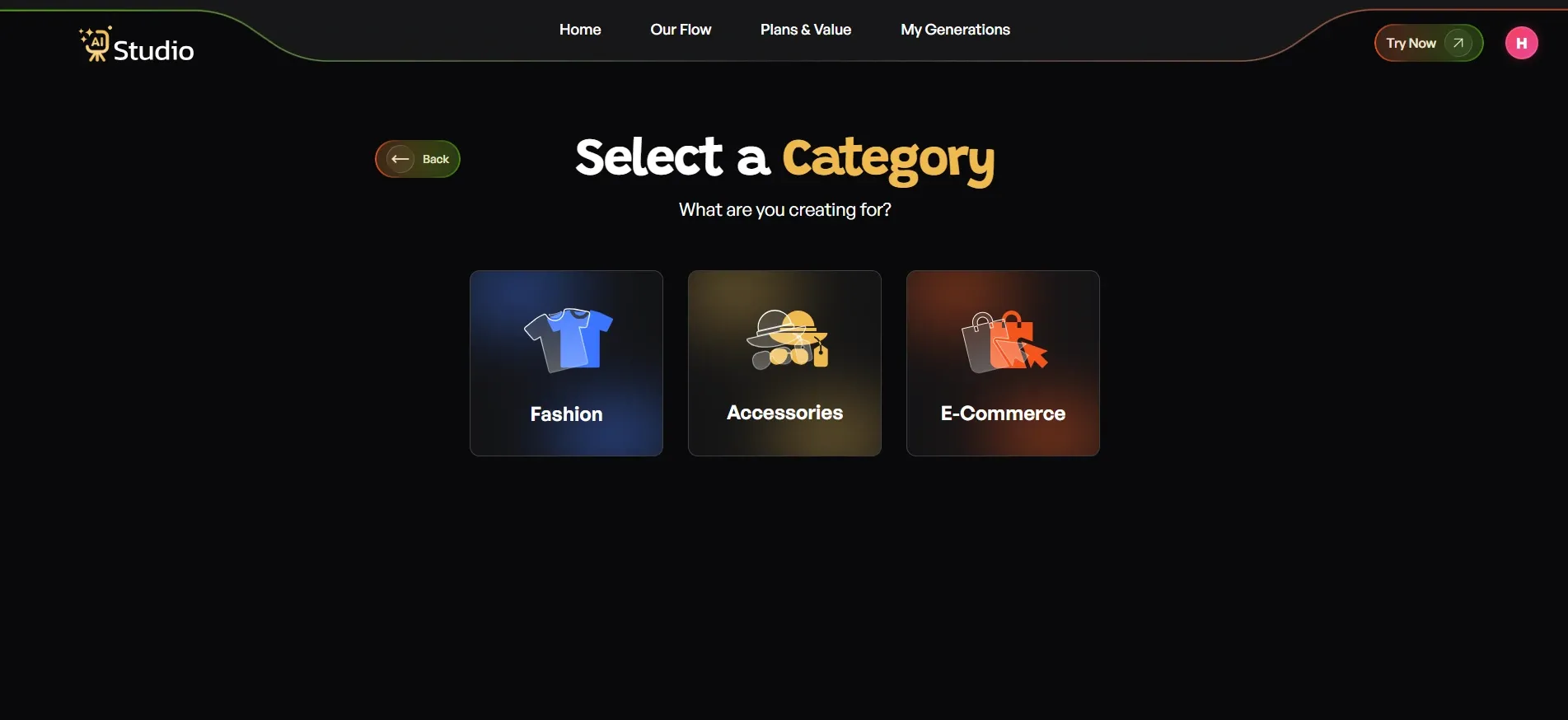
If you pick Fashion or Accessories, you will also be asked to choose Women, Men, or Kids, so the AI knows which type of virtual model to generate for your product.
Step 4: Upload Your Product Photo
This step decides most of your final quality, so it is worth doing right.
- Select your specific product type; options include Home & Kitchen, Electronics, Furniture, or Other, depending on what you are selling.
- Upload a Primary Image, a clear front-facing photo of your product; this is required.
- Add a second image if you have another angle; optional but recommended for accessories.
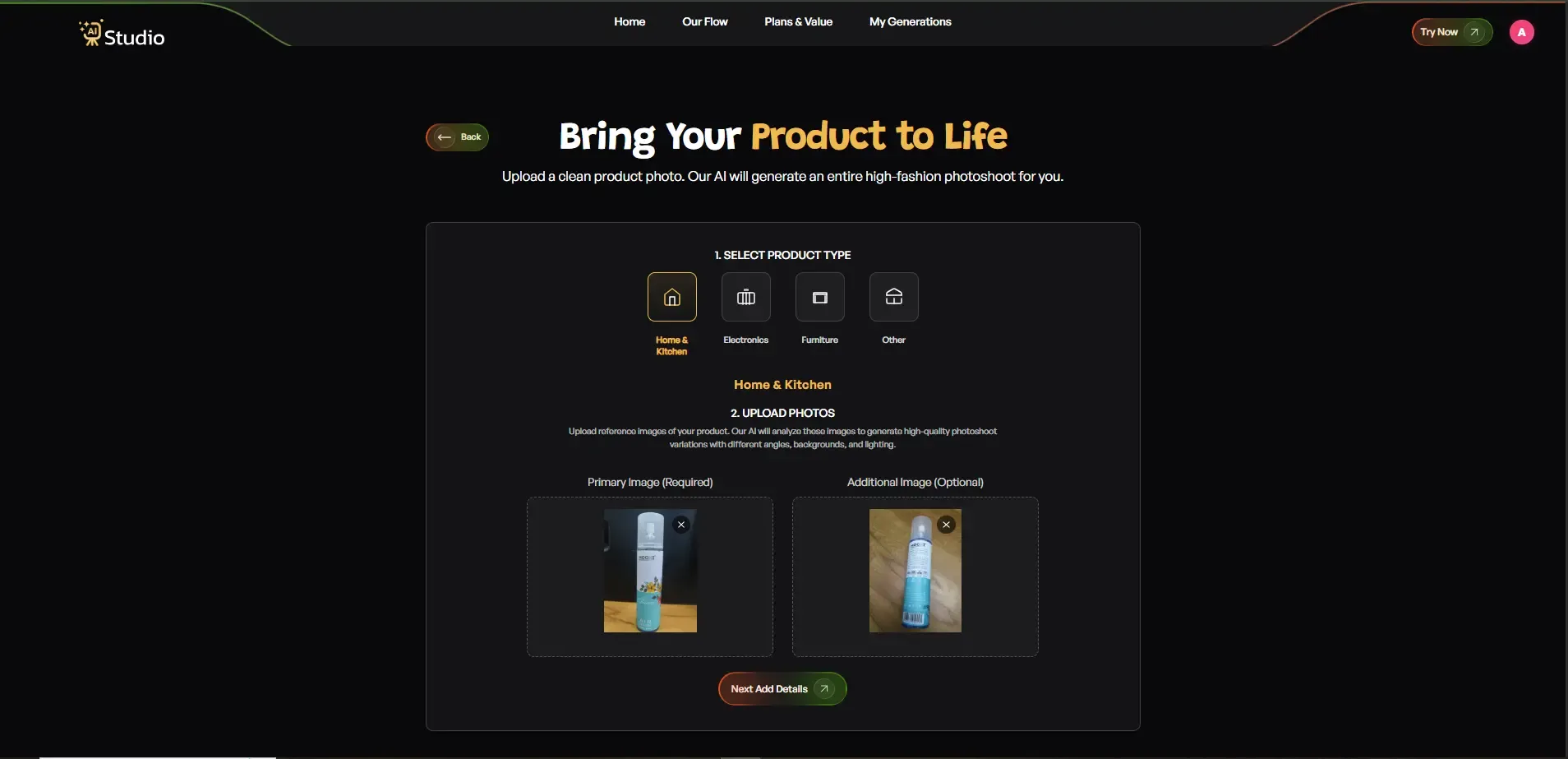
The source photo needs to have a white or light background to give the best result. The photo can be something simple taken on your phone, as long as it is in focus and not too dark.
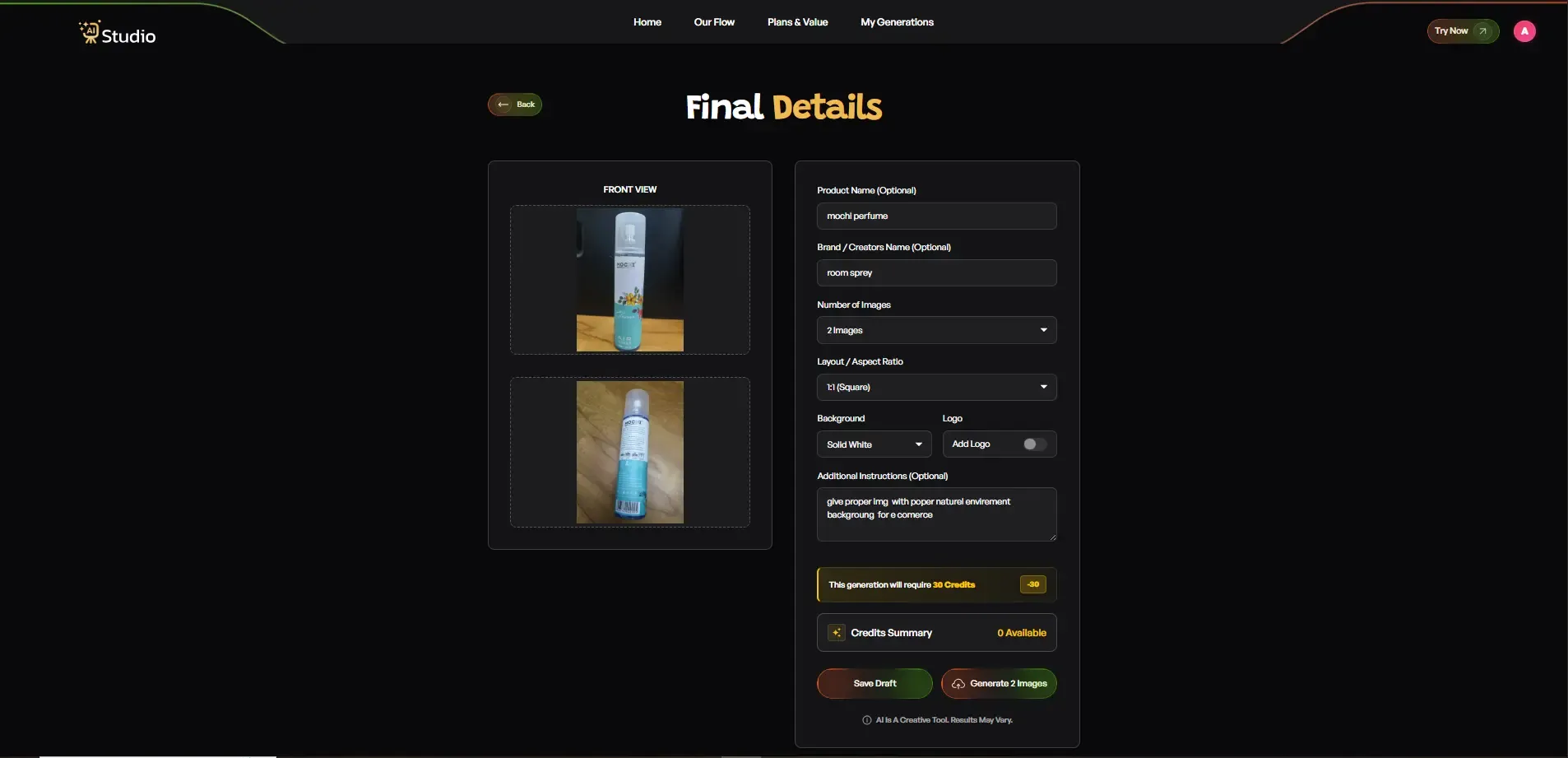
Step 5: Fill In the Final Details
- Add your Product Name and Brand Name; optional but helps keep things consistent.
- Set the Number of Images you want generated: 2, 4, or more.
- Choose Layout or Aspect Ratio; 1:1 square works well for Amazon and Instagram, 4:5 suits Instagram feed, 16:9 works for banners.
- Toggle Model Consistency on if you are generating a full catalog and want the same model across every image.
- Choose a Background; Solid White works best for Amazon's main image slot, while lifestyle backgrounds suit Shopify and Instagram.
- Pick a Style: Modern, Minimalist, Vintage, Monochrome, Aesthetic, or Close Up.
- Add a Logo if you want your brand watermark on the image.
- Write any Additional Instructions, for example, warm lighting, outdoor setting, or focus on product details.
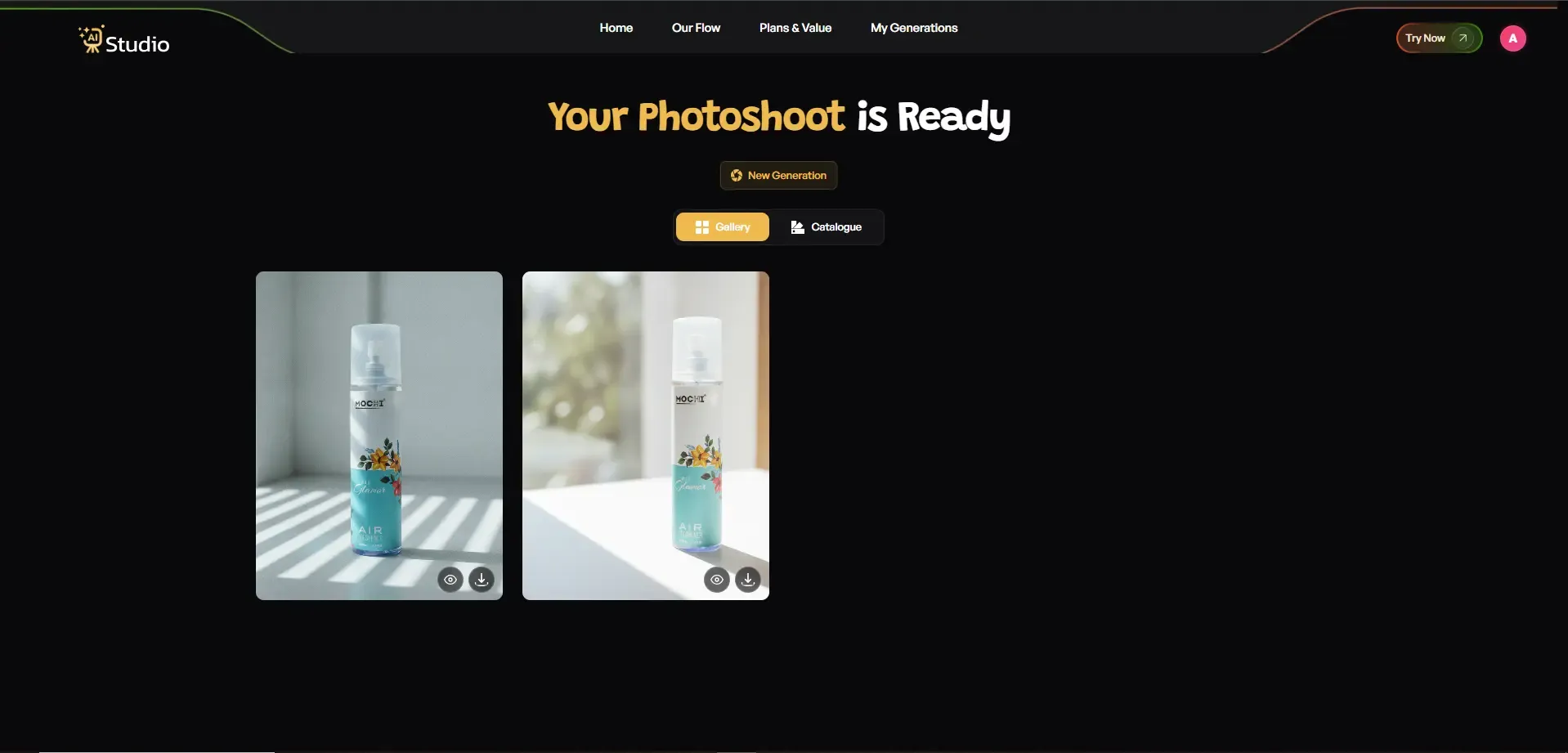
Step 6: Download Your Image
Click Generate and get your image in full resolution within 10 seconds. No editing, no back-and-forth with an editor. It's ready to be used right away in your Amazon listing, Shopify store, Flipkart catalog, or Instagram.
Here is how this plays out in real situations:
- A fashion brand uses AI product photography with models to show how a kurta drapes on a person, without booking an actual model.
- A jewelry seller uploads one close, well-lit shot and gets a clean, reflective macro-style image that highlights the polish and cut without a professional lighting rig.
- A Shopify store batch generates a full homepage banner set in one sitting instead of scheduling a separate shoot.
- An Amazon seller builds a complete listing image stack, using AI to generate lifestyle and infographic slots while keeping one real photo as the main image.
This is essentially how an AI photo generator works in practice, and once you go through it once, the next product takes even less time.
AI Product Photography vs Traditional Studio Photography
I have worked with sellers who compared both methods side by side, and the difference becomes clear very quickly once you look at the actual numbers.
Cost Comparison Table
| Method | Average Cost per Product | Turnaround Time |
|---|---|---|
| Traditional Studio Shoot | ₹10,000 to ₹50,000 | 2 to 7 days |
| AI Studio Free Trial | Free to test, plans from ₹600/month | Under 15 seconds per photo |
Time and Turnaround Comparison
A traditional photoshoot means hiring a studio, booking models if needed, and waiting for post-production editing. But many D2C fashion and jewelry brands miss out on crucial listing time by waiting for pictures to be edited.
With automated product photography software, you can upload and generate images the same day, saving precious hours. It's no surprise that many sellers are now looking to replace product photoshoots with AI to free up listing time rather than booking another expensive photoshoot.
What You Get With the AI Product Photo Generator Free Trial
I want to be upfront here, because too many tools promise "free" without explaining what that actually means.
Free Trial Credits and Limits
Most AI product photography free trials give you a limited number of generations to test the quality first. This is a good thing. It means you are not locked into a purchase before you have seen real results on your own product photos.
Is a Credit Card Required
In most cases, no. A genuine free AI photo editor online trial should not ask for payment details upfront. You should be able to test the tool, download a sample image, and then decide if a paid plan makes sense for your catalog size.
AI Studio's approach follows this same principle. You try the product photography app free trial first, see the actual output on your own product, and only move to a paid plan once you trust the quality.
Is AI-generated product image quality good enough for Amazon and Flipkart
This is probably the question I get asked the most, and it deserves an honest answer, not a sales pitch.
Amazon India Image Requirements
Amazon India expects your main image to have a pure white background, no extra text or watermarks, and the product should fill most of the frame. AI-generated product image quality has greatly improved over the past two years, and most of the modern tools can provide the necessary images without any manual alterations.
Flipkart Listing Image Rules
While Flipkart also has a similar policy, the e-commerce giant seems a bit more lenient when it comes to lifestyle images for certain categories, such as fashion and home décor.
So, if you are looking for ways to improve Amazon product listing images, changing them to uniform AI photos is often the quickest way to boost your sales, as inconsistent lighting and background are some of the reasons why Amazon may reject your product listing.
Where AI Photos Still Fall Short
I will not tell you AI is perfect for every situation. Extremely reflective materials like glass or certain metals can sometimes need a second attempt to get lighting exactly right. Being aware of this helps you set the right expectation instead of assuming every single image will be perfect on the first try.
Best Use Cases for AI Product Photography
Different sellers use this technology in different ways, depending on what they sell.
Fashion and On Model Photos
For clothing brands, an AI fashion photography generator can place your product on a model without a real photoshoot. This is great for small D2C fashion houses that can't afford to do a full photoshoot with a model for every product launch.
Jewelry and Small Product Photography
Jewelry sellers have to be able to show off intricate detail. Photographs of products using AI for jewelry are great because the AI can capture extreme detail, such as cut on the jewelry and shine, without the harsh lighting that can overshadow delicate pieces.
Bulk Catalog Photography for Multiple SKUs
If you manage 50 or even 500 SKUs, shooting each one individually is simply not realistic on a small budget. Bulk AI product image processing lets agencies and larger sellers generate consistent images across an entire catalog in one sitting, which is something a traditional studio simply cannot match in speed.
Here is a quick list of who benefits most:
- Fashion brands needing on-model shots without hiring models
- Jewelry sellers needing sharp, consistent detail shots
- Ecommerce agencies handling multiple client catalogs
- Small business owners launching new SKUs frequently
- Shopify and Amazon sellers who need listing-ready images fast
Conclusion
Product photography does not have to burn a hole in your pocket. Whether you have a niche direct-to-consumer clothing brand, jewelry labels to list on Flipkart, or hundreds of products to photograph for Amazon, an AI product photo generator free trial could enable you to experience the value of studio-grade images before any financial commitment.
From faster turnaround times to greater uniformity across your catalog, the shift towards AI-generated product images has already begun within the Indian ecommerce space. So why not try the free trial for yourself and experience the benefits on your own products?