


AI Ecommerce Photo Creator: Generate Product Photos Without Studio or Models
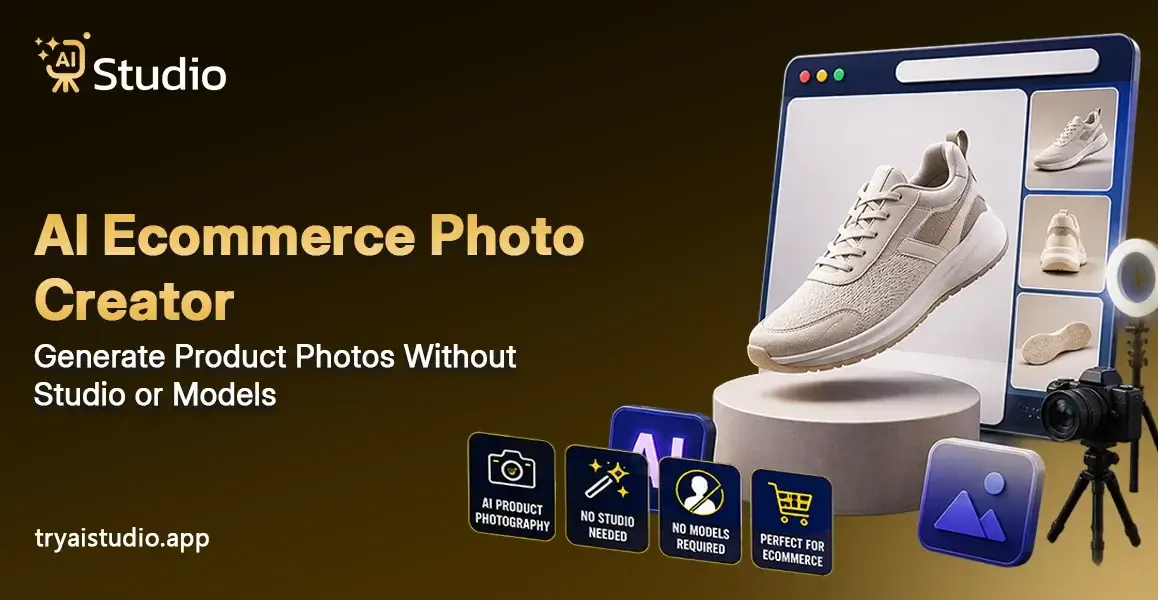
Getting product photos clicked used to mean booking a studio, finding a photographer, arranging props, and then waiting days for edited images. For most Indian sellers, that also meant spending anywhere between ₹10,000 and ₹50,000 per session. And after all that money and effort, the results were sometimes still not good enough. Today, the AI ecommerce photo creator has really changed this equation, like in a clean, maybe too fast way.
With product photography AI, you can upload a simple phone photo of your product, and get back a clean studio-grade image in under 10 seconds. No studio, no models, no expensive equipment. Just your product and a smart AI tool working behind the scenes. In this article, I will walk you through what this technology actually is, how it works, who should be using it, and how you can get started without spending a rupee.
What Is an AI Ecommerce Photo Creator?
Let me explain it, kinda simple, right? An AI ecommerce photo creator is like an online tool that uses machine learning to turn a plain product photo into something that looks professional and studio-quality. You upload your product picture, and the AI basically removes the background, then it puts your product inside a styled setting, and it also adds believable lighting and soft shadows. And if you need it, it can even place the product on a virtual model.
You don't need Photoshop skills. You don't need a camera setup. You don't need lighting equipment either. Everything happens inside a browser or an app, and the output looks like it was taken in a real photo studio.
This is not the same as a basic photo editing app. A normal photo editor might just let you crop, tune brightness, or shift color. Meanwhile, an artificial intelligence image editor goes a few steps further. It can "see" your product in a more visual way, and it builds a completely new scene around it. Honestly, that's a very different story.
How It Differs from a Regular Photo Editor
Every time a photo is edited, many of the same tasks (selecting and removing backgrounds, adding products, and shadows) are performed manually by the editor. It requires various levels of manual intervention, skill, and software, and can require multiple hours of work.
An AI image generator does everything automatically with one click. Using advanced technology, the AI recognizes your product, determines where the product edge ends based on visual features (edges, textures), and generates a fully created version instantly without any additional effort.
What Kinds of Products Can It Handle?
An AI product image generator can work across a wide range of product types. The AI recognizes your product, determines where the product edge ends based on visual features (edges, textures), and generates a fully created version instantly without any additional effort.
Here are the main categories it handles well:
- Apparel and clothing (kurtas, sarees, T-shirts, dresses)
- Jewellery (rings, necklaces, earrings, bangles)
- Gadgets and electronics (earphones, phone covers, chargers)
- Accessories (bags, belts, sunglasses, wallets)
- Home decor and lifestyle products
If you sell it online, there is likely an AI tool that can generate professional photos for it.
How an AI Product Photo Generator Works (Step-by-Step)
Even though AI may sound challenging, once you get started working on something using an AI-based tool, there is nothing that can be simpler for anyone who does not know photography or design. Here is the full process:
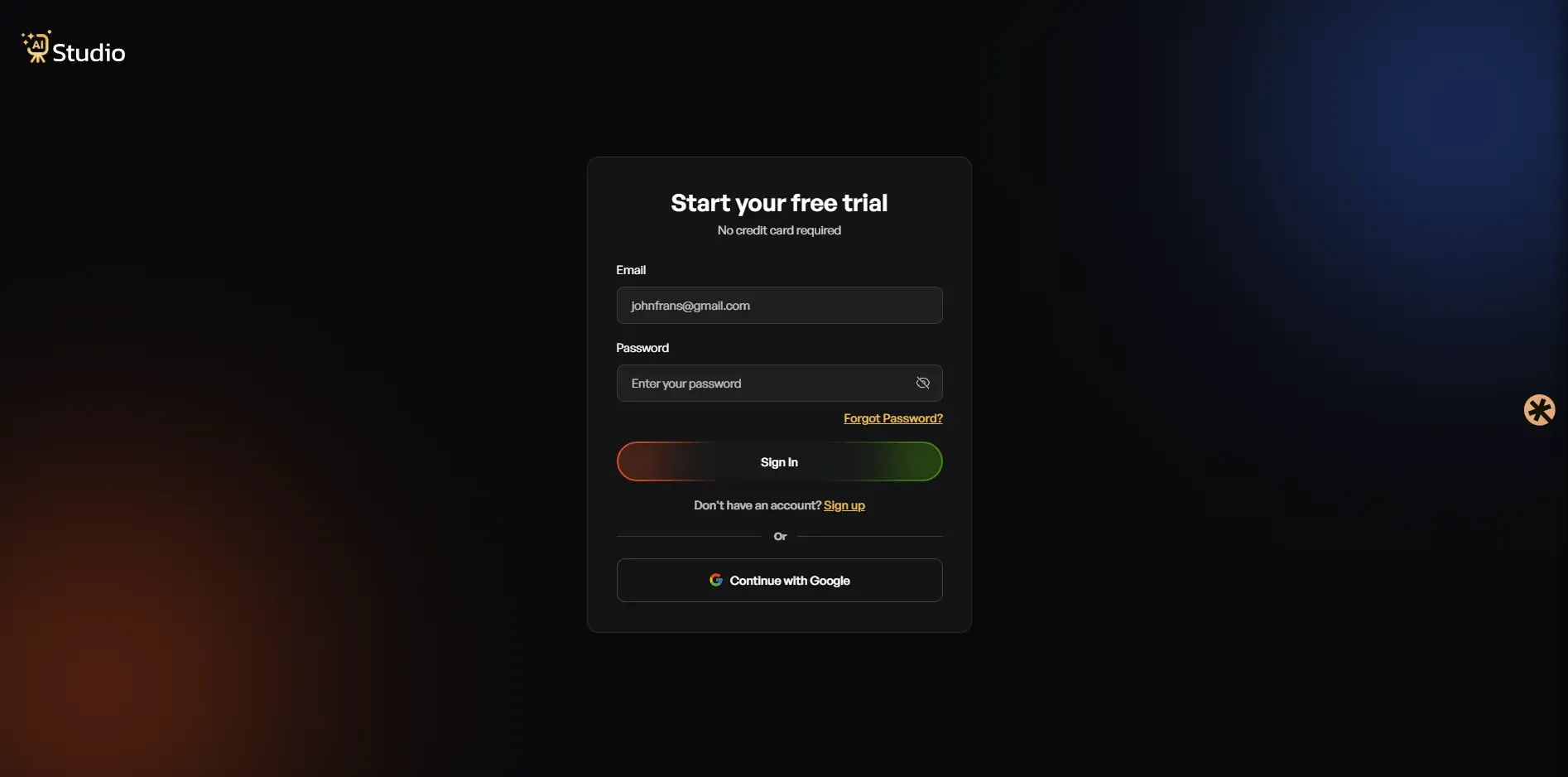
Step 1: Create a Free Account and Log In
Go over to tryaistudio.app and sign up for free, no credit card needed. After you get logged in, the dashboard pops open, and you're good to start right away, pretty simple.
Step 2: Choose Your Studio
In the dashboard, you'll notice three choices: Photo Studio, Marketing Studio, and Video Lab. If you're after AI for product photography, then go with Photo Studio. That's basically where the whole image creation is happening, all in one place.
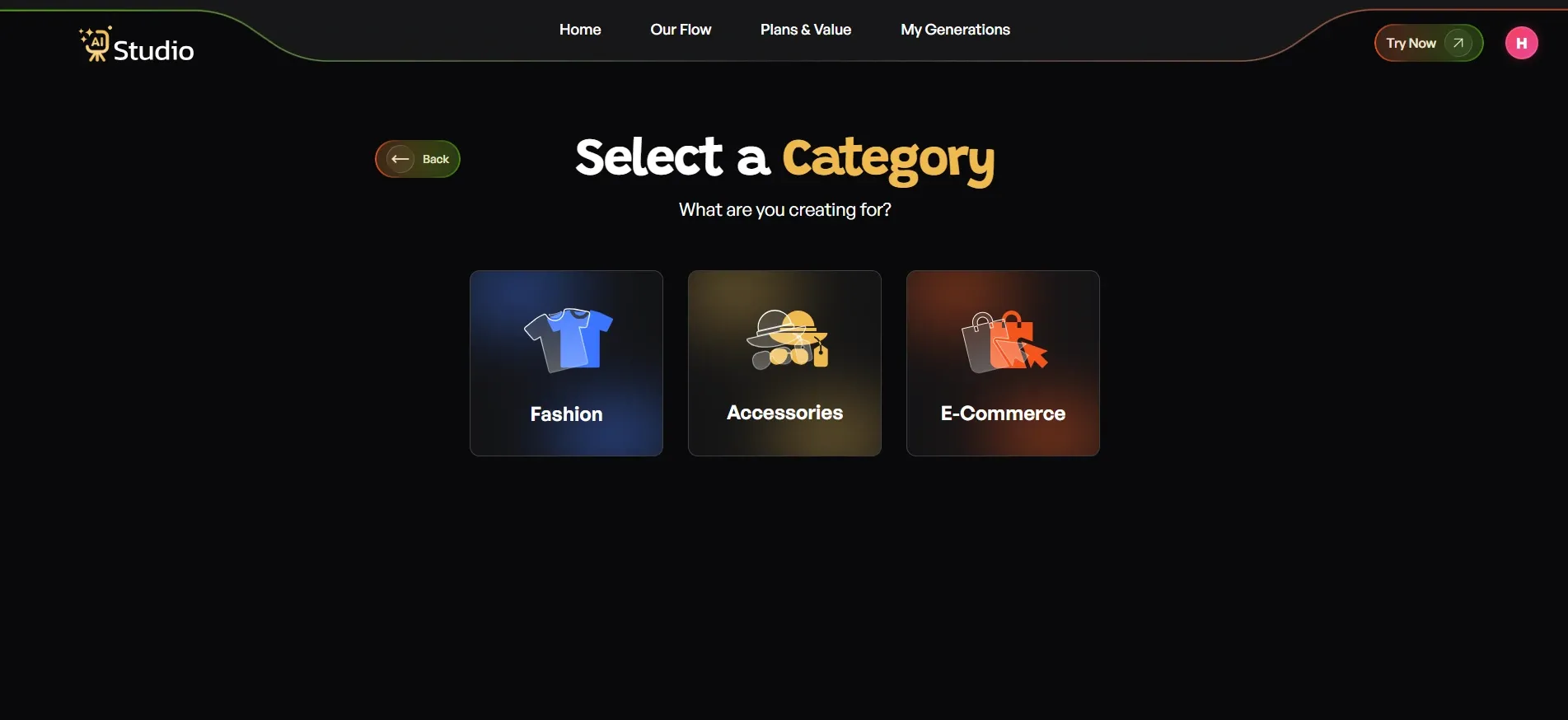
Step 3: Select Your Category
This is where the AI starts getting the gist of your product, you know, like it really sees it. You then choose between three options: Fashion, Accessories, or E-Commerce.
- Fashion covers clothing like kurtas, t-shirts, sarees, and dresses
- Accessories cover watches, jewellery, bags, belts, and sunglasses
- E-Commerce covers everything else: electronics, beauty, home goods, and general listings
If you pick Fashion or Accessories, the tool also asks you to choose Women, Men, or Kids. This kinda gives the AI product image generator a hint about what sort of virtual model to create for your product.
Step 4: Select Your Sub-Category and Upload Your Product Photo
First, choose one specific product type within that broader category. After that, upload your actual product photo. Ideally, you want a nice, clear front-facing picture. A phone photo on a plain table is also totally fine. Once the tool gets your image, it does background removal automatically, without you needing to do much.
You can even upload a second angle as an optional extra photo, which helps the AI make better results, especially for accessories or jewellery.
Step 5: Fill In the Final Details
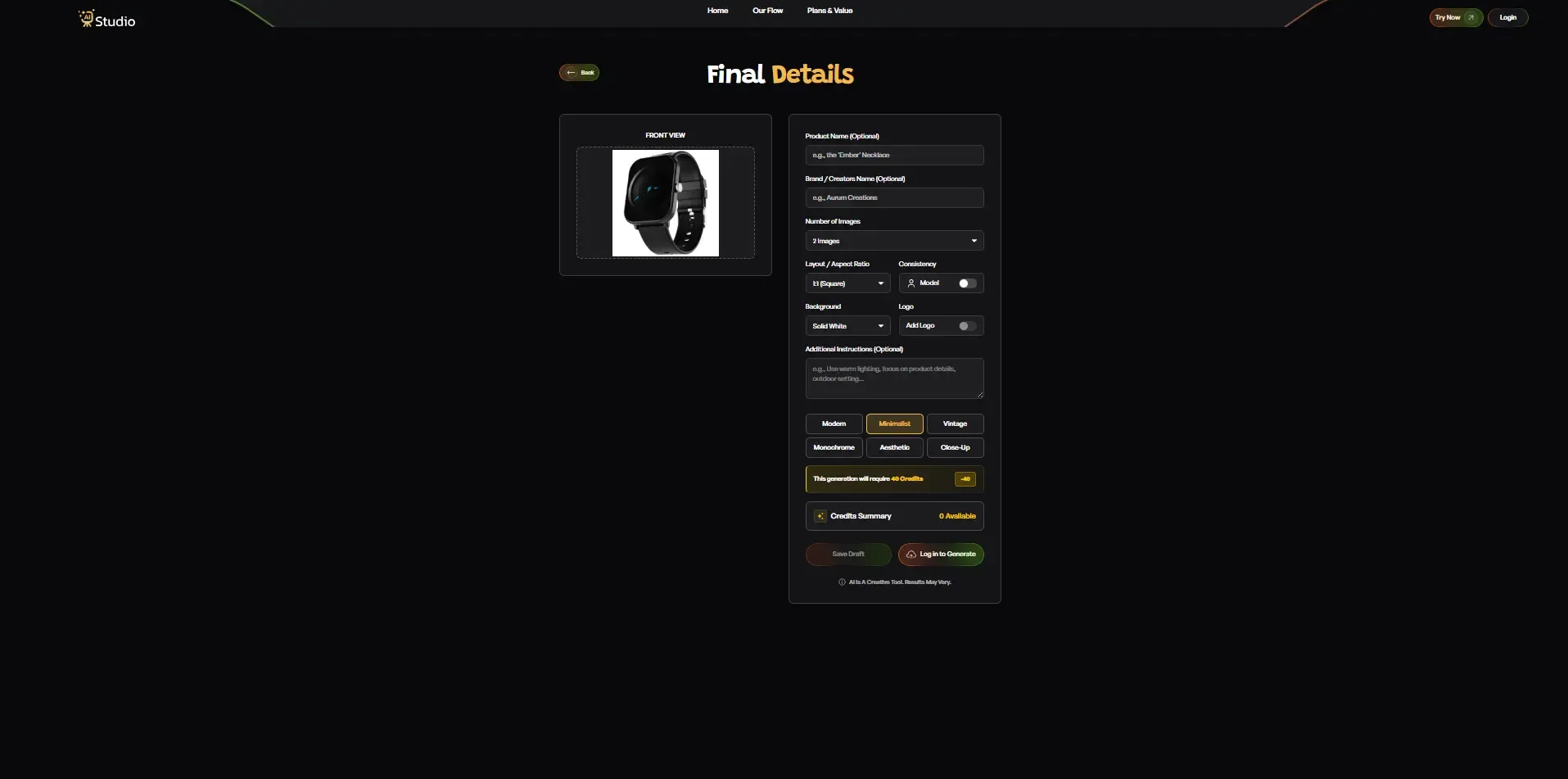
This step gives you real control over the output. Here you can set:
- Number of Images to Generate.
- Aspect Ratio: 1:1 for Amazon/Instagram, 4:5 for Feed Post, and 16:9 for Banners.
- Background: Solid white backgrounds for Amazon-compliant listings and lifestyle scenes for Shopify and Social Media.
- Style: Modern, Minimalist, Vintage, Monochromatic, Aesthetic, or Close Up.
- Model Consistency Toggle: Keep this on if you are generating a full catalogue and want to use the same virtual model for all images.
- Additional Instruction: You can write in your descriptions, such as: Warm lighting, outside, texture of product.
This is what makes a good AI product photography generator feel different from some basic background remover thing. You're not just trimming pixels, you're steering the creative outcome a bit more, like giving the scene a nudge. Honestly, you are directing the whole output, not only clearing a backdrop or doing one simple cut out.
Step 6: Generate and Preview
Click Generate, and within 10 seconds, your product shows up in a professional scene with fairly realistic lighting and a clean composition. You might get a virtual model if you picked that option. You can also check the preview first, before downloading, so nothing is totally a surprise.
Step 7: Download HD, Watermark-Free Images
Once you are happy with the output, download it in full resolution. No watermarks at all. No extra touch-ups needed. The image is ready for your Amazon listing, Shopify store, Flipkart catalogue, or Instagram ad right away.
That's seven steps, but in practice the whole flow takes under 10 minutes from login to download. No photographer, no studio, no waiting.
AI vs Traditional Product Photography: Cost, Speed, and Quality
Here's the reality that most sellers don't really want to sit with: traditional product photography is honestly expensive, slow, and hard to scale. I've talked with dozens of small business owners in India, and they have spent lakhs on photoshoots over the course of a year and still ended up with inconsistent images. So, let's just lay the two approaches side by side, and see what actually happens.
Cost Comparison: What a Traditional Photoshoot Actually Costs
| Factor | Traditional Studio | AI Product Photography |
|---|---|---|
| Cost per session | ₹10,000 to ₹50,000 | From ₹600/month |
| Turnaround time | 2 to 5 days | Under 10 seconds |
| Equipment needed | Camera, lights, props, backdrop | Just a phone photo |
| Consistency across SKUs | Varies with the photographer | Consistent every time |
| Scalability | One shot at a time | Bulk generation possible |
| Platform-ready output | Requires manual resizing | Ready for Amazon, Shopify, and Instagram |
The numbers tell the story. A mid-sized apparel company has a minimum annual photography budget of 1.2 million to 6 million rupees for shooting at least once per month. An automated product photography solution like AI Studio can save this company as much as 95% of the cost of traditional methods of photo creation.
Quality Check: Are AI Product Photos Good Enough for Amazon?
This is the question I hear most often. And, honestly, a year ago I would have given a more cautious answer, but today the quality of AI-generated product images has leveled up to a point where many sellers are getting better results from AI than from those budget studio shoots, you know the ones.
People using tools like AI Studio have said they're seeing around a 40% bump in click-through rates on their listings after switching to AI visuals. It's not a small number. It basically shows that the AI photos stay sharp, clean, well-lit, and pretty consistent, and that is exactly the kind of thing buyers notice and platform algorithms like, too.
Who Should Use an AI Ecommerce Photo Creator?
If you run an online store and typically require quality product images, then this tool is designed specifically with you in mind. Although this is a great product photo generator, it isn't just designed for big businesses or famous brands. This tool also caters to the average seller who needs high-quality images at affordable prices.
For Amazon Sellers: Listing-Ready Images in Minutes
AI product photography for Amazon sellers is one of the most practical uses of this technology. You get listing-ready images in minutes, sized correctly, with clean white backgrounds that meet Amazon's compliance requirements. No waiting days for a photographer to deliver edited files.
For Fashion and Apparel Brands: On-Model Photos Without a Model
This has been among the most difficult issues I've seen for Indian D2C fashion brands. Hiring a model requires payment. Renting the studio incurs costs. Scheduling will take time. In addition, even after all these steps, it will only lead to images that cannot be recreated easily with each new clothing line.
But an AI fashion photography generator makes everything easy. All one needs to do is upload their garment, select the On Model category, and the software creates a photorealistic fashion image with the garment modeled. Without hiring a model, without having to rent a studio, and even without the time taken during the shoot. Just a seamless product photoshoot experience with a model.
AI Studio has been particularly good at this. Most D2C fashion brands have stopped taking physical photoshoots altogether.
For Jewelry and Accessories Brands: Detail-Perfect AI Photography
Photographing jewelry can be a difficult task as well. Firstly, you must take sharp images that show off each detail. Next, you have to select a proper background that will highlight metals and gems. Last but not least, correct lighting should be applied to ensure no details will be lost.
High-quality AI product photography for accessories will help you achieve this effortlessly through the use of appropriate background textures and lighting. This will yield high-quality photos suitable for use on both online platforms and social media posts.
Key Features to Look For in an AI Product Photography Tool
Must-Have vs Nice-to-Have Features
Before spending money on any AI ecommerce photo editing platform, make sure it covers the essentials.
Must-have features:
- Ecommerce photo background remover AI with clean, accurate edges
- On-model fashion photography capability (no real model needed)
- HD image download without watermarks
- No design skill required for basic use
- Platform-specific output sizing (Amazon, Shopify, Instagram)
- Fast generation (under 30 seconds per image)
Nice-to-have features:
- Bulk AI product image processing for large catalogues
- Multiple style presets and background themes
- Mobile app for on-the-go use
- Free plan or AI product photo generator free trial to test before paying
AI Studio has everything that is absolutely necessary and almost everything that would be great to have. It allows for fashion, jewelry, and general merchandise product types, on-model images, high-definition downloads without watermarks, and a trial period to use the app.
Red Flags to Avoid in AI Photo Tools
Watch out for these when comparing options:
- No free trial or demo (you cannot judge output quality until you try it)
- Watermarks on downloaded images even on paid plans
- Blurry or unrealistic backgrounds on generated photos
- No support for on-model or lifestyle shots
- Slow generation times (over 60 seconds is a sign of poor infrastructure)
If a tool ticks any of these boxes, it is worth looking elsewhere. The best AI tools for ecommerce photos make the experience smooth, fast, and frustration-free.
How to Create Ecommerce Product Photos with TryAIStudio (Free)
Using AI Studio is actually very easy, and you do not need any tech knowledge. Here's what your first use will look like:
Visit tryaistudio.app, and click on "Try now". You'll get to a page where you select the kind of item you wish to shoot: clothing items, accessories, jewelry, or general products. Load up your product image, select a theme or style for the background, and let the AI work its magic. It will take less than ten seconds for you to have your image.
With the free plan, one can download and upload pictures instantly to gauge their quality before going for any paid plan. Starting at just ₹600/month, these paid plans cost merely a small fraction of a single traditional photo shoot. For mobile phone users, there is also the Android application available on the Google Play Store for shoot sessions from anywhere.
All pictures downloaded from this service are in HD quality, and there are no watermarks. There is no need for any further editing, either. These pictures are ready for posting on platforms like Amazon, Shopify, Flipkart, and even social media channels.
Conclusion
Those times when you had to pay more than ₹20,000 for taking photos of your product in a single shoot have become a distant memory. Ecommerce photos using an AI product photo creator have been made available even for a seller who may operate a Shopify store with one person, or someone developing their own D2C brand. You don't require anything except the photo of your product and the right tool, namely, AI Studio.
In case you have been delaying hiring a professional photographer due to budgetary concerns and technical complications, now is the perfect moment to try something more intelligent. Visit tryaistudio.app to get started for free.