


The Best Artificial Intelligence Image Editor for Beginners and Professionals
It was my own realization that a lot of sellers face issues with product photography, which is one of the most underrated challenges of Indian ecommerce. Even people with their own production facilities struggle with this particular task, as I did.
You may spend weeks perfecting your product and then a couple of days losing the whole project because your pictures are not good enough to sell. If you hire a photoshoot, it would cost you anywhere between 10,000 and 30,000 rupees, ruining your budget and wasting your time. Here is where an innovative artificial intelligence image editing tool comes into play.
AI Studio allows Amazon, Flipkart, or Shopify sellers to skip the photoshoot process and edit photos taken from their mobile phones to turn them into something worthy of a professional model. Let me show you how it works in detail.
What Is an Artificial Intelligence Image Editor?
Let me start with a simple definition. An artificial intelligence image editor is a program that allows you to edit your images by using artificial intelligence, not a photography crew or Photoshop. With AI, you can upload one product photo and it will alter the background, lighting, and other elements, making your product look like a sample from a catalogue.
AI image generators are used by fashion designers, jewelry manufacturers, and small business owners to fulfill their constant need for product photos. And this is the exact reason why those programs were created: the necessity to have good looking pictures of goods without prior experience or a large budget.
I think I can speak for all small business owners when I say that we do not have a professional photography studio at our homes. Nor do we have a budget to rent one every time we need to update our listings or social media posts.
That is where an artificial intelligence image editor comes into play. By using this type of service, we can take pictures of our products in our homes, upload them to the program, and have nice and clean photos that look great on any background. This way, we do not have to worry about additional lighting, special equipment, photo editing software, or even a professional photographer; all we need is a phone camera to take a snapshot of our product.
How AI Image Editing Actually Works
Here's how AI image editing works in plain words, and not so plain technical specifications. First, the AI analyzes the uploaded photo to understand what product is on it and what the background is.
The tool then isolates the product, removing the original background and replacing it with the new one of your choosing, be it a plain white background, a lifestyle background, or a model wearing your clothes.
The software also edits other elements such as shadows and lighting to make sure the final image looks realistic and not "pasted." Most free AI photo editors online make the mistake of only replacing backgrounds, and the result often looks cheap and artificial.
That is why an AI photo editor online will often combine different techniques to make the photo look as if it were professionally shot in a studio.
AI vs Traditional Product Photography: Which Saves You More
Let's talk about the money first, as it is the most attractive argument for selling today. The photoshoot for the catalog, even a small one, costs between 15,000 and 40,000 rupees. It also takes time: three days to a couple of weeks, depending on the photo studio's current workload. And this is only the beginning if we are talking about clothes or jewelry: a model's services would be needed in either case, which adds to the final price.
Now compare that in this AI vs traditional product photography breakdown. Most AI solutions offer a monthly subscription, usually costing around ₹600, for which you get unlimited or high volumes of images generated. No waiting, no need to visit a professional photographer, no need to align your schedule with theirs.
Here's a simple comparison to make this clearer:
- Cost: Traditional shoot ₹10,000 to ₹50,000 per session versus AI tools starting at around ₹600 a month
- Time: Traditional shoot takes days to weeks versus AI tools that generate an image in about 10 seconds
- Consistency: Traditional shoots can look different across sessions versus AI keeping every SKU visually uniform
- Revisions: Traditional shoots need a reshoot for changes versus AI letting you regenerate instantly
- Models: Traditional shoots need a product photoshoot with a model booked in advance versus AI generating on-model looks without hiring anyone
We have worked with some sellers who had transitioned from booking a photography studio every month to using AI product photography tools and saw a significant difference in both cost and speed of execution. Traditional product photography is not dead, per se, but it is fair to say that for the majority of listing images, AI is the more cost-effective and faster product photography option at this point.
Let's take a hypothetical example of a clothing brand launching ten new designs a month. The amount spent on photography would balloon out of control every month, with costs easily touching ₹25,000 plus the amount of time spent waiting for the model and the studio to be available.
This is an absolutely massive difference in the speed of execution, which is absolutely critical when it comes to new product launches.
How to Create Professional Product Photos with AI Studio
Now let me show you this in practice. With tools like AI Studio, you can create studio-quality product photos in seconds, and it's even beginner friendly! You don't need any special skills to use it.
Step-by-Step Walkthrough
Here's exactly how a seller would go from a plain phone photo to a listing-ready image using this kind of AI product photography generator.
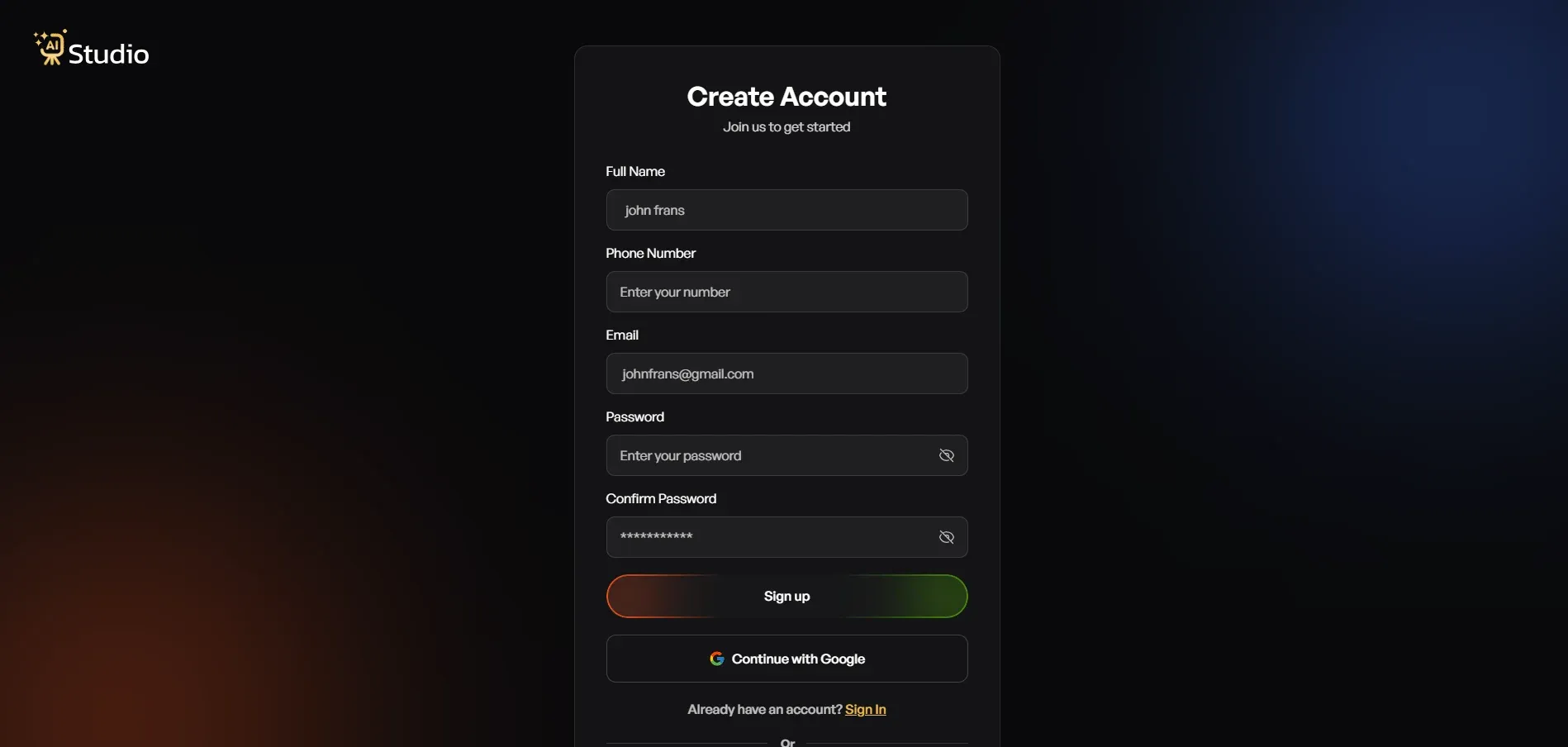
Step 1: Create a free account and log in. Sign up on the platform; no card details needed to get started. Once you log in, your dashboard opens up, and you're ready to go.
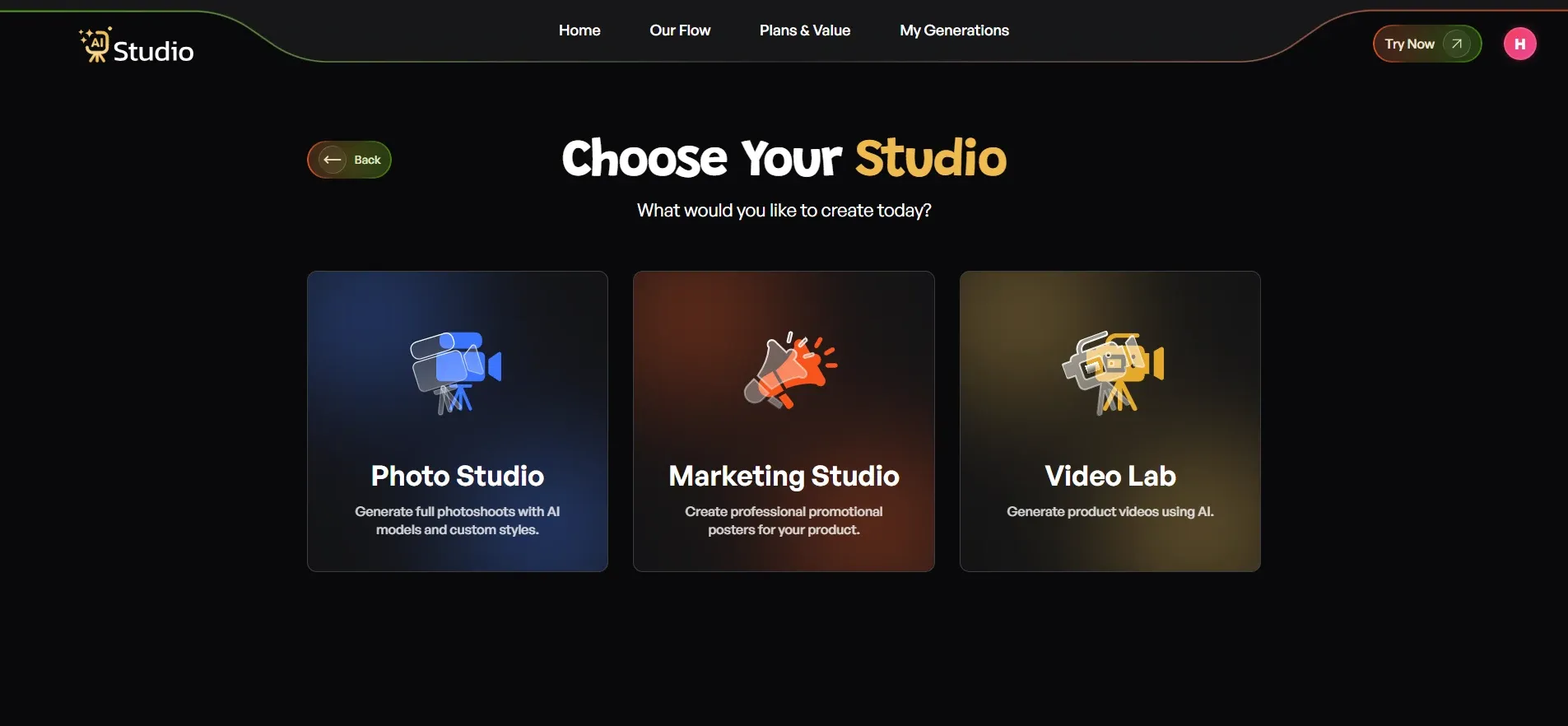
Step 2: Choose your studio. Inside the dashboard, you'll see three options: Photo Studio, Marketing Studio, and Video Lab. For product image work, pick Photo Studio, since that's where all the image generation happens.
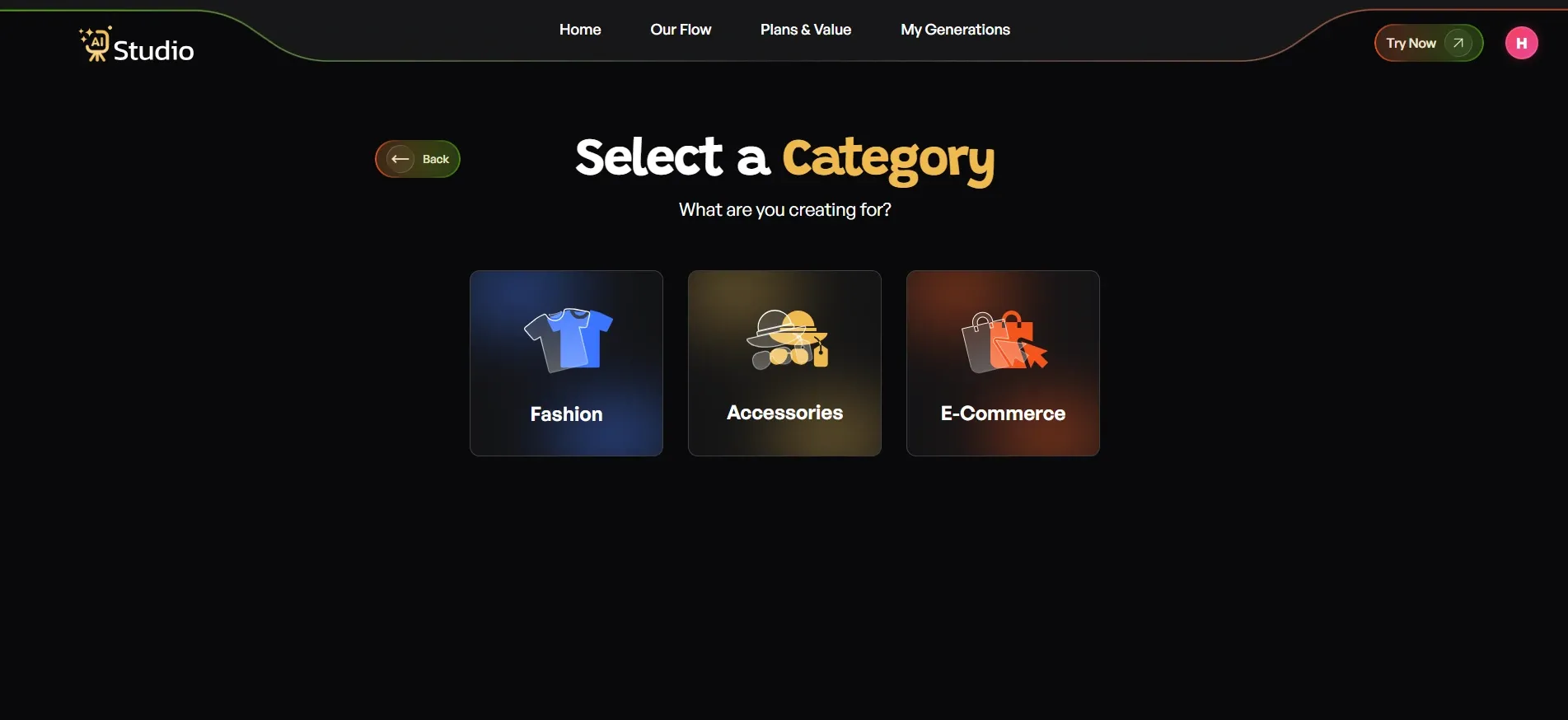
Step 3: Select your category. Pick the option that matches your product:
- Choose Fashion if you're selling clothing like kurtas, t-shirts, dresses, or ethnic wear
- Choose Accessories if you sell watches, jewelry, bags, belts, or sunglasses
- Choose E-commerce for general listings like electronics, home goods, or beauty products
- If you pick Fashion or Accessories, you'll also choose Women, Men, or Kids, so the AI knows which model type to show
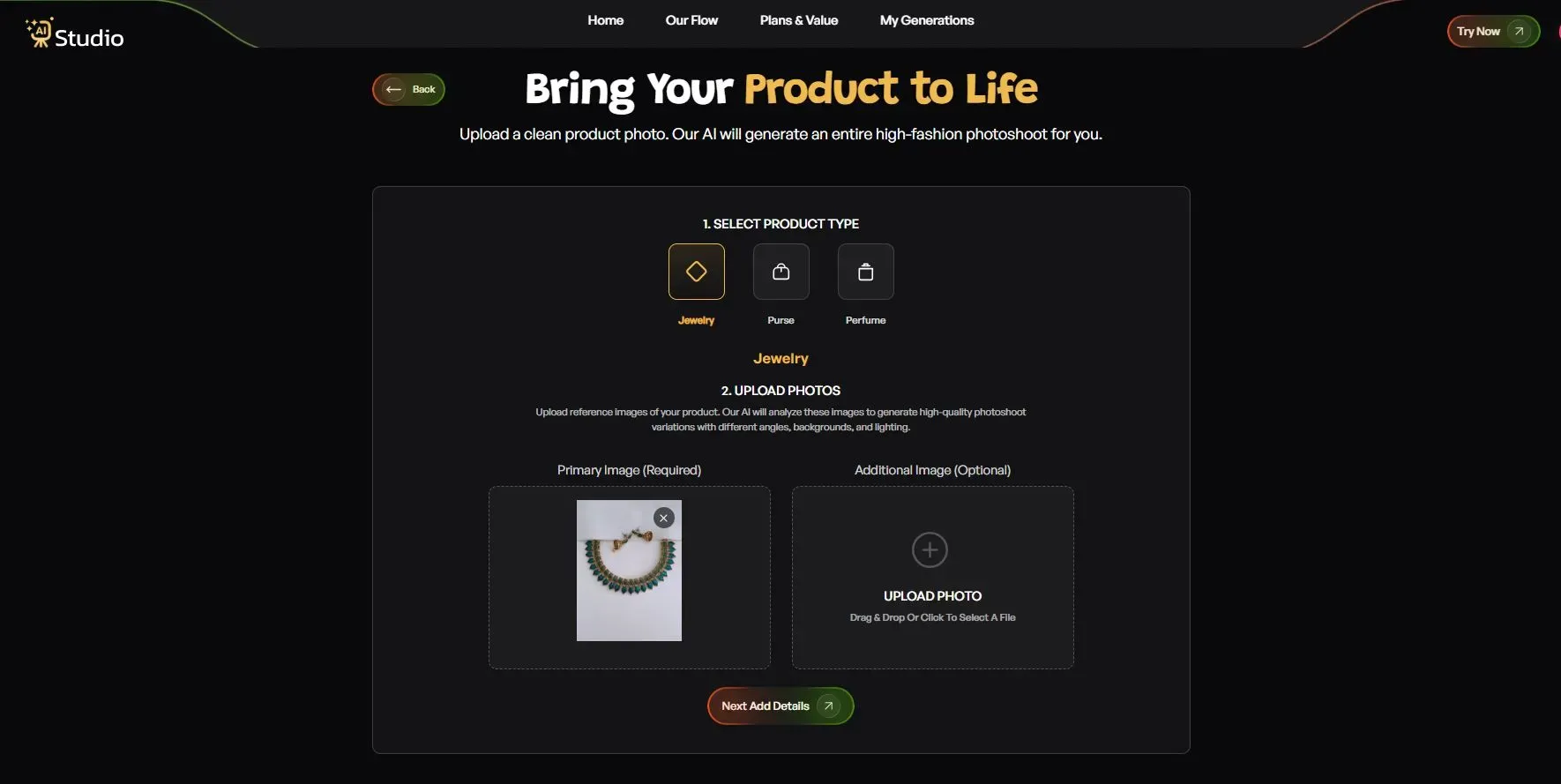
Step 4: Upload your product photo. This step decides most of your final quality.
- Pick your exact product type; for accessories, this could be a watch, belt, perfume, and so on
- Upload a Primary Image, a clear, front-facing photo of your product; this is required
- Add a second image if you have another angle, optional but helpful
- Your source photo should have a plain white or light-coloured background for the best result; any phone photo works fine as long as it's in focus and has decent light
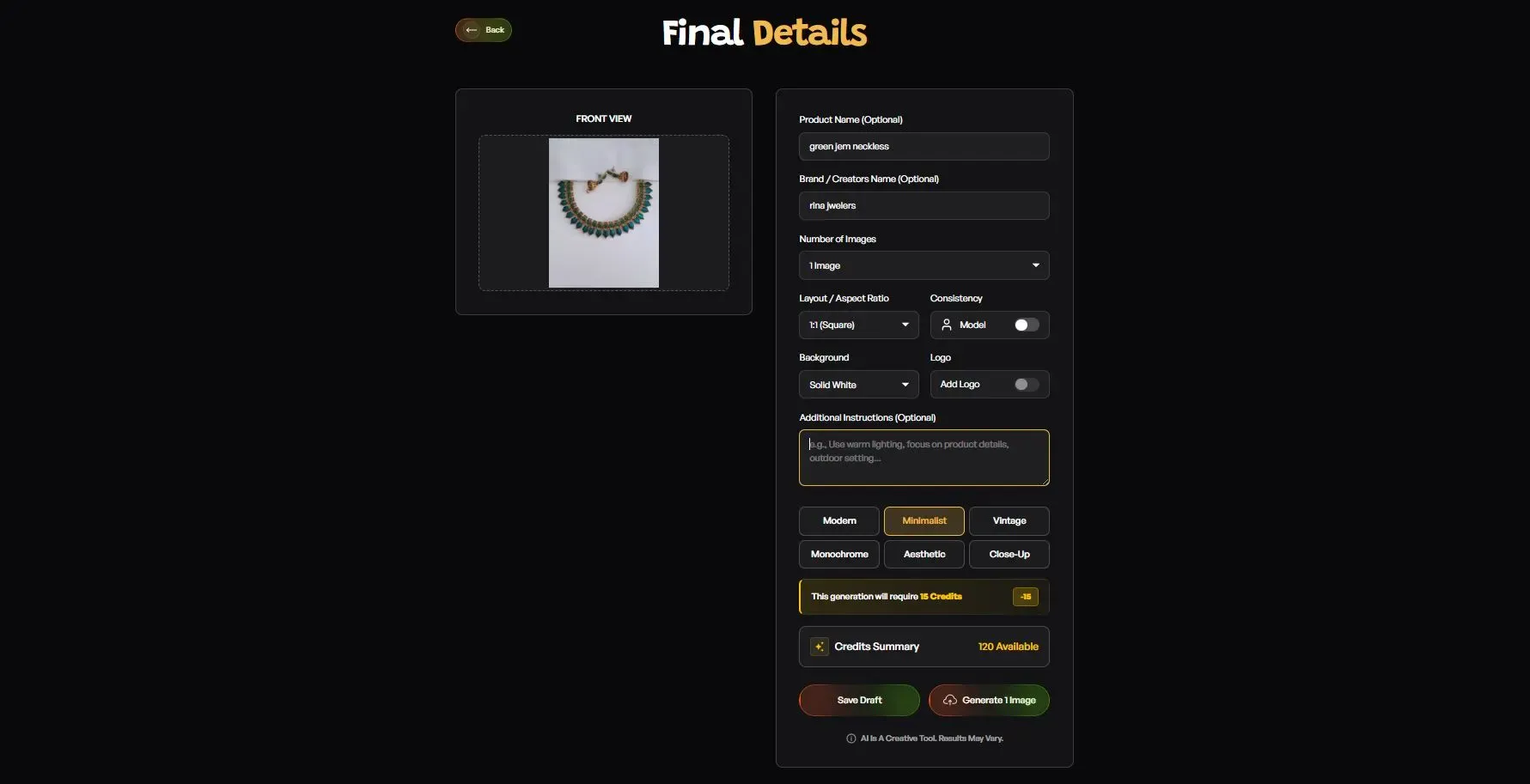
Step 5: Fill in the final details. This is where you set the final look to match your platform and brand.
- Add your Product Name and Brand Name; optional but helps keep things consistent
- Set the Number of Images you want: 2, 4, or more
- Choose the Layout: 1:1 square for Amazon listings and Instagram, 4:5 for Instagram feed, 16:9 for banners
- Turn on Model Consistency if you want the same model across your whole catalog
- Choose a Background; Solid White works best for Amazon's main image spot, while lifestyle backgrounds suit a Shopify store and Instagram
- Pick a Style: Modern, Minimalist, Vintage, Monochrome, Aesthetic, or Close Up
- Add a Logo if you want your brand mark on the image
- Write any extra instructions, for example warm lighting, outdoor setting, or focus on product details
Step 6: Download your image. Click Generate, and within 10 seconds your image is ready in full quality, no editing needed, no back and forth. It's ready to go straight onto your Amazon listing, Shopify store, Flipkart page, or Instagram post.
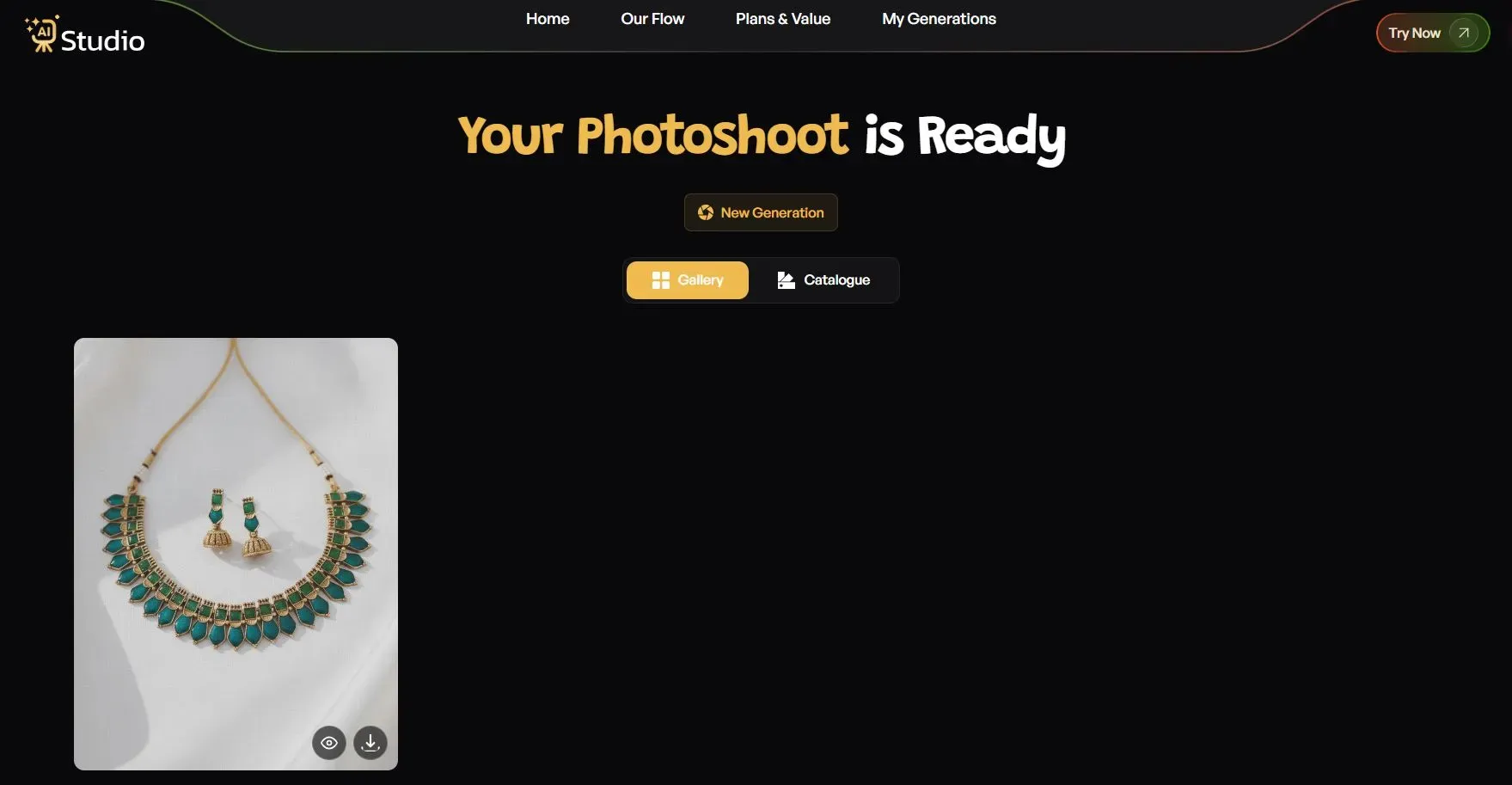
I've seen brands use AI Studio to create consistent product images without hiring models, and for jewelry and fashion sellers especially, this saves a huge amount of time every month. Instead of spending ₹20,000 on a shoot, many sellers now use AI tools like AI Studio to go from a phone photo to a publish-ready listing image in under a minute.
How to Improve Your Amazon and Shopify Listing Images with AI
If you are selling on Amazon, you can tell that the platform is very strict when it comes to image requirements. If you don't follow these guidelines, Amazon can hide your listing from search results. This is a problem for every seller. Luckily, there is a solution for this common issue that every online store owner can benefit from. This is where good ecommerce photography AI comes into play.
White Background Rule
Amazon requires your primary image to have a pure white background, period. This is where an ecommerce photo background remover AI comes in handy, as it will allow you to delete the background in your product image automatically and replace it with pure white. This means no more spending hours upon hours trying to delete your background in Photoshop.
This one change would already fix one of the most frequent reasons why Amazon would reject your images and not publish them on their platform.
Likewise, if you are looking to post images on Shopify or Flipkart, the same principle would apply, as any other marketplace will require a similar style of image with the background removed.
Keeping SKUs Consistent
Here is a consideration that might not have occurred to you as a seller, but will certainly do so as you are at the brink of a bigger business. If you have fifty variants of a certain product, let's say different coloured t-shirts, you need to make sure that the images of each variant are consistent with one another. Inconsistency in SKUs begets an unprofessional appearance in storefronts.
By utilizing automated product photography solution tools, one can batch produce images for each variation on the same background, lighting, and with the same aesthetic appeal as the rest. Something which is not possible to achieve with a regular shoot due to the variance of a professional photographer from one session to another.
Think about it. A potential buyer would not hesitate to find fault in your listing, even if they couldn't tell you exactly what you did wrong with your Flipkart or Amazon listing. A slight variance in the shade of your image backgrounds would be enough for a consumer to be wary of your brand's professional appearance.
Consistency across all SKUs would reassure customers in their buying decisions and reduce returns in the long run.
Choosing the Best AI Product Photography Tool for Your Store
With a growing number of options, it could be hard to find the right choice. I'll start by breaking down the key factors in choosing the best AI product photo generator for your business needs.
Check if the tool offers a free trial to test the quality of photos for your products before purchasing. You should also look at marketplace support, and check that the images generated are exported in the right size and format for Amazon, Flipkart, and Shopify.
Here are the key things to check before choosing:
- Free trial or free credits to test quality first
- Support for Amazon, Flipkart, and Shopify image formats
- Batch processing if you manage multiple SKUs
- Pricing in INR with no hidden charges
- Category coverage for fashion, jewelry, electronics, and more
- On-model photo options if you're a clothing or accessory brand
For the owner of a small business, the most attractive feature of AI product photography is its price. A simple tool with a monthly payment of ₹600, which allows a few necessary transformations, will probably be more useful than a complex editor with a large set of rare functions that no one needs. By the way, it is always a good idea to take advantage of the free trial. Only by comparing the characteristics and calculating the cost-benefit ratio will it be possible to choose the most cost-effective solution.
Besides, companies that provide an AI jewelry product photography tool or a similar product for beauty niche users should be considered separately, as specific tools for a particular category often have better technologies to edit reflections and work with fabrics.
In addition, agencies that perform product photography for several brands under their control should carefully consider the AI product photography software comparison and the ability to customize the program for the needs of different clients.
It is essential to understand that the most convenient technology is not the most technically advanced one but the one that is most comprehensible and comfortable for the user. Thus, a small company that has only one person selling goods on their website and making twenty product images per month will have different requirements for an AI product photography tool than a large agency that needs to produce several thousand images of various objects every month.
Conclusion
Product photography doesn't have to drain your budget anymore. Whether you're running a small D2C fashion brand or managing hundreds of SKUs on Amazon, an artificial intelligence image editor provides you with a faster, cheaper, and more consistent way to get studio-quality images.
From removing backgrounds to matching Amazon's listing rules, tools like AI Studio handle the heavy lifting so you can actually grow your store. If you've been putting off a photoshoot because of the cost, this might be the simplest fix you try this year.