


AI Photoshoot for Amazon Sellers: Create Product Images Without a Studio
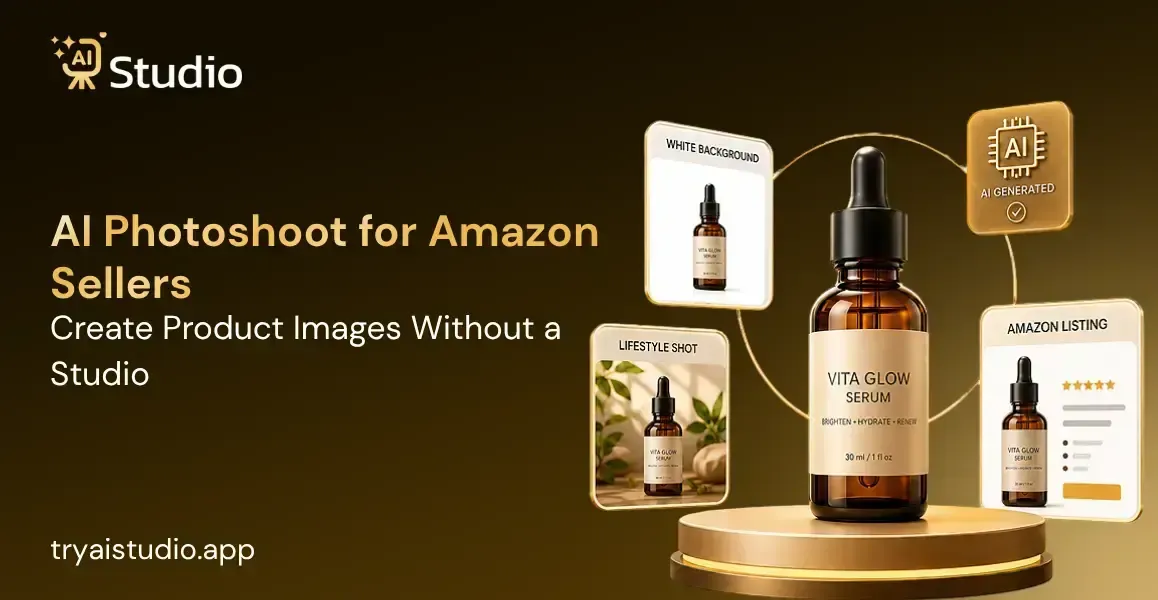
You have an amazing product. However, your product photos make me feel like someone took it during their lunch break.
The photos are out of focus, the background is messy, and frankly speaking, the product looks like something nobody would ever want to purchase. It is a sad truth but poor product pictures hurt your sales each day.
Here comes the good part. No studio, no professional photographers, no models are required to solve this problem.
In this post, I will show you how it is done, which tools you should use, and how to avoid the most common mistakes that lead to suppression of your listings. If you want a broader overview first, this guide on AI product photography for Amazon sellers is a great place to start.
What Is an AI Photoshoot for Amazon Sellers?
Now, let me make this clear. An AI photoshoot for Amazon sellers is basically an attempt to shoot professional product pictures using AI technology without setting up a physical studio, lighting, or hiring a photographer. All you have to do is provide a single picture of your product.
This is not about applying filters or making simple modifications. What these tools do is recognize your product, cut out the background, and position it in a realistic studio or lifestyle setting. If you are curious about the full scope of what AI product photography actually is, there is a detailed breakdown worth reading.
How Does AI Product Photography Work?
The process is surprisingly simple. Here is what happens step by step when you use an AI product photography tool:
- You take a basic photo of your product, even with your smartphone
- The tool's artificial intelligence image editor automatically detects and removes the background
- You choose the type of image you need: white background, lifestyle scene, or on-model display
- The AI renders the final image with proper lighting, shadows, and framing
- You download a high-resolution, ready-to-upload file
Tools like AI Studio (tryaistudio.app) can do all of this in about 10 seconds. No studio. No photographer. No waiting. Just upload and download. To understand more about the mechanics behind this, read about how an AI photo generator works for product photography.
Why Are Amazon Sellers Switching to AI?
Think about it this way. In my experience, a single professional photoshoot for 10 products in India can easily cost between Rs. 10,000 and Rs. 50,000 once you add studio rental, photographer fees, model charges, and editing costs. And if your product line changes next season? You start from zero again.
That is exactly why so many sellers are making the switch. According to industry data, 67% of top-performing Amazon sellers now use AI for at least some of their product imagery, up from just 23% in 2024. The gap is widening fast.
For Indian D2C brands and small business owners, affordable product photography AI is no longer optional. It is becoming a competitive necessity.
Amazon Product Image Requirements You Must Know Before Using AI
There are certain things that you should know before getting started with any AI product photography service. What I have seen in many cases is that the sellers produce amazing AI images but due to non-compliance with Amazon's guidelines their listings get suppressed.
Do not let that happen to you. Here is what you need to know.
Main Image Rules (Non-Negotiable)
Amazon is very strict about the main listing image, which is the image shoppers see in search results. Getting this wrong can get your listing removed from search entirely.
Key rules for the main image:
- Pure white background only. The RGB value must be exactly 255, 255, 255. Even slightly off-white will get rejected
- Minimum 1000 pixels on the longest side. This enables the zoom feature, which research shows increases conversions significantly
- No text, watermarks, logos, or props in the frame
- The product must fill at least 85% of the frame
- No mannequins, no models (for most categories), no borders
Fortunately for us, the software used to create the logo comes with compliance templates for Amazon. The logo created on the white background will be compliant because of that.
Secondary Image Slots (Where AI Shines)
Amazon gives you up to 9 image slots per listing. The main image wins the click. The remaining 8 slots are your sales pitch.
Each slot has a different job to do:
- Slots 2 to 4: Different angles, close-up detail shots, packaging
- Slots 5 and 6: Infographics showing dimensions, key features, material callouts
- Slots 7 to 9: Lifestyle images showing the product in real-world use
This is when AI in ecommerce photography can really help. Making 6 to 8 lifestyle images and infographics using conventional photography methods will cost a fortune. You can learn how to create high-converting ecommerce images using AI to make the most of every slot.
Given that there are AI product photography free trials in almost all software packages, it is worth testing first before investing in anything.
How to Do an AI Photoshoot in 5 Simple Steps
This is the truth; most vendors complicate things more than necessary. You don't need to comprehend how that technology operates internally. All you need is to follow these five steps and you'll get professional images for your products.
Step 1: Create a Free Account and Log In
Go to tryaistudio.app and create a free account. No credit card needed. The signup takes less than a minute. Once you log in, your dashboard opens right away and you are ready to start.
Step 2: Choose Your Studio
Inside the dashboard, you will see three options: Photo Studio, Marketing Studio, and Video Lab.
For product photography, click on Photo Studio. This is where all the magic happens for creating listing-ready images.
Step 3: Select Your Category and Subcategory
AI Studio will ask you what your product is. You will see three main categories:
- Fashion for clothing like kurtas, t-shirts, dresses, or ethnic wear
- Accessories for jewellery, bags, watches, belts, or sunglasses
- E-Commerce for general products like electronics, home goods, or beauty items
After choosing your main category, pick your subcategory. For Fashion and Accessories, you also choose Women, Men, or Kids. This tells the AI which type of virtual model to use for your product. If you sell clothing or accessories, you may want to explore AI fashion photography tools for clothing brands to understand the full potential here.
Step 4: Upload Your Product Photo
Now upload a clear, front-facing photo of your product. A smartphone photo works perfectly fine. Just make sure:
- The product is in focus
- The background is plain or white
- The lighting is decent, natural window light is enough
You can also add a second angle photo as an additional image if you have one. Click Next: Add Details when you are done.
Step 5: Fill In the Details and Generate
This is where you customize your output:
- Add your Product Name and Brand Name
- Choose how many images you want: 2, 4, or more
- Select your Aspect Ratio: 1:1 for Amazon and Instagram, 4:5 for Instagram feed, 16:9 for banners
- Pick your Background: Pure white for Amazon main image, lifestyle options for secondary slots
- Choose a Style: Modern, Minimalist, Vintage, Monochrome, or Close-Up
- Toggle Model Consistency on if you are shooting a full catalog, this keeps the same model across all images for a professional, uniform look
- Add any special instructions like "warm lighting" or "outdoor setting"
When everything looks right, click Generate Images.
Within 10 seconds, your product appears in a professional scene, or on a virtual model if you selected Fashion or Accessories. Download the image in full resolution and upload it directly to your Amazon listing, Shopify store, or Flipkart catalog.
No retouching. No back-and-forth. No waiting for a photographer.
Best AI Tools for Amazon Product Photography (Free and Paid)
Honestly, I'll be straight with you. Not every AI tool is made the same, some are quite good for general creative work, but they sort of fall apart when you actually need an accurate product representation for an ecommerce listing. I kind of broke it all down so you don't have to do the trial and error thing yourself, yknow.
There are two buckets that are worth knowing: free and freemium options to get started, and paid tools that really deliver serious outcomes at scale.
Free and Freemium Options
If you are just starting out and want to test the waters without spending money, these tools offer free tiers:
- Photoroom: Excellent for background removal and basic white background generation. The free plan has limited exports and adds a watermark
- Pebblely: Good for lifestyle scene generation. Free plan allows a limited number of images per month
- Canva AI backgrounds: Works well for social media creatives but is not built specifically for Amazon compliance
These are pretty good for testing, but the free tiers have real limits in practice. If you're selling on Amazon seriously, you'll probably outgrow them pretty fast, like before you know it. For a deeper look at your options, check out this roundup of the best free AI product image generators available right now.
Paid Tools Worth the Investment
For sellers who need consistent, high-quality results at volume, these paid options are worth considering:
- AI Studio (tryaistudio.app): Built specifically for Indian ecommerce sellers. Starts at around Rs. 600 per month. Works for fashion, jewelry, accessories, and general ecommerce products. Creates white background shots, lifestyle scenes, and on-model images without hiring actual models. Fast, consistent, and affordable
- SellShots: Strong for Amazon-specific workflows including A+ content images and Sponsored Brand banner creatives
- Ecomtent: Focused on Amazon listing images and A+ content generation
- Flair.ai: Good for placing products in aspirational lifestyle environments
- ProdShot: Designed for FBA sellers who want phone-photo-in to listing-ready-out workflows
What to Look for in an AI Product Photo Tool
Before you pick a tool, check for these things:
- Amazon compliance templates built in (white background, correct resolution)
- Batch processing capability if you have more than 10 SKUs
- On-model or virtual model support if you sell clothing, jewelry, or accessories
- Commercial license included for all generated images (critical for advertising use)
- Product accuracy: Unlike generic AI image generators, purpose-built ecommerce tools preserve your product's exact shape, texture, color, and label details. Generic tools often distort logos and fine details, which can create compliance issues on Amazon
AI vs. Traditional Product Photography: Which Is Right for You?
I get this question a lot. Sellers want to know: is AI actually good enough, or is traditional photography still the gold standard? Here is my honest answer.
For most Indian ecommerce sellers, especially those with growing catalogs, AI photography is the smarter choice for the majority of your image needs. Here is a direct comparison to help you decide. For an even more detailed breakdown, read this full guide on AI product photography vs traditional shoots.
| Factor | Traditional Studio | AI Photoshoot |
|---|---|---|
| Cost per SKU | Rs. 2,000 to Rs. 5,000 | A few rupees per image |
| Turnaround Time | Days to weeks | Seconds to minutes |
| Amazon Compliance | Depends on photographer | Built-in for purpose-built tools |
| Texture and Reflection Accuracy | Excellent | Can struggle with glass or metallic items |
| Batch Processing | Limited | Highly scalable |
| Best For | Hero product launches, luxury brands | Catalog scaling, budget sellers, seasonal refreshes |
Industry surveys show that ecommerce sellers using AI product photography tools report up to 40% cost reduction per product image compared to traditional studio photography.
That said, AI is not perfect for everything. It can struggle with highly reflective or transparent products like glass bottles or chrome finishes. For those, a traditional setup or at least a hybrid approach works better.
The smart move for most brands: use AI product photography for 80% of your catalog and reserve traditional photography for your top 2 or 3 hero products where every detail must be perfect.
Common Mistakes Amazon Sellers Make With AI Product Photos
Here is something I really wish someone had told me earlier, like, straight up. Getting access to a solid AI product photography tool is only half the job. The other half is figuring out how to use it correctly, not just clicking things and hoping. I have seen sellers make the same avoidable little mistakes, over and over again, in this kind of loop. Following proven AI product photography tips for ecommerce sellers can save you a lot of time and frustration.
Mistake 1: Using images that do not accurately represent the product
Amazon's policy is clear. If your AI-generated image makes your product look different from what the customer will actually receive, that is grounds for listing suppression or account action. Always verify that colors, textures, and dimensions look accurate before uploading.
Mistake 2: Skipping the review step before upload
AI tools are fast, but they are not always perfect. Edge artifacts, slight color shifts, or incorrectly rendered shadows can appear. Always do a quick visual check before uploading anything to Seller Central.
Mistake 3: Using the same angle for all image slots
This is a massive missed opportunity. Each of your 9 image slots should serve a different purpose. Do not upload seven nearly identical shots. Use the AI to generate multiple types: angles, close-ups, lifestyle, and infographics.
Mistake 4: Ignoring resolution requirements
If your image is under 1000 pixels on the longest side, Amazon disables the zoom feature on your listing. Zoom has been shown to increase conversions by giving shoppers a closer look at product details. Always export at maximum resolution.
Mistake 5: Uploading a lifestyle image as the main image
Your main image must be a product-only shot on a pure white background. Uploading a lifestyle image in Slot 1 will get your listing suppressed. The AI tool you use should clearly separate these output types.
Conclusion
If you are still spending Rs. 20,000 or more per photoshoot for just a handful of products, then well there is a smarter way to handle this. AI photoshoot for Amazon sellers has made those professional, compliant product images way more obtainable, for any seller, any budget and honestly any pace too.
You do not have to keep a studio. You do not need a photographer. You do not need a model. What you actually need is one clear photo of your product and the right tool.
Start with only one product, test the results, then move on and scale across your catalog. Tools like AI Studio are made for this exact flow. Your listing images are your first impression so yeah, make them count.